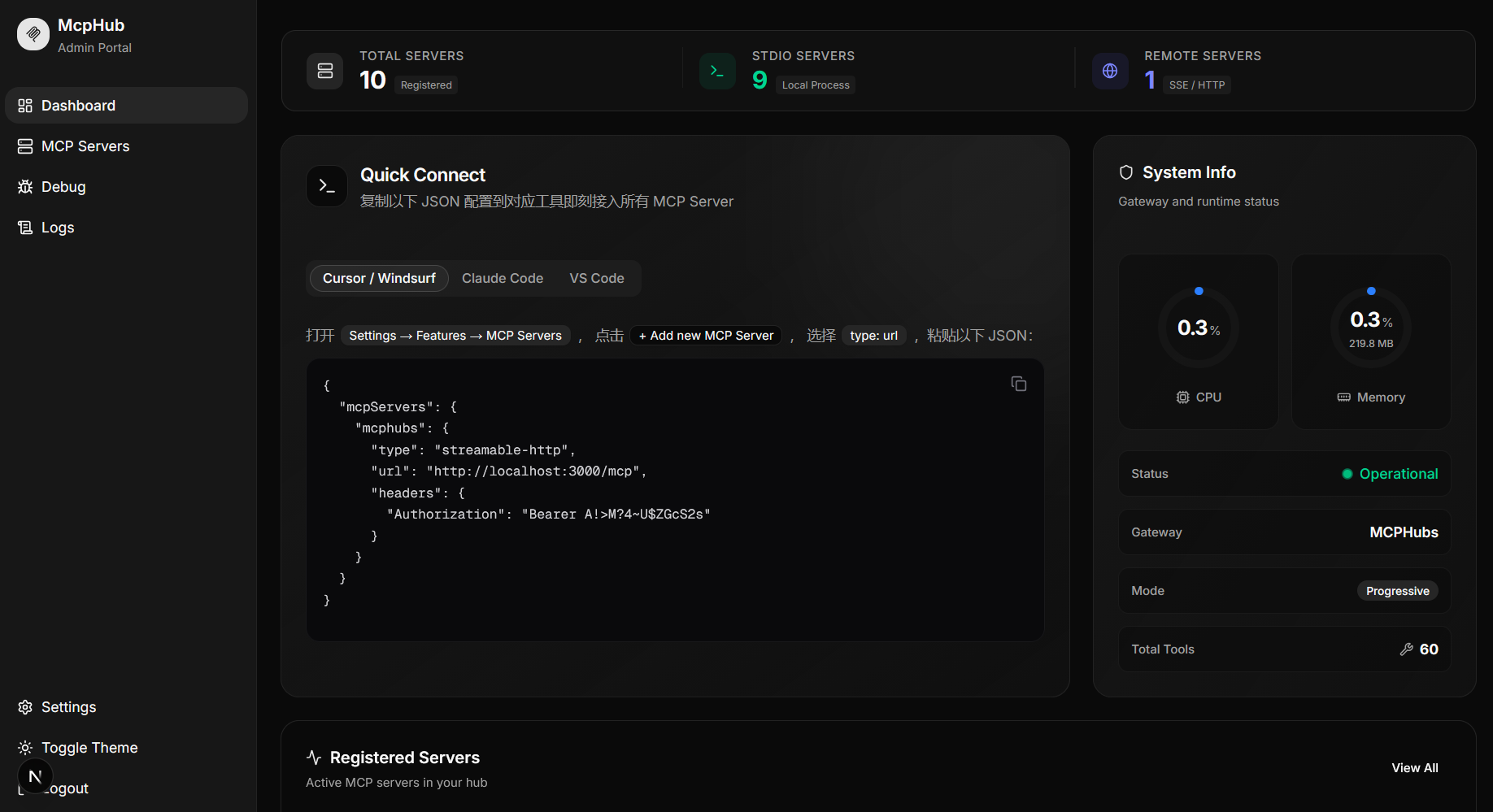
注册任意 MCP Server (stdio / SSE / Streamable HTTP),统一暴露为单一的 Streamable HTTP 端点。
MCPHubs
The MCP gateway that doesn't overwhelm your AI.
Why MCPHubs?
MCP is powerful — but naive aggregation is not. When you wire up 10+ MCP Servers, your LLM is force-fed hundreds of tool definitions on every single request — burning tokens, inflating costs, and degrading decision quality.
MCPHubs fixes this with Progressive Disclosure.
Instead of dumping every tool into the system prompt, MCPHubs exposes a lean surface of just 4 meta-tools. Your AI discovers servers, inspects their capabilities, and calls the right tool — all on demand, with zero upfront overhead.
┌─────────────────────────────────────────────────────────────────────┐
│                        Without MCPHubs                              │
│                                                                     │
│  AI System Prompt:                                                  │
│  ├── tool_1 definition (search)              }                      │
│  ├── tool_2 definition (fetch_article)       }  150 tool schemas    │
│  ├── tool_3 definition (create_issue)        }  = ~8,000 tokens     │
│  ├── ...                                     }  EVERY request       │
│  └── tool_150 definition (run_analysis)      }                      │
└─────────────────────────────────────────────────────────────────────┘

┌─────────────────────────────────────────────────────────────────────┐
│                         With MCPHubs                                │
│                                                                     │
│  AI System Prompt:                                                  │
│  ├── list_servers    "discover available servers"   }               │
│  ├── list_tools      "inspect a server's tools"    }  4 tools       │
│  ├── call_tool       "invoke any tool"             }  = ~400 tokens │
│  └── refresh_tools   "refresh tool cache"          }  EVERY request │
│                                                                     │
│  AI discovers and calls the right tool when needed. Not before.     │
└─────────────────────────────────────────────────────────────────────┘
How Progressive Disclosure Works
MCPHubs collapses all your MCP Servers into 4 meta-tools:
| Meta-Tool | Purpose |
|---|---|
| list_servers | Discover available MCP Servers |
| list_tools | Inspect tools on a specific server |
| call_tool | Invoke any tool on any server |
| refresh_tools | Refresh a server's tool cache |
The AI explores your tool ecosystem on demand — it calls list_servers to see what's available, drills into a server with list_tools, and invokes the right tool via call_tool. No upfront cost, no bloat.
Don't need progressive disclosure? Set
MCPHUBS_EXPOSURE_MODE=fulland MCPHubs becomes a straightforward aggregation gateway — all tools from all servers exposed directly.
✨ Features
| | |
|---|---|
| 🎯 Progressive Disclosure | 4 meta-tools, infinite capabilities. Tools loaded on demand |
| 🔀 Multi-Protocol Gateway | Unifies stdio, SSE, and Streamable HTTP behind one endpoint |
| 🖥️ Web Dashboard | Modern Next.js UI for managing servers, bulk import/export |
| 📦 One-Click Import | Auto-detects Claude Desktop, VS Code, and generic JSON configs |
| 🤖 LLM Descriptions | Auto-generates server summaries via OpenAI-compatible APIs |
| 🔐 API Key Auth | Bearer Token protection on the /mcp endpoint |
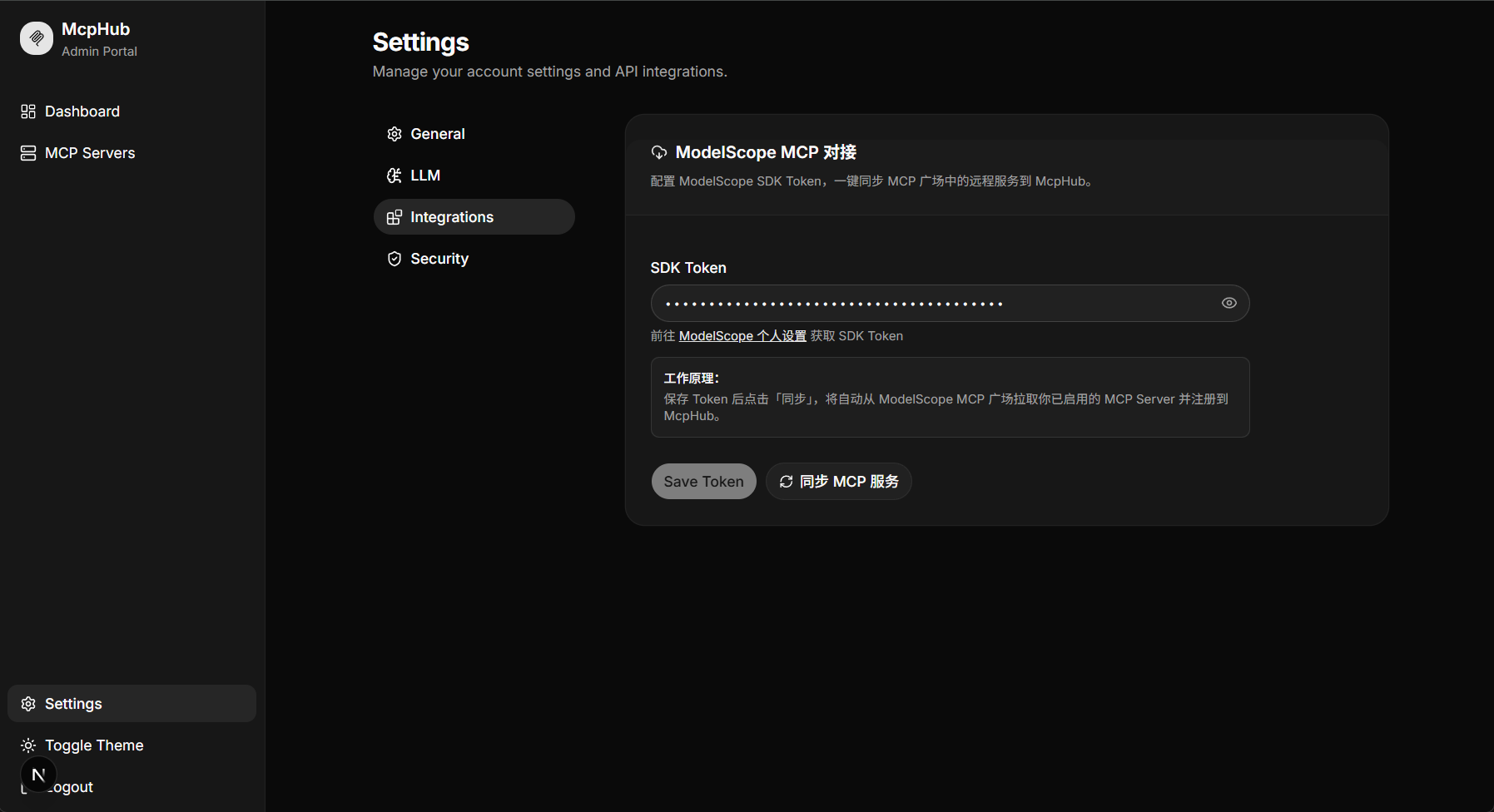
| 🌟 ModelScope Sync | Import from ModelScope MCP Marketplace |
ModelScope Integration
🏗 Architecture
AI Client ──▶ Streamable HTTP ──▶ MCPHubs Gateway ──┬─ stdio servers
                                       │            ├─ SSE servers
                                  PostgreSQL         └─ HTTP servers
                                       │
                                  Web Dashboard
🚀 Quick Start
Docker Compose (Recommended)
git clone https://github.com/7-e1even/MCPHubs.git && cd MCPHubs
cp .env.example .env        # edit as needed
docker compose up -d
Open http://localhost:3000 — login with admin / admin123.
Local Development
Backend:
pip install -r requirements.txt
cp .env.example .env
python main.py serve
Frontend (dev):
cd web
npm install
npm run dev
Frontend (production):
cd web && npm install && npm run build && npm run start
🔌 Connect Your AI Client
Add MCPHubs as a single MCP endpoint:
Cursor / Windsurf
{
  "mcpServers": {
    "mcphubs": {
      "type": "streamable-http",
      "url": "http://localhost:3000/mcp"
    }
  }
}
Claude Code
claude mcp add --transport http mcphubs http://localhost:3000/mcp
With API Key authentication:
claude mcp add --transport http --header "Authorization: Bearer YOUR_API_KEY" mcphubs http://localhost:3000/mcp
VS Code
{
  "mcp": {
    "servers": {
      "mcphubs": {
        "type": "streamable-http",
        "url": "http://localhost:3000/mcp"
      }
    }
  }
}
That's it. Your AI now has access to every tool on every server through progressive discovery — without seeing any of them upfront.
⚙️ Configuration
| Variable | Default | Description |
|---|---|---|
| MCPHUBS_EXPOSURE_MODE | progressive | progressive (4 meta-tools) or full (passthrough) |
| MCPHUBS_DATABASE_URL | postgresql+asyncpg://... | PostgreSQL connection string |
| MCPHUBS_API_KEY | (empty) | Bearer Token for /mcp (empty = no auth) |
| MCPHUBS_HOST | 0.0.0.0 | Listen address |
| MCPHUBS_PORT | 8000 | Listen port |
| MCPHUBS_JWT_SECRET | (random) | JWT signing secret for dashboard |
| MCPHUBS_ADMIN_USERNAME | admin | Dashboard admin username |
| MCPHUBS_ADMIN_PASSWORD | admin123 | Dashboard admin password |
📡 Management API
# List all servers
curl http://localhost:8000/api/servers

# Register a new server
curl -X POST http://localhost:8000/api/servers \
  -H "Content-Type: application/json" \
  -H "Authorization: Bearer <JWT_TOKEN>" \
  -d '{"name": "my-server", "transport": "sse", "url": "http://10.0.0.5:3000/sse"}'

# Export config (claude / vscode / generic)
curl http://localhost:8000/api/servers/export?format=claude

# Health check
curl http://localhost:8000/api/health