Unified MCP server for Gemini AI code generation and Google Stitch design — design-to-code pipelines for Claude Code
gemini-stitch-mcp
The unified MCP server that turns Claude Code into a design-to-code powerhouse.




Why?
Claude Code excels at architectural thinking and code orchestration -- but frontend code generation and visual design require specialized tools. Gemini generates production-ready React and Vue components at scale, while Google Stitch produces pixel-perfect design systems. This server unifies all three, letting Claude Code remain the intelligent architect while delegating UI expertise to best-in-class models. The result: designs that look pristine, code that's maintainable, and workflows that actually make sense.
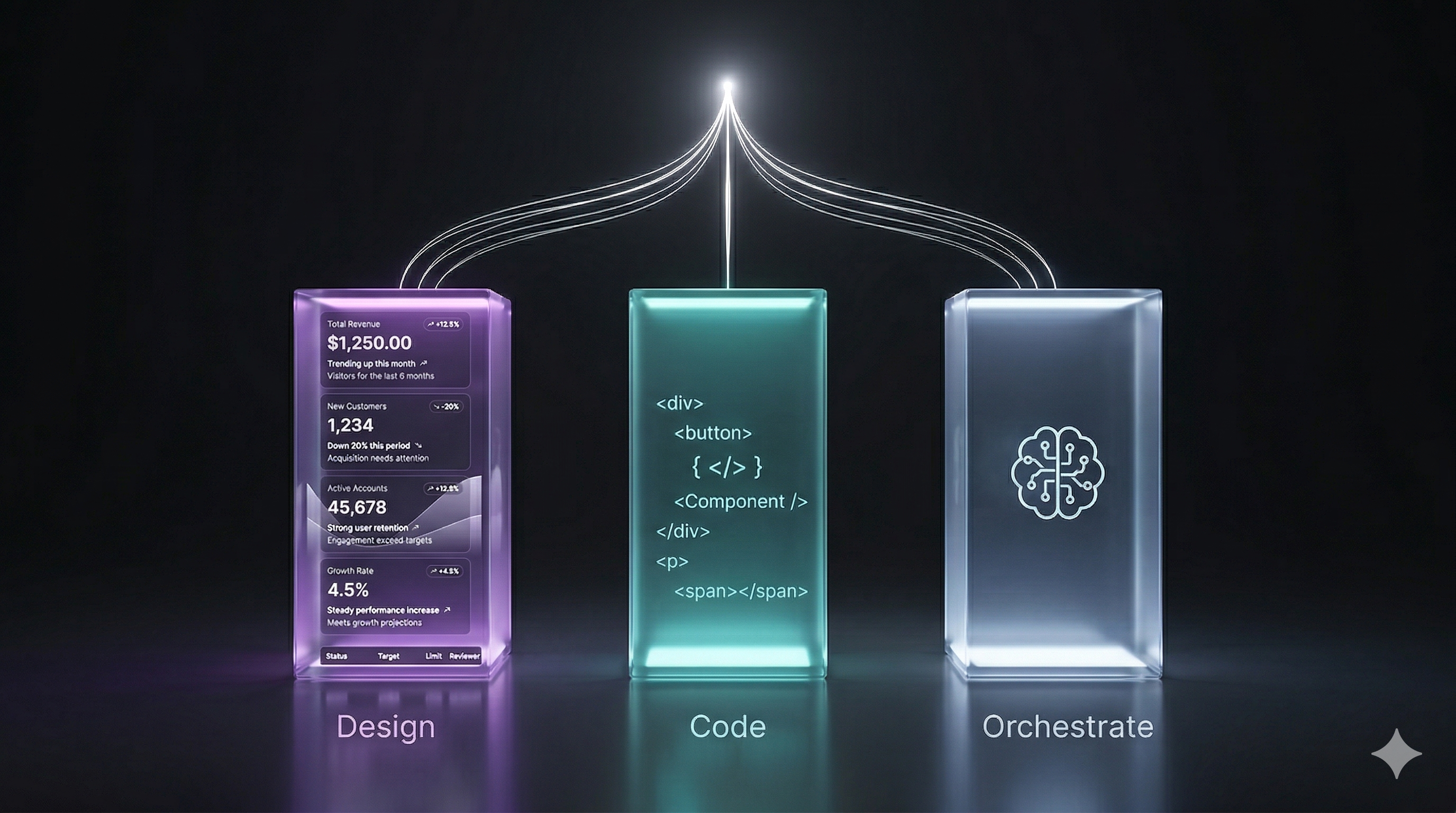
The Three Pillars
| Pillar | Engine | Role | |--------|--------|------| | Design | Google Stitch | Generate visual designs, design systems, and component mockups from text descriptions | | Code | Google Gemini | Transform designs into semantic, typed React/Vue/HTML components | | Orchestrate | Claude Code | Review code, manage architecture, integrate components, and drive the workflow |
The pipeline is simple: Stitch designs --> Gemini codes --> Claude Code reviews and integrates. No context switching. No manual handoffs. Just seamless design-to-code.
Architecture
The server acts as a bridge between Claude Code and Google's design/generation APIs:
Claude Code
    | stdio (JSON-RPC 2.0)
    v
gemini-stitch-mcp server
    |-- GeminiClient  --> Gemini API (via Vertex AI or API key)
    |-- StitchClient  --> Stitch API (OAuth or API key)
    |-- ScreenCache   --> In-memory LRU (50 entries, 30min TTL)
    +-- PipelineStore --> In-memory context for iteration
All communication with Claude Code flows through JSON-RPC 2.0 over stdio. The server handles authentication, API orchestration, caching, rate limiting, and state management for multi-step workflows.
How the Pipeline Works
The design_to_code tool automates the journey from design concept to production-ready code in a single call:
- Describe -- You tell Claude Code what you need (e.g., "Create a dark-mode login form with email and password fields").
- Design -- The server sends your prompt to Stitch, which generates a visual design mockup and returns a screen ID.
- Extract -- HTML and CSS are extracted from the Stitch screen, capturing the layout and styling.
- Generate -- The extracted markup is sent to Gemini, which produces a production-ready component in your chosen framework (React, Vue, or HTML) with your preferred styling (Tailwind, CSS, or styled-components).
- Return -- You get back three things:
contextId-- a reference for future refinementspreviewUrl-- a link to view the Stitch designcode-- the ready-to-use component
Iteration
Once you have an initial design, refine it without starting over:
iterate_design({ contextId, feedback: "Make the form wider and add a forgot password link" })
The server retrieves cached context, sends feedback to Stitch to update the design, and runs the updated design through Gemini again. Updated code and preview URL are returned while maintaining design consistency across iterations.
Quick Start
npm install -g gemini-stitch-mcp
Or use directly with npx — no install needed. Add to your Claude Code MCP config (.claude/settings.json or project .mcp.json):
{
  "mcpServers": {
    "gemini-stitch": {
      "command": "npx",
      "args": ["-y", "gemini-stitch-mcp"],
      "env": {
        "GEMINI_API_KEY": "your-api-key"
      }
    }
  }
}
Restart Claude Code and all 12 tools are available. No install step needed — npx handles it. See below for other auth methods.
Authentication
Four modes, from simplest to most powerful:
1. API Key (Simplest)
- Go to Google AI Studio and generate a free API key.
- Set
GEMINI_API_KEYin your MCP config. Done.
2. Gemini CLI (Zero-Config -- Recommended)
If you already have the Gemini CLI installed and signed in, no configuration is needed. The server automatically detects your Gemini CLI credentials at ~/.gemini/oauth_creds.json and reuses the same session -- sharing your existing Gemini account usage and quota.
# If you haven't already:
npm install -g @anthropic-ai/gemini-cli
gemini  # follow the sign-in prompt
Then just add the MCP server with no env vars -- it auto-discovers your credentials:
{
  "mcpServers": {
    "gemini-stitch": {
      "command": "npx",
      "args": ["-y", "gemini-stitch-mcp"]
    }
  }
}
3. Application Default Credentials (ADC)
If you already have the gcloud CLI installed:
gcloud auth application-default login
Then just set GOOGLE_CLOUD_PROJECT in your MCP config -- no API keys or OAuth credentials needed. The server auto-discovers your credentials via Vertex AI.
4. OAuth 2.0 (Full Access -- Gemini + Stitch)
For access to both Gemini and Stitch APIs with a single token:
- Create a Google Cloud project and enable the Gemini API.
- Create an OAuth 2.0 Client ID (Desktop app type) in the Cloud Console.
- Set
GOOGLE_CLIENT_ID,GOOGLE_CLIENT_SECRET, andGOOGLE_CLOUD_PROJECT. - On first start, an auth URL is printed to stderr. Open it in a browser and grant consent once.
- Tokens are saved to
~/.gemini-stitch-mcp/tokens.jsonand auto-refresh thereafter.
Claude Code Configuration
With Gemini CLI (Recommended -- No Env Vars)
{
  "mcpServers": {
    "gemini-stitch": {
      "command": "npx",
      "args": ["-y", "gemini-stitch-mcp"]
    }
  }
}
With API Key
{
  "mcpServers": {
    "gemini-stitch": {
      "command": "npx",
      "args": ["-y", "gemini-stitch-mcp"],
      "env": {
        "GEMINI_API_KEY": "your-api-key"
      }
    }
  }
}
With Application Default Credentials
{
  "mcpServers": {
    "gemini-stitch": {
      "command": "npx",
      "args": ["-y", "gemini-stitch-mcp"],
      "env": {
        "GOOGLE_CLOUD_PROJECT": "your-project-id"
      }
    }
  }
}
With OAuth
{
  "mcpServers": {
    "gemini-stitch": {
      "command": "npx",
      "args": ["-y", "gemini-stitch-mcp"],
      "env": {
        "GOOGLE_CLIENT_ID": "your-client-id",
        "GOOGLE_CLIENT_SECRET": "your-client-secret",
        "GOOGLE_CLOUD_PROJECT": "your-project-id"
      }
    }
  }
}
Tools Reference
Gemini Tools
| Tool | Description | Key Parameters | Default Model |
|------|-------------|----------------|---------------|
| gemini_prompt | General-purpose Gemini access. Send any prompt to Gemini from within Claude Code -- delegate code generation, analysis, writing, or any task. | prompt, systemPrompt | GEMINI_DEFAULT_MODEL |
| gemini_generate_ui | Generate UI components from a text prompt. Produces production-ready code for React, Vue, or HTML. | prompt, framework, styling, componentType | gemini-3.1-pro-preview |
| gemini_refine_code | Refine and improve existing frontend code with targeted instructions. | code, instructions | gemini-3.1-flash-lite-preview |
| gemini_review_ui | Review UI code for accessibility, responsiveness, and best practices. Returns structured JSON with findings. | code, checkAccessibility, checkResponsiveness | gemini-3.1-pro-preview |
| gemini_chat | Frontend development Q&A and brainstorming. Chat interface for design questions and code patterns. | message, context | gemini-3.1-flash-lite-preview |
Stitch Tools
| Tool | Description | Key Parameters |
|------|-------------|----------------|
| stitch_generate_screen | Generate a UI design from a text description. | prompt, projectId |
| stitch_get_html | Extract HTML and CSS from a Stitch screen. | screenId, minify |
| stitch_edit_screen | Edit an existing screen with text instructions. | screenId, instructions |
| stitch_get_variants | Generate design variations of a screen. | screenId, count |
| stitch_list_screens | List all screens in a Stitch project. | projectId |
Pipeline Tools
| Tool | Description | Key Parameters | Default Model |
|------|-------------|----------------|---------------|
| design_to_code | Full Stitch-to-Gemini pipeline. Generates design, extracts HTML/CSS, converts to production component. Returns contextId for iteration. | prompt, framework, styling | gemini-3.1-pro-preview |
| iterate_design | Iterative refinement. Takes feedback, updates the Stitch design, re-generates code via Gemini. | contextId, feedback | gemini-3.1-pro-preview |
Supported Models
Every Gemini tool accepts an optional model parameter. Common options:
| Model | Best For | |-------|----------| | gemini-3.1-pro-preview | Highest quality generation and analysis | | gemini-3.1-flash-lite-preview | Fast inference, chat, and refinement | | gemini-2.5-pro | Stable production fallback | | gemini-2.5-flash | Stable fast fallback |
Any valid Gemini model string can be passed. If omitted, the tool's default is used.
Environment Variables
| Variable | Required | Default | Description |
|----------|----------|---------|-------------|
| GEMINI_API_KEY | For API key mode | -- | Gemini API key from Google AI Studio |
| GOOGLE_CLOUD_PROJECT | For ADC / OAuth | -- | Google Cloud project ID |
| GOOGLE_CLIENT_ID | For OAuth only | -- | OAuth 2.0 client ID |
| GOOGLE_CLIENT_SECRET | For OAuth only | -- | OAuth 2.0 client secret |
| GOOGLE_CLOUD_LOCATION | No | us-central1 | Google Cloud region for Vertex AI |
| GOOGLE_REFRESH_TOKEN | No | -- | Pre-obtained refresh token (skips browser flow) |
| STITCH_API_KEY | No | -- | Stitch API key (alternative to OAuth) |
| STITCH_API_URL | No | -- | Override Stitch API endpoint |
| STITCH_PROJECT_ID | No | -- | Default Stitch project ID |
| GEMINI_DEFAULT_MODEL | No | gemini-3.1-flash-lite-preview | Default model when none specified |
Development
git clone https://github.com/alexxenn/gemini-stitch-mcp.git
cd gemini-stitch-mcp
npm install
npm run build
npm run dev    # watch mode
Testing the stdio server manually
To test the MCP server directly without Claude Code:
echo '{"jsonrpc":"2.0","id":1,"method":"initialize","params":{"protocolVersion":"2025-03-26","capabilities":{},"clientInfo":{"name":"test","version":"1.0"}}}' | GEMINI_API_KEY=test node dist/index.js
This sends a JSON-RPC 2.0 initialize request over stdio and displays the server response.
Project Structure
gemini-stitch-mcp/
├── bin/
│   └── gemini-stitch-mcp.js          # CLI entry point
├── src/
│   ├── index.ts                       # Server bootstrap, tool registration
│   ├── config.ts                      # Environment validation
│   ├── types.ts                       # Shared TypeScript interfaces
│   ├── auth/
│   │   ├── google-oauth.ts            # OAuth 2.0 flow
│   │   └── token-store.ts             # Persistent token storage
│   ├── clients/
│   │   ├── gemini-client.ts           # @google/genai wrapper
│   │   └── stitch-client.ts           # Stitch HTTP client
│   ├── tools/
│   │   ├── gemini/                    # 5 Gemini tools
│   │   ├── stitch/                    # 5 Stitch tools
│   │   └── pipeline/                  # 2 pipeline tools
│   ├── prompts/
│   │   ├── system-prompts.ts          # Curated AI prompts
│   │   └── templates.ts               # Framework conversion templates
│   ├── cache/
│   │   └── screen-cache.ts            # LRU cache
│   └── utils/
│       ├── retry.ts                   # Exponential backoff
│       └── rate-limiter.ts            # Token bucket rate limiter
├── package.json
├── tsconfig.json
└── LICENSE
Key modules:
- index.ts -- Initializes the MCP server, registers all 12 tools, and handles stdio communication
- config.ts -- Validates required environment variables at startup
- clients/ -- Thin wrappers around Gemini API and Stitch API with error handling
- tools/ -- Tool implementations grouped by service (Gemini, Stitch, Pipeline)
- auth/ -- Handles OAuth 2.0 token lifecycle and storage
- cache/ -- LRU screen cache to avoid redundant Stitch API calls
- utils/ -- Shared retry and rate-limiting logic
Contributing
We welcome issues, feature requests, and pull requests. To contribute:
- Fork the repository and create a feature branch
- Make your changes and run
npm run buildto verify TypeScript compilation - Follow the existing code style (2-space indentation, async/await over Promise chains)
- Submit a pull request with a clear description of your changes
Before submitting, ensure npm run build passes without errors.
License
MIT License -- see the LICENSE file for details.
Built to bridge the gap between AI design and AI code generation.