Python examples for AI-native messaging execution through the BridgeXAPI MCP interface.
BridgeXAPI MCP Python Examples
Python examples for interacting with BridgeXAPI MCP, an AI-native messaging execution interface built on top of programmable messaging infrastructure.
Traditional messaging APIs expose isolated endpoints.
BridgeXAPI MCP exposes execution capabilities that autonomous systems can discover, reason about, validate, execute and observe through a deterministic execution lifecycle.
DISCOVER
    ↓
PLAN
    ↓
VALIDATE
    ↓
EXECUTE
    ↓
OBSERVE
The Python SDK is designed for developers.
The MCP interface is designed for AI agents.
Both communicate with the same BridgeXAPI messaging execution layer.
Why MCP?
Traditional APIs expose endpoints.
BridgeXAPI MCP exposes execution capabilities.
Instead of calling:
send_sms()
AI systems can reason before execution:
- Which routes are available?
- Which route is the lowest cost?
- Which route should I execute?
- What will execution cost?
- Can this account execute?
- Should execution proceed?
- Has execution completed?
- Can delivery be reconstructed afterwards?
Messaging becomes discoverable infrastructure instead of isolated REST endpoints.
Humans read API documentation.
AI agents discover infrastructure.
AI-Native Messaging Execution
BridgeXAPI MCP treats messaging as an execution problem instead of a simple API request.
Rather than calling a single endpoint, an autonomous system can:
- Discover available routes
- Compare execution capabilities
- Estimate execution cost
- Validate account state
- Select an execution strategy
- Dispatch messaging
- Observe delivery state
- Reconstruct execution afterwards
This allows AI systems to reason before execution instead of blindly calling endpoints.
Execution Lifecycle
BridgeXAPI MCP follows a deterministic messaging execution lifecycle.
Capability Discovery
        ↓
Execution Planning
        ↓
Execution Validation
        ↓
Messaging Execution
        ↓
Delivery Observation
Each execution stage exposes structured information that autonomous systems can consume programmatically.
Repository Structure
examples/

01_list_capabilities.py

02_list_execution_pipeline.py

03_plan_message_execution.py

04_send_sms.py

05_get_delivery_report.py

06_get_order_summary.py
Every example demonstrates a single execution primitive exposed through the BridgeXAPI MCP interface.
Authentication
BridgeXAPI MCP uses API Key authentication.
Configure the following environment variables:
BRIDGEXAPI_MCP_URL=https://agent.bridgexapi.io/mcp

BRIDGEXAPI_API_KEY=your_api_key
Example scripts automatically load these values from the local .env file.
Architecture
                    BridgeXAPI

           Messaging Execution Layer

                     │

        ┌────────────┴────────────┐

        │                         │

    Python SDK               MCP Server

    Developers                AI Agents

        │                         │

        └────────────┬────────────┘

                     │

       Same Messaging Execution Engine
The execution engine remains identical.
Only the execution interface changes.
Example Execution Flow
The following examples demonstrate the complete AI-native messaging execution lifecycle exposed through BridgeXAPI MCP.
1. Discover Platform Capabilities
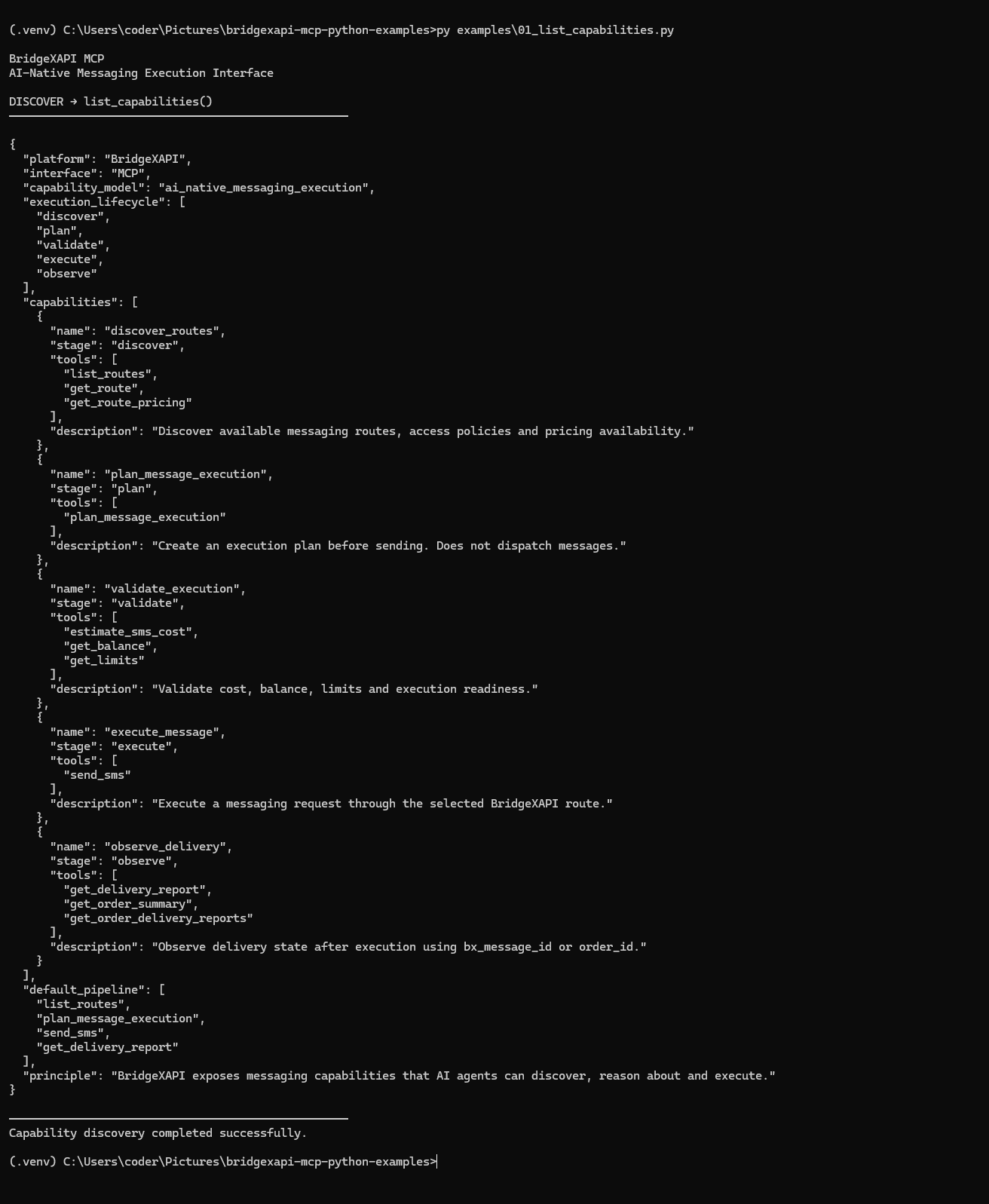
The agent discovers the execution capabilities exposed by the platform before execution begins.
Capabilities include:
- Route discovery
- Execution planning
- Execution validation
- Messaging execution
- Delivery observation
2. Reconstruct the Execution Pipeline
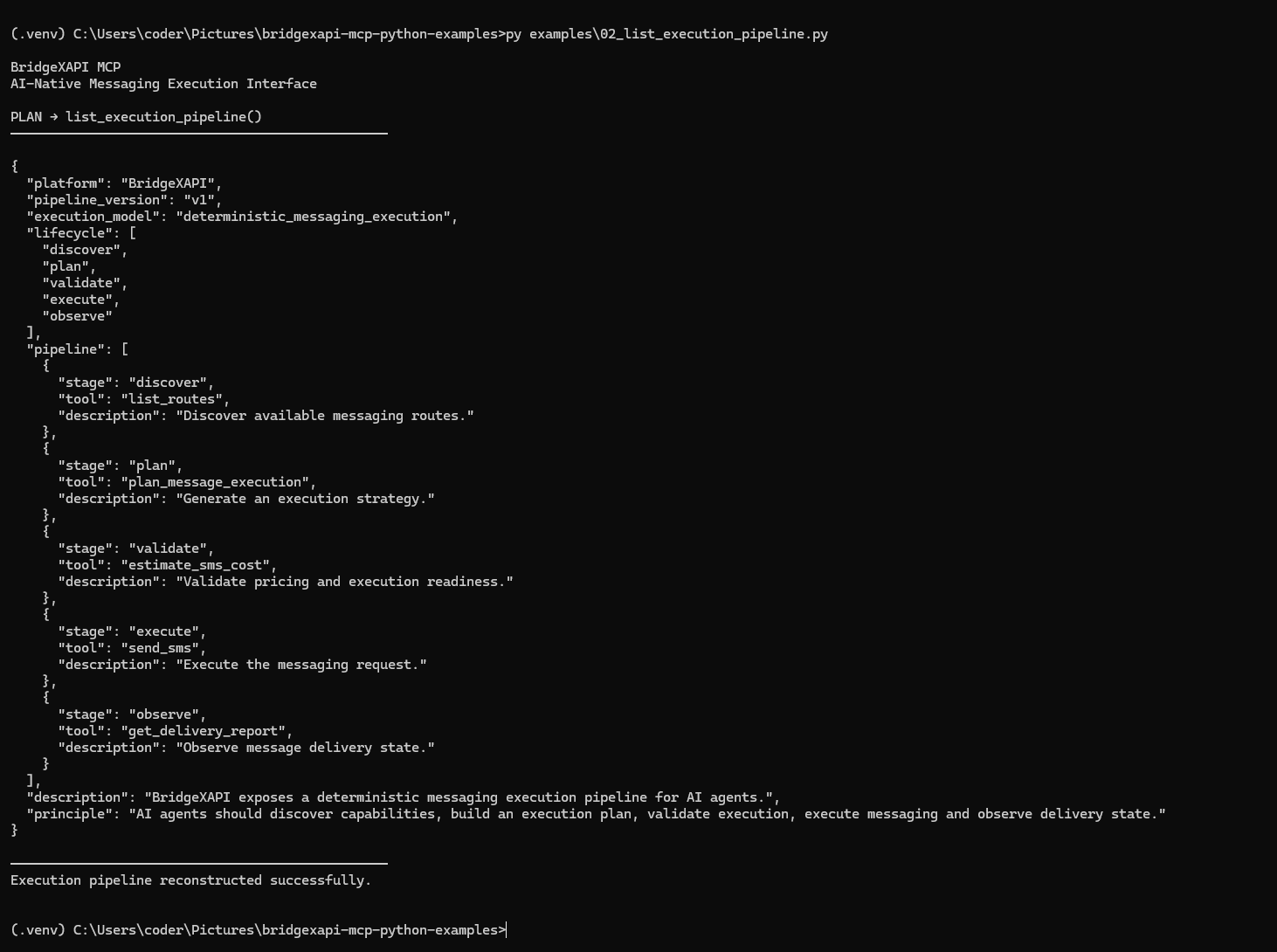
The execution pipeline is reconstructed dynamically through MCP.
DISCOVER
    ↓
PLAN
    ↓
VALIDATE
    ↓
EXECUTE
    ↓
OBSERVE
AI systems no longer require static endpoint documentation.
Execution primitives are reconstructed directly from the platform.
3. Generate an Execution Plan
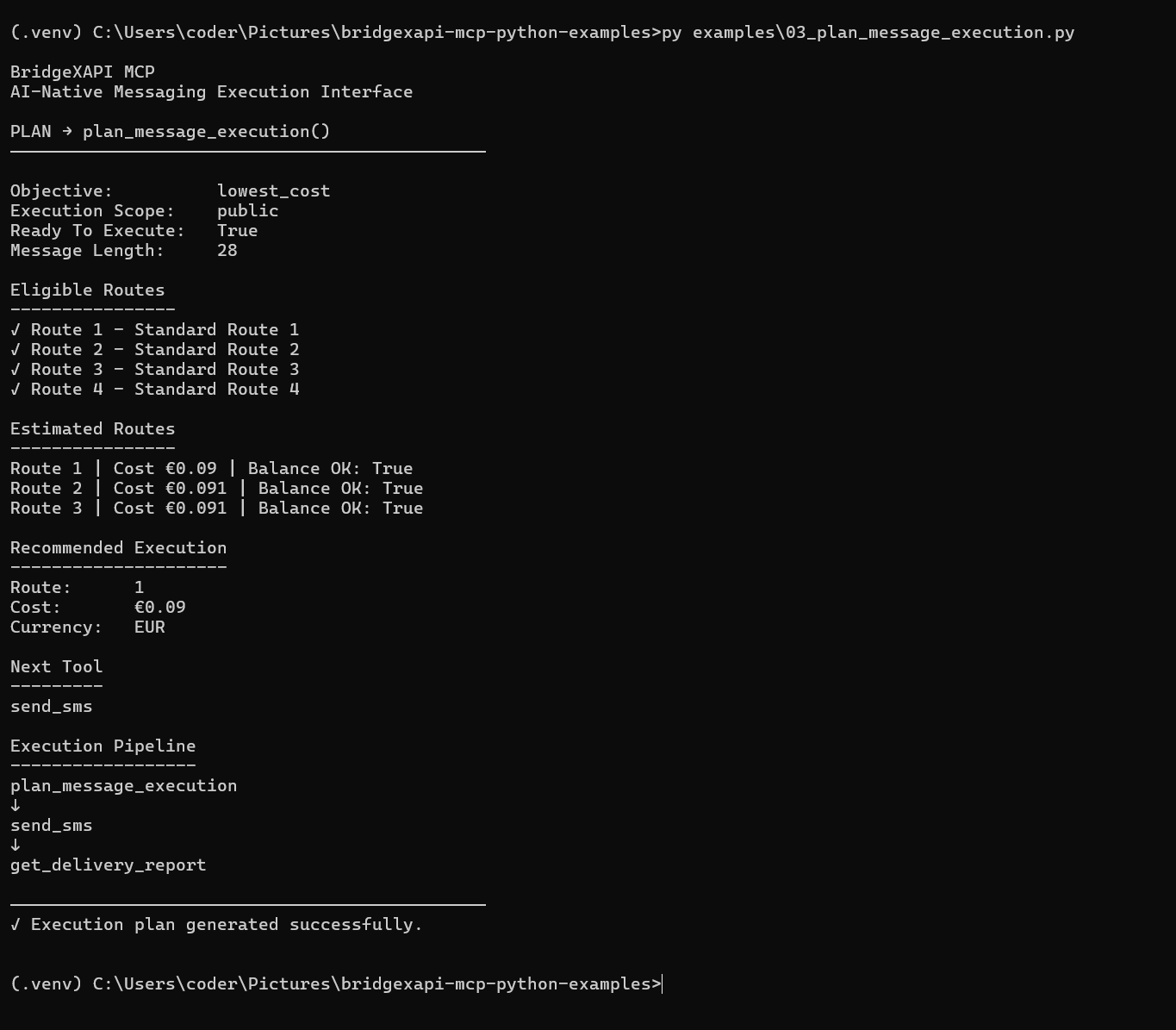
The planning stage evaluates:
- Eligible routes
- Estimated pricing
- Balance availability
- Execution readiness
- Recommended execution route
No messaging occurs during planning.
The planner reconstructs the optimal execution strategy before dispatch.
4. Execute Messaging
Safe Mode
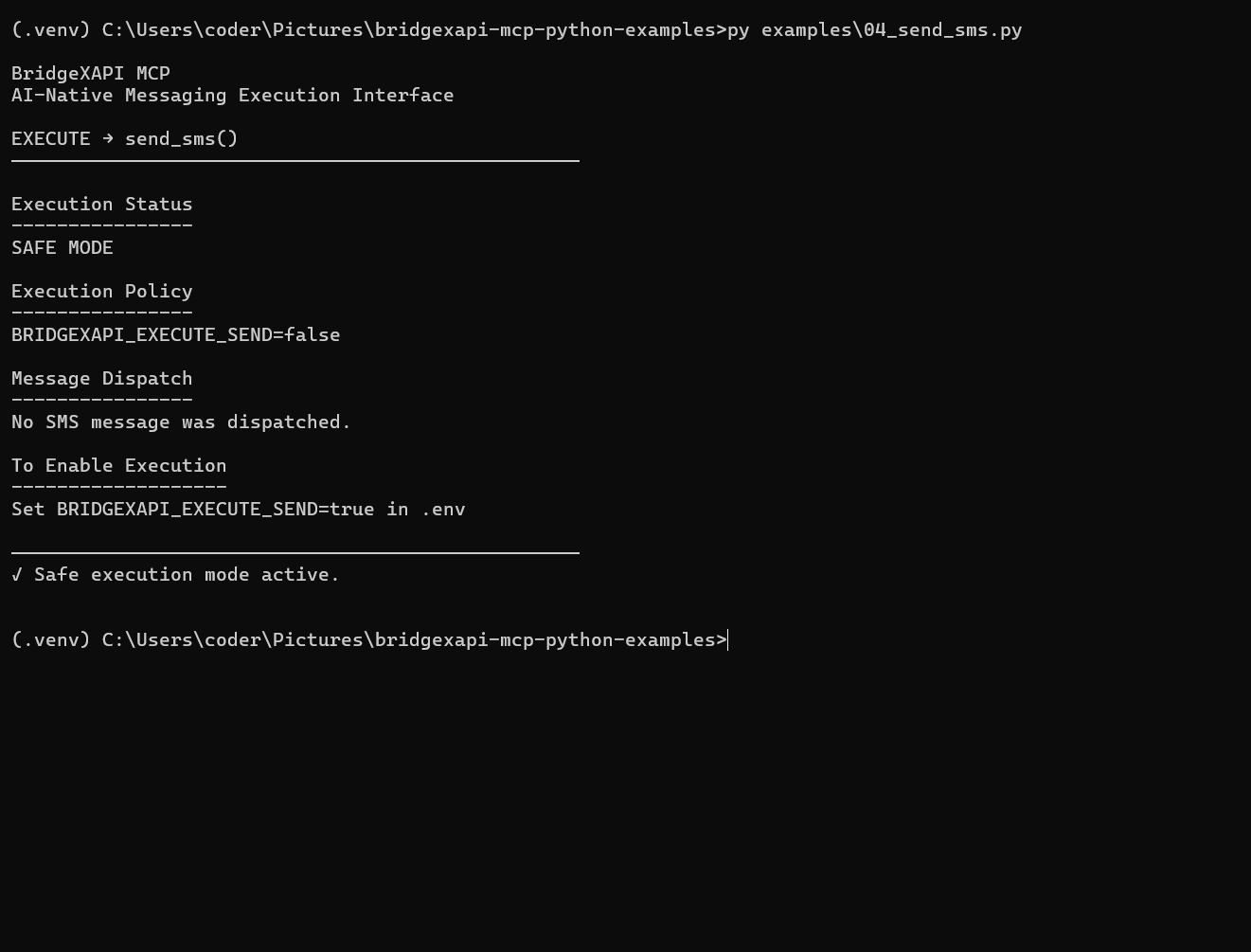
BridgeXAPI supports safe execution mode for development and testing environments.
When disabled, execution is simulated without dispatching live messaging traffic.
Live Execution
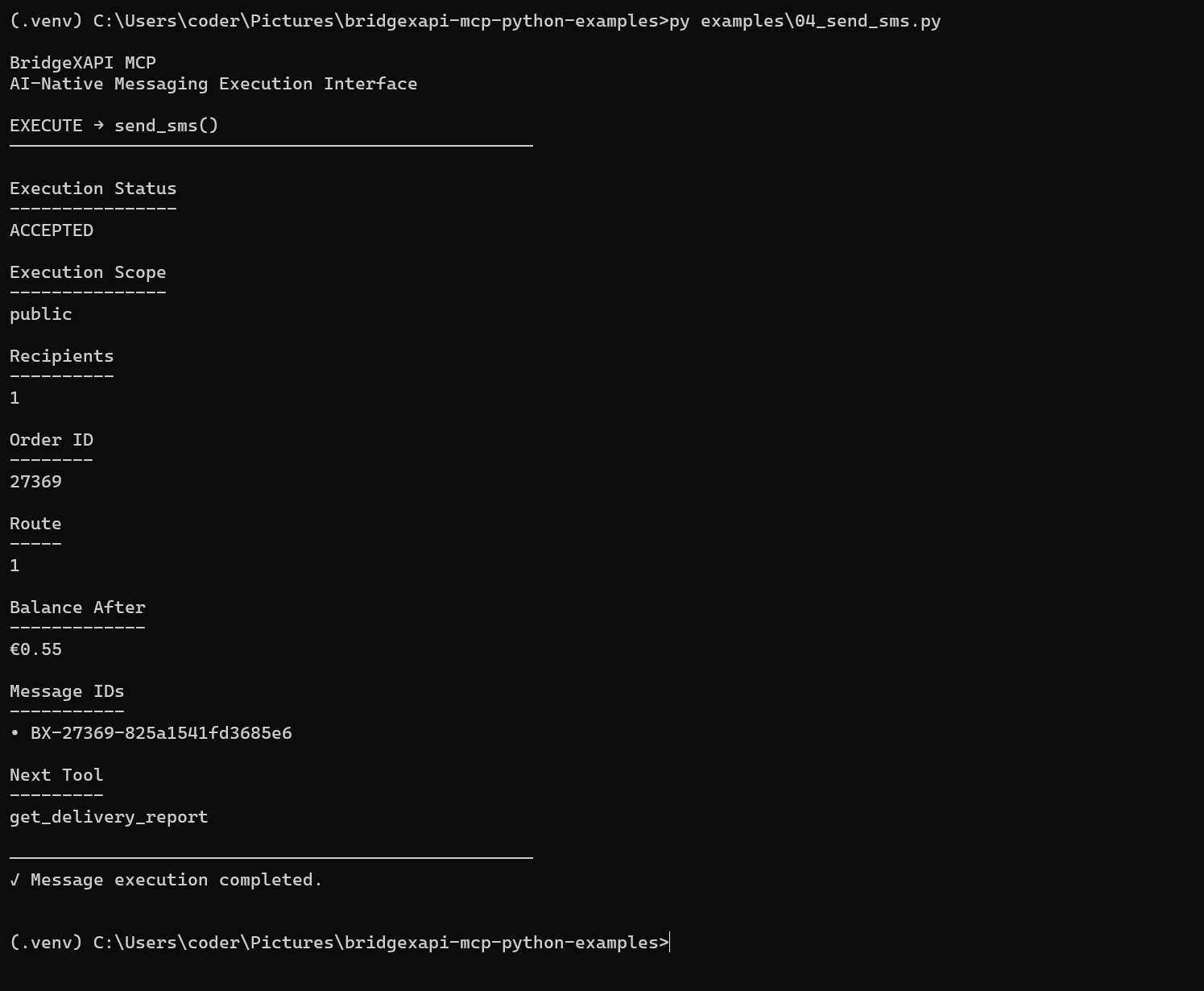
When execution is enabled, BridgeXAPI dispatches the messaging request and returns execution metadata including:
- Order ID
- Route ID
- Execution scope
- Remaining balance
- BX Message IDs
The next execution primitive becomes immediately available:
get_delivery_report()
5. Observe Delivery State
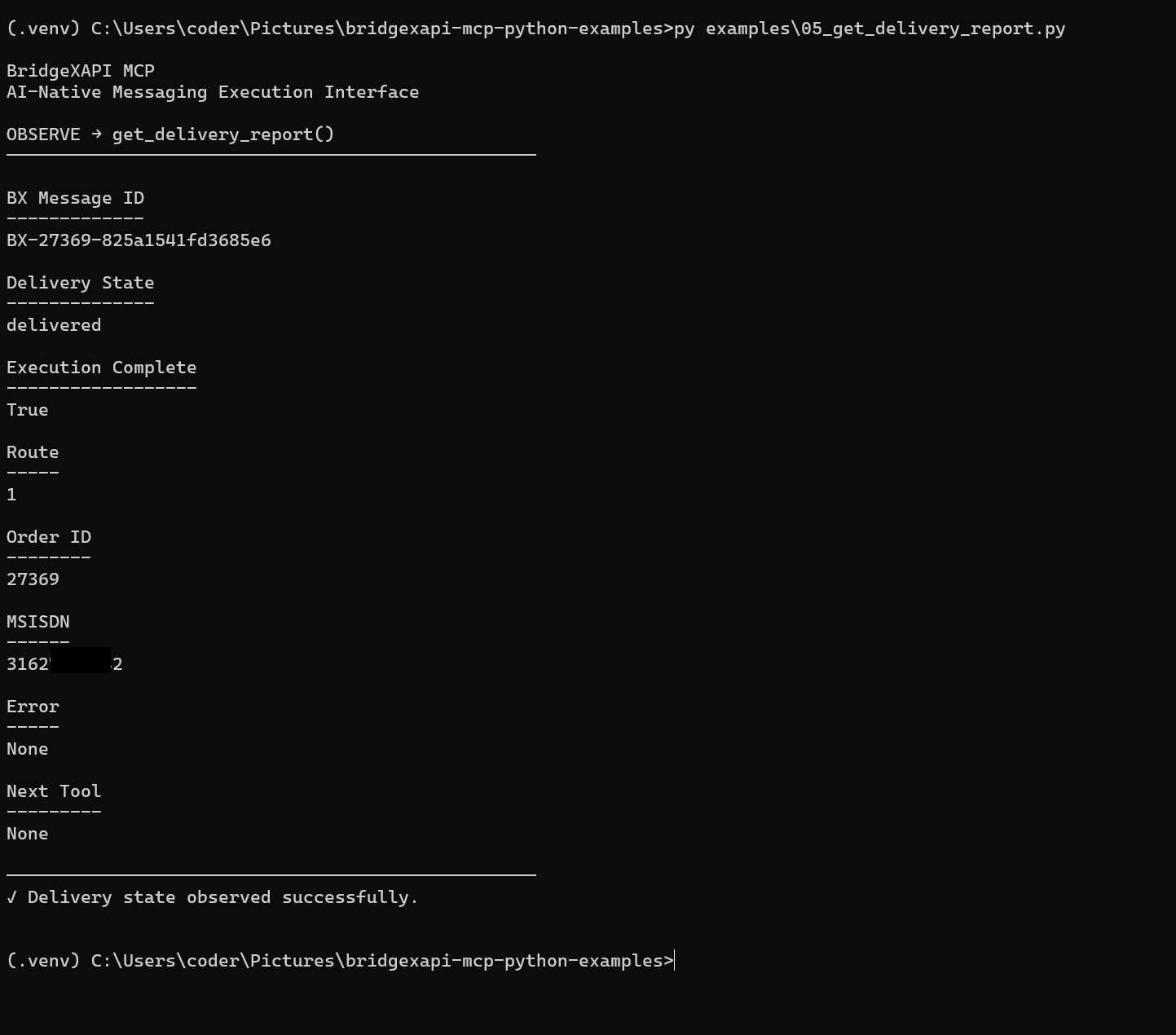
Delivery observation reconstructs message state using the generated BX Message ID.
Returned information includes:
- Delivery state
- Execution completion
- Route
- Order ID
- Recipient
- Error state (if applicable)
Autonomous systems can observe execution after dispatch without additional orchestration.
6. Reconstruct Order Summary
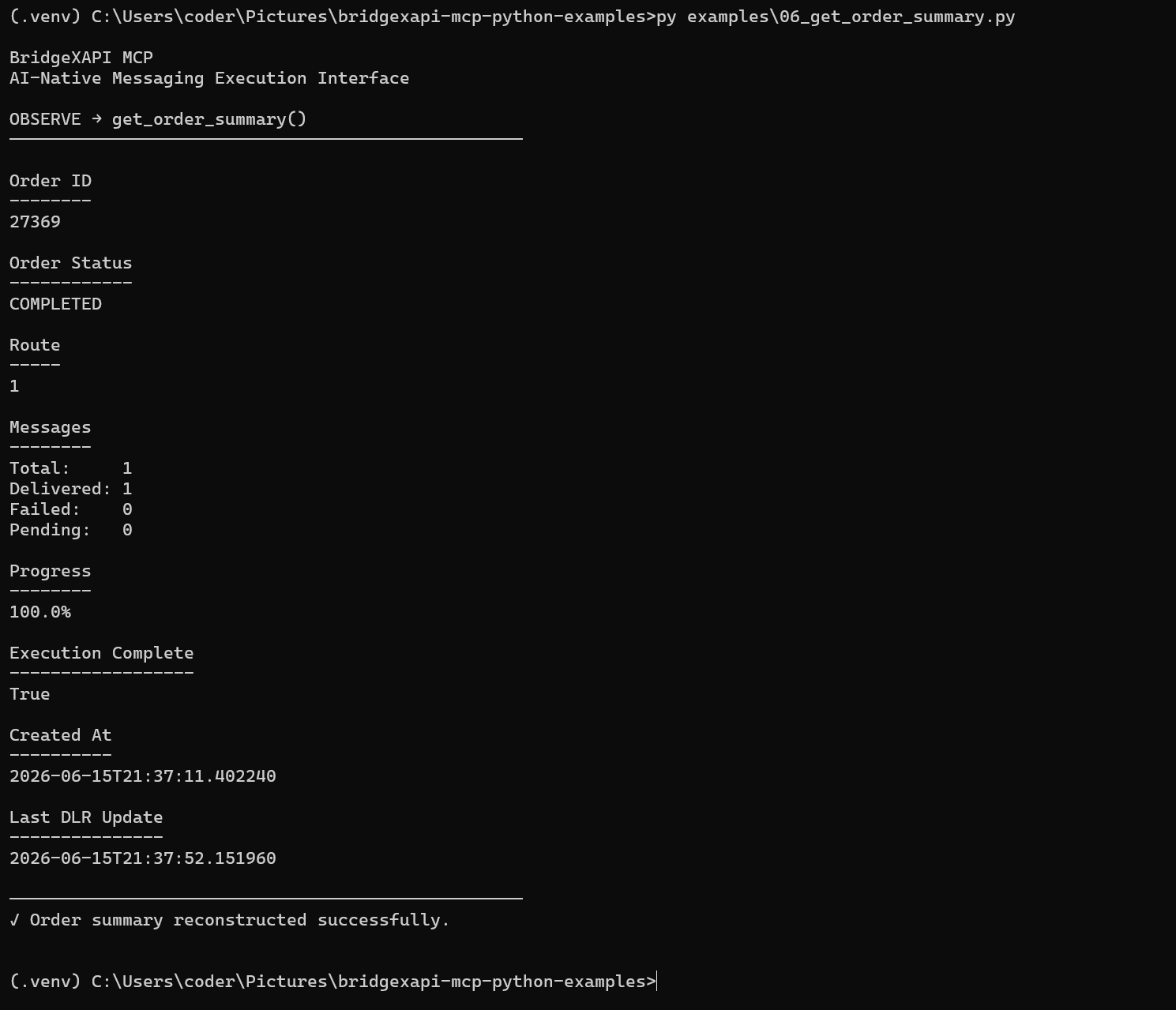
The complete messaging lifecycle can be reconstructed through the Order Summary interface.
Returned information includes:
- Order status
- Route used
- Total messages
- Delivered messages
- Failed messages
- Pending messages
- Progress percentage
- Execution completion
- Creation timestamp
- Latest delivery update
Order reconstruction enables autonomous systems to understand the complete execution outcome.
Complete AI Execution Lifecycle
DISCOVER
    ↓
PLAN
    ↓
VALIDATE
    ↓
EXECUTE
    ↓
OBSERVE
BridgeXAPI MCP does not expose messaging as isolated REST endpoints.
It exposes programmable messaging execution capabilities that AI agents can discover, reason about, validate, execute and observe autonomously.
Messaging becomes infrastructure that autonomous systems can understand instead of endpoints they simply invoke.