aivectormemory 是一款基于 Model Context Protocol (MCP) 开发的轻量级内存管理工具。它专门为 Claude、OpenCode、Cursor 和 主流IDE 编程工具设计,通过向量数据库技术解决 AI 在不同对话会话中「健忘」的问题。aivectormemory: A lightweight MCP Server enabling persistent, cross-session memory for AI-powered IDEs via vector search.
🌐 简体中文 | 繁體中文 | English | Español | Deutsch | Français | 日本語
🧠 AIVectorMemory
给 AI 编程助手装上记忆 — 跨会话持久化记忆 MCP Server




问题:AI 助手每次新会话都"失忆",反复踩同样的坑、忘记项目约定、丢失开发进度。更糟的是,为了补偿失忆,你不得不在每次对话中重复注入大量上下文,白白浪费 Token。
AIVectorMemory:通过 MCP 协议为 AI 提供本地向量记忆库,让它记住一切 — 项目知识、踩坑记录、开发决策、工作进度 — 跨会话永不丢失。语义检索按需召回,不再全量注入,大幅降低 Token 消耗。
✨ 核心特性
| 特性 | 说明 | |------|------| | 🔍 语义搜索 | 基于向量相似度,搜"数据库超时"能找到"MySQL 连接池踩坑" | | 🏠 完全本地 | ONNX Runtime 本地推理,无需 API Key,数据不出本机 | | 🔄 智能去重 | 余弦相似度 > 0.95 自动更新,不会重复存储 | | 📊 Web 看板 | 内置管理界面,3D 向量网络可视化 | | 🔌 全 IDE 支持 | OpenCode / Claude Code / Cursor / Kiro / Windsurf / VSCode / Trae 等 | | 📁 项目隔离 | 多项目共用一个 DB,通过 project_dir 自动隔离 | | 🏷️ 标签体系 | 记忆分类管理,支持标签搜索、重命名、合并 | | � 节省 Token | 语义检索按需召回,替代全量上下文注入,减少 50%+ 重复 Token 消耗 | | �📋 问题追踪 | 轻量级 issue tracker,AI 自动记录和归档 |
🏗️ 架构
┌─────────────────────────────────────────────────┐
│                   AI IDE                         │
│  OpenCode / Claude Code / Cursor / Kiro / ...   │
└──────────────────────┬──────────────────────────┘
                       │ MCP Protocol (stdio)
┌──────────────────────▼──────────────────────────┐
│              AIVectorMemory Server                    │
│                                                  │
│  ┌──────────┐ ┌──────────┐ ┌──────────────────┐ │
│  │ remember │ │  recall   │ │   auto_save      │ │
│  │ forget   │ │  digest   │ │   status/track   │ │
│  └────┬─────┘ └────┬─────┘ └───────┬──────────┘ │
│       │            │               │             │
│  ┌────▼────────────▼───────────────▼──────────┐  │
│  │         Embedding Engine (ONNX)            │  │
│  │      intfloat/multilingual-e5-small        │  │
│  └────────────────────┬───────────────────────┘  │
│                       │                          │
│  ┌────────────────────▼───────────────────────┐  │
│  │     SQLite + sqlite-vec (向量索引)          │  │
│  │     ~/.aivectormemory/memory.db                 │  │
│  └────────────────────────────────────────────┘  │
└──────────────────────────────────────────────────┘
🚀 快速开始
方式一:pip 安装
pip install aivectormemory
cd /path/to/your/project
run install          # 交互式选择 IDE,一键配置
macOS 用户注意:
- 遇到
externally-managed-environment错误,加--break-system-packages- 遇到
enable_load_extension错误,说明当前 Python 不支持 SQLite 扩展加载(macOS 自带 Python 和 python.org 官方安装包均不支持),请改用 Homebrew Python:brew install python /opt/homebrew/bin/python3 -m pip install aivectormemory
方式二:uvx 运行(零安装)
cd /path/to/your/project
uvx aivectormemory install
方式三:手动配置
{
  "mcpServers": {
    "aivectormemory": {
      "command": "run",
      "args": ["--project-dir", "/path/to/your/project"]
    }
  }
}
📍 各 IDE 配置文件位置
| IDE | 配置文件路径 |
|-----|------------|
| Kiro | .kiro/settings/mcp.json |
| Cursor | .cursor/mcp.json |
| Claude Code | .mcp.json |
| Windsurf | .windsurf/mcp.json |
| VSCode | .vscode/mcp.json |
| Trae | .trae/mcp.json |
| OpenCode | opencode.json |
| Claude Desktop | ~/Library/Application Support/Claude/claude_desktop_config.json |
🛠️ 7 个 MCP 工具
remember — 存入记忆
content (string, 必填)   记忆内容,Markdown 格式
tags    (string[], 必填)  标签,如 ["踩坑", "python"]
scope   (string)          "project"(默认)/ "user"(跨项目)
相似度 > 0.95 自动更新已有记忆,不重复存储。
recall — 语义搜索
query   (string)     语义搜索关键词
tags    (string[])   标签精确过滤
scope   (string)     "project" / "user" / "all"
top_k   (integer)    返回数量,默认 5
向量相似度匹配,用词不同也能找到相关记忆。
forget — 删除记忆
memory_id  (string)     单个 ID
memory_ids (string[])   批量 ID
status — 会话状态
state (object, 可选)   不传=读取,传=更新
  is_blocked, block_reason, current_task,
  next_step, progress[], recent_changes[], pending[]
跨会话保持工作进度,新会话自动恢复上下文。
track — 问题跟踪
action   (string)   "create" / "update" / "archive" / "list"
title    (string)   问题标题
issue_id (integer)  问题 ID
status   (string)   "pending" / "in_progress" / "completed"
content  (string)   排查内容
digest — 记忆摘要
scope          (string)    范围
since_sessions (integer)   最近 N 次会话
tags           (string[])  标签过滤
auto_save — 自动保存
decisions[]      关键决策
modifications[]  文件修改摘要
pitfalls[]       踩坑记录
todos[]          待办事项
每次对话结束自动分类存储,打标签,去重。
📊 Web 看板
run web --port 9080
浏览器访问 http://localhost:9080
- 多项目切换,记忆浏览/搜索/编辑/删除
- 会话状态、问题跟踪
- 标签管理(重命名、合并、批量删除)
- 3D 向量记忆网络可视化
- 🌐 多语言支持(简体中文 / 繁體中文 / English / Español / Deutsch / Français / 日本語)
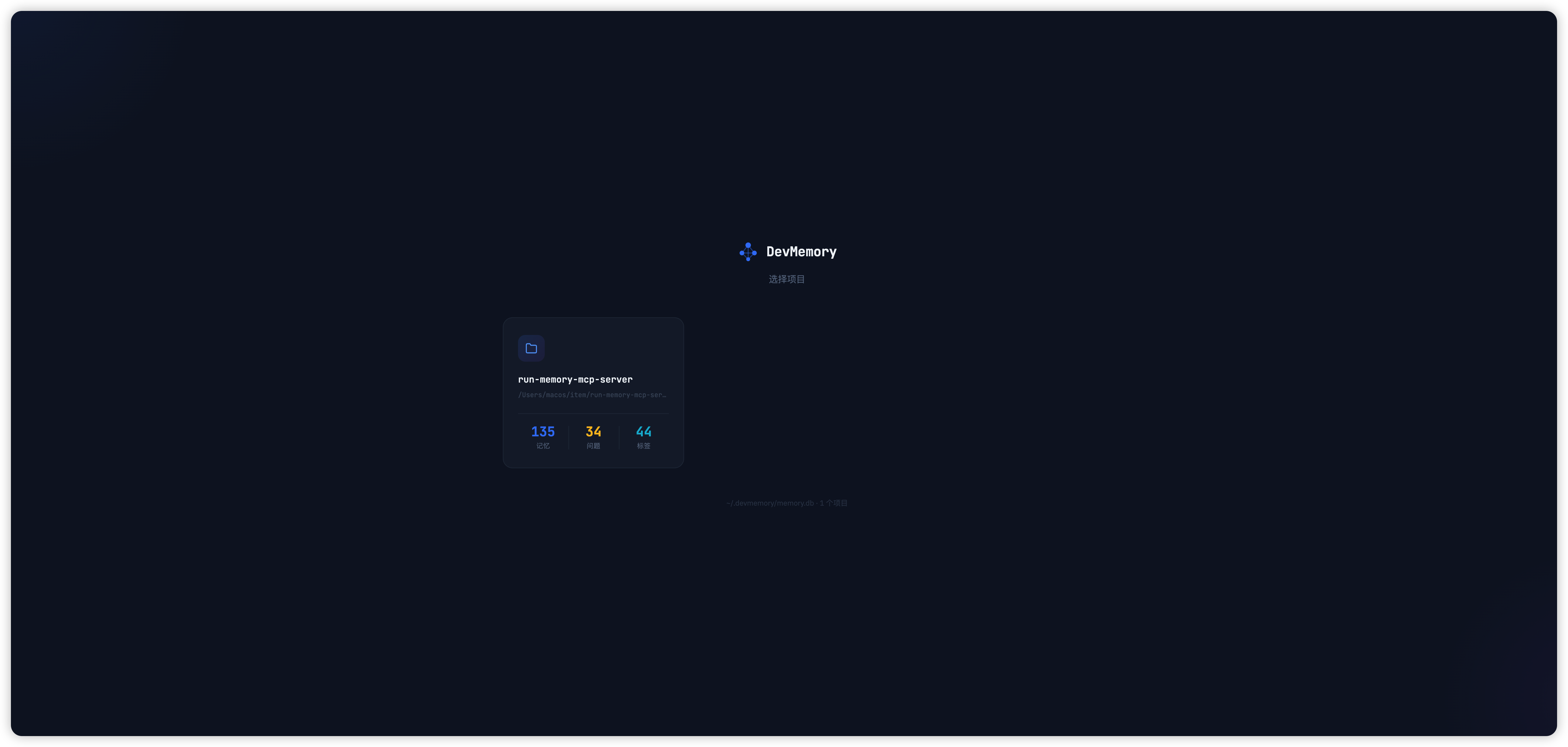
项目选择
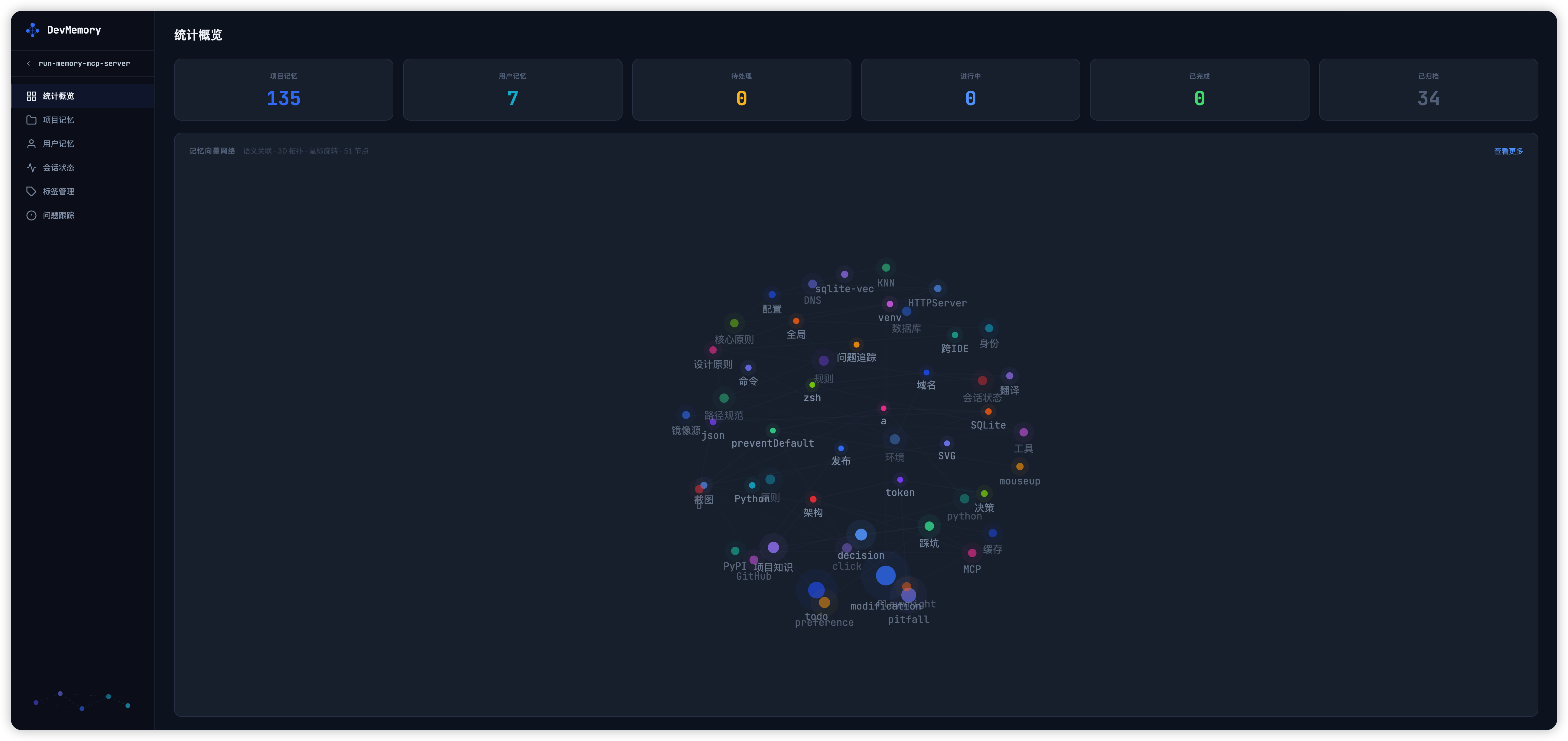
统计概览 & 向量网络可视化
⚡ 配合 Steering 规则
AIVectorMemory 是存储层,通过 Steering 规则告诉 AI 何时、如何调用这些工具。
运行 run install 会自动生成 Steering 规则和 Hooks 配置,无需手动编写。
| IDE | Steering 位置 | Hooks |
|-----|--------------|-------|
| Kiro | .kiro/steering/aivectormemory.md | .kiro/hooks/*.hook |
| Cursor | .cursor/rules/aivectormemory.md | — |
| Claude Code | CLAUDE.md(追加) | — |
| Windsurf | .windsurf/rules/aivectormemory.md | — |
| VSCode | .github/copilot-instructions.md(追加) | — |
| Trae | .trae/rules/aivectormemory.md | — |
| OpenCode | AGENTS.md(追加) | — |
📋 Steering 规则范例(自动生成)
# AIVectorMemory - 跨会话持久记忆

## 启动检查

每次新会话开始时,按以下顺序执行:

1. 调用 `status`(不传参数)读取会话状态,检查 `is_blocked` 和 `block_reason`
2. 调用 `recall`(tags: ["项目知识"], scope: "project")加载项目知识
3. 调用 `recall`(tags: ["preference"], scope: "user")加载用户偏好

## 何时调用

- 新会话开始时:调用 `status` 读取上次的工作状态
- 遇到踩坑/技术要点时:调用 `remember` 记录,标签加 "踩坑"
- 需要查找历史经验时:调用 `recall` 语义搜索
- 发现 bug 或待处理事项时:调用 `track`(action: create)
- 任务进度变化时:调用 `status`(传 state 参数)更新
- 对话结束前:调用 `auto_save` 保存本次对话

## 会话状态管理

status 字段:is_blocked, block_reason, current_task, next_step,
progress[], recent_changes[], pending[]

## 问题追踪

1. `track create` → 记录问题
2. `track update` → 更新排查内容
3. `track archive` → 归档已解决问题
🔗 Hooks 配置范例(Kiro 专属,自动生成)
会话结束自动保存(.kiro/hooks/auto-save-session.kiro.hook):
{
  "enabled": true,
  "name": "会话结束自动保存",
  "version": "1",
  "when": { "type": "agentStop" },
  "then": {
    "type": "askAgent",
    "prompt": "调用 auto_save,将本次对话的决策、修改、踩坑、待办分类保存"
  }
}
开发流程检查(.kiro/hooks/dev-workflow-check.kiro.hook):
{
  "enabled": true,
  "name": "开发流程检查",
  "version": "1",
  "when": { "type": "promptSubmit" },
  "then": {
    "type": "askAgent",
    "prompt": "核心原则:操作前验证、禁止盲目测试、自测通过才能说完成"
  }
}
🇨🇳 中国大陆用户
首次运行自动下载 Embedding 模型(~200MB),如果慢:
export HF_ENDPOINT=https://hf-mirror.com
或在 MCP 配置中加 env:
{
  "env": { "HF_ENDPOINT": "https://hf-mirror.com" }
}
📦 技术栈
| 组件 | 技术 | |------|------| | 运行时 | Python >= 3.10 | | 向量数据库 | SQLite + sqlite-vec | | Embedding | ONNX Runtime + intfloat/multilingual-e5-small | | 分词器 | HuggingFace Tokenizers | | 协议 | Model Context Protocol (MCP) | | Web | 原生 HTTPServer + Vanilla JS |
License
MIT