M
MCP Auth Playground
An interactive workshop for learning OAuth 2.1 authentication with Model Context Protocol (MCP) servers.
Created 2/2/2026
Updated about 12 hours ago
README
Repository documentation and setup instructions
MCP Auth Playground
An interactive workshop for learning OAuth 2.1 authentication with Model Context Protocol (MCP) servers.
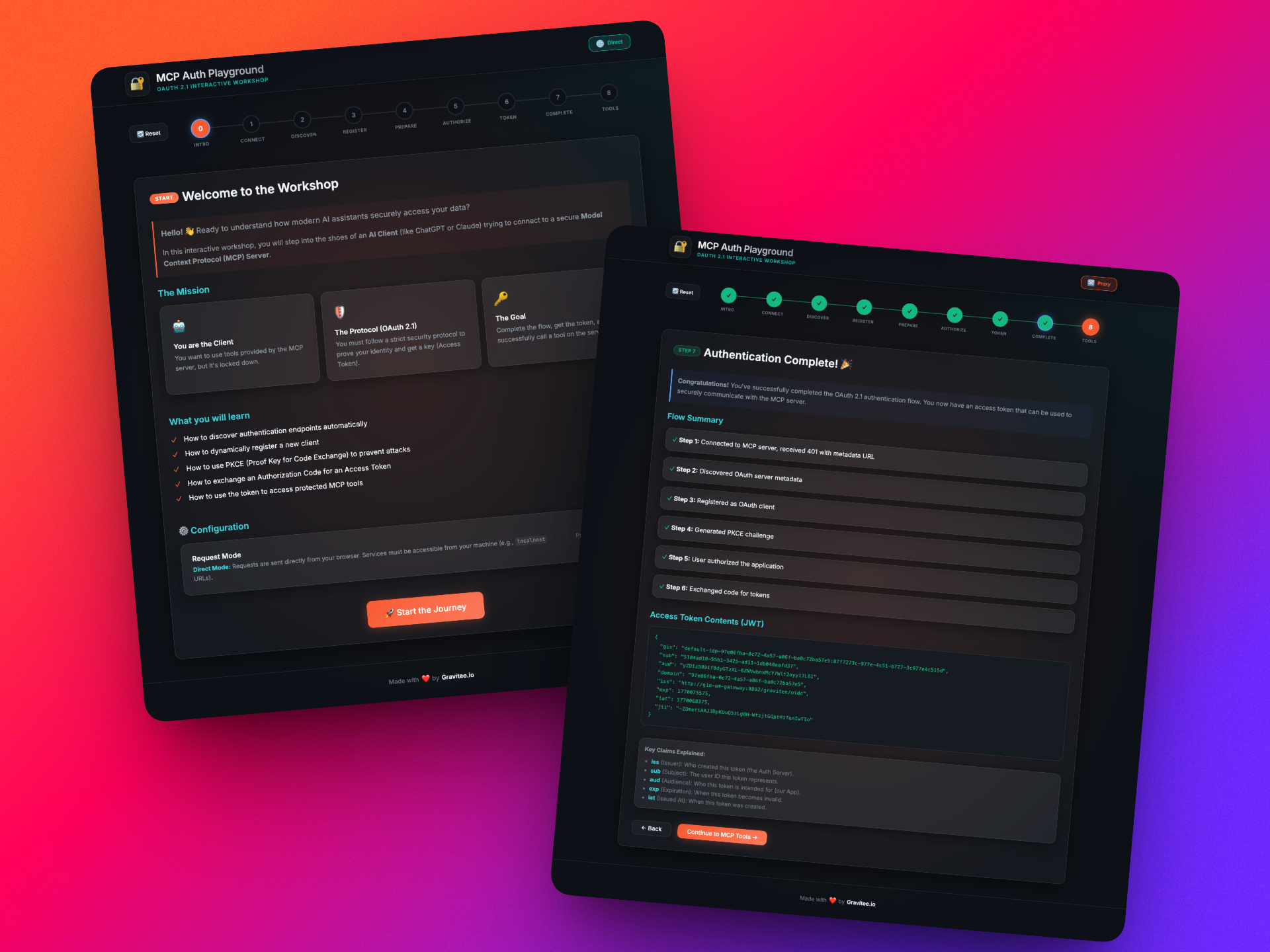
Overview
This educational tool guides you step-by-step through the OAuth 2.1 authentication flow required to connect to MCP servers. You'll learn:
- How protected resources respond to unauthenticated requests
- OAuth metadata discovery (RFC 9728)
- Dynamic client registration
- PKCE (Proof Key for Code Exchange)
- Authorization code flow
- Token exchange
- Making authenticated MCP requests
Architecture
graph TB
    subgraph Docker Compose
        subgraph Northbound Network
            APP[auth-playground-app<br/>React + Vite<br/>Port: 3002]
            PROXY[proxy<br/>Express.js<br/>Port: 3001]
        end
        subgraph Southbound Network
            PROXY
            INTERNAL[Internal MCP Servers]
        end
    end

    EXTERNAL[External MCP Servers<br/>Notion, Figma, etc.]

    Browser -->|:3002| APP
    APP -->|Proxy Mode| PROXY
    APP -.->|Direct Mode| EXTERNAL
    PROXY -->|Forward| INTERNAL
    PROXY -->|Forward| EXTERNAL
- auth-playground-app: React frontend with step-by-step OAuth flow visualization
- proxy: Express server that forwards requests to internal Docker networks (southbound)
Quick Start
# Start the application
docker compose up -d --build

# Open in browser
open http://localhost:3002
Tech Stack
- Frontend: React 19, Vite 7
- Proxy: Node.js 25, Express 5
- Containerization: Docker, Docker Compose
Quick Setup
Installation guide for this server
Install Package (if required)
npx @modelcontextprotocol/server-mcp-auth-playground
Cursor configuration (mcp.json)
{
"mcpServers": {
"gravitee-io-labs-mcp-auth-playground": {
"command": "npx",
"args": [
"gravitee-io-labs-mcp-auth-playground"
]
}
}
}