MCPGuard is a CLI for security and reliability checks on MCP tools before AI agents call them. It validates schema quality, runtime behavior, timeout handling, and secret leakage risks.
MCPGuard
Pre-flight security and contract testing for MCP tools.
MCPGuard helps teams decide whether an MCP tool is safe enough for agents to call. It is a trust gate, not just a schema checker.
Tagline: Test MCP tools before agents trust them.
Functions Guide | Rule Reference | CLI/Config/CI/Docker

What MCPGuard Checks
| Check | Status | Purpose | |---|---|---| | Schema validation | DONE | Validate input contracts and hard bounds | | Timeout test | DONE | Prevent tools from hanging agents | | Fuzz/runtime robustness | DONE | Catch crashes, weak errors, stack-trace leaks | | Secret leak detection | DONE | Detect API key/token patterns in tool output | | Permission boundary (file path) | DONE | Enforce tool-level allow_paths/deny_paths probes | | Prompt injection surface | DONE | Detect unsafe instructions in descriptions/output | | Side-effect detection | PENDING | Detect unexpected file writes/network calls |
Threat Model
MCPGuard currently focuses on these threats:
- Tool returns secrets in output.
- Tool accepts overly broad or weakly bounded input.
- Tool ignores timeout expectations.
- Tool crashes or exposes stack traces on malformed input.
- Tool returns low-quality error messages that hide failures.
Planned threat coverage:
- Tool writes files unexpectedly.
- Tool makes outbound network calls unexpectedly.
- Tool description or output contains prompt-injection style instructions.
- Tool output includes hidden instructions meant to steer the agent.
Non-Goals
MCPGuard does not claim the following:
- Full sandbox isolation.
- Replacement for OS/container security.
- Runtime exploit prevention for every attack class.
MCPGuard is a pre-flight testing and policy validation layer.
Quickstart
python -m pip install -e .[dev]
mcpguard init
mcpguard mcp test basic-demo
Generate JSON report:
mcpguard mcp test basic-demo --format json --output basic-demo-report.json
Risk-gated scan (CI style):
mcpguard mcp test basic-demo --fail-on high
CLI Demo
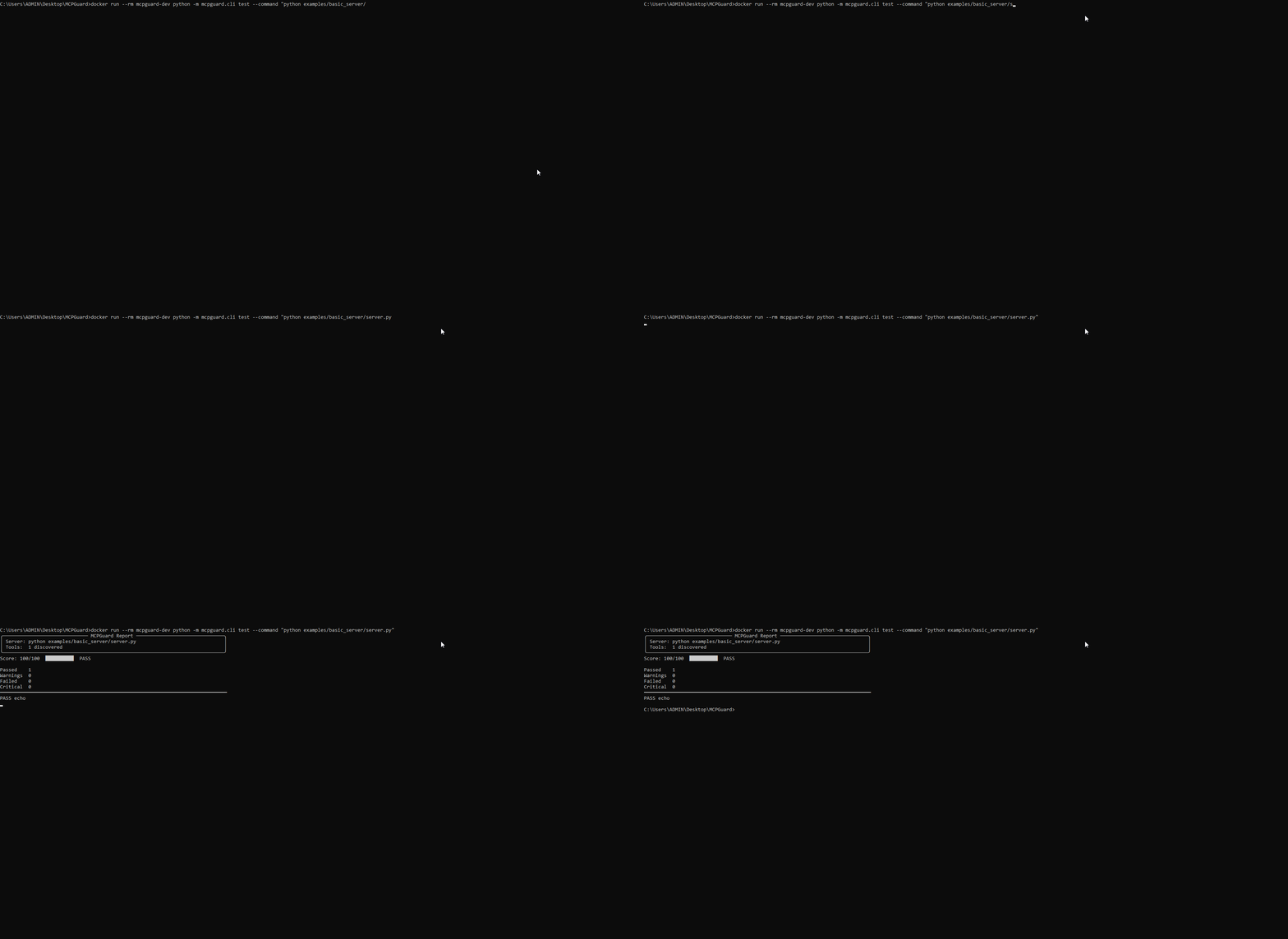
30-Second Failure Demo
Run an intentionally unsafe MCP server:
mcpguard mcp test vulnerable-demo --config mcpguard.yaml --fail-on high
Expected findings include:
secret_leakedtimeout_exceededpath_outside_allowlistprompt_injection_in_descriptionprompt_injection_in_output- schema quality gaps (for example, missing
maxLength)
Vulnerable demo source:
examples/vulnerable_server/server.py
JSON demo:
mcpguard mcp test vulnerable-demo --config mcpguard.yaml --format json
Policy File (mcpguard.yaml)
Current policy structure:
server:
  command: "python examples/basic_server/server.py"

policy:
  fail_on: "high"

schema:
  require_input_schema: true
  require_descriptions: true
  require_required_fields: true
  require_max_for_numbers: true
  min_description_length: 10

timeout:
  timeout_ms: 10000
  warn_after_ms: 3000

secret:
  enabled: true
  patterns:
    - "OPENAI_API_KEY"
    - "token="

tools:
  read_file:
    allow_paths: ["./docs", "./src"]
    deny_paths: [".env", "~/.ssh"]
    network: false

checks:
  prompt_injection:
    enabled: true
    scan_description: true
    scan_output: true
Severity And Risk Model
Normalized severities:
lowmediumhighcritical
Risk score weights:
critical = 10high = 7medium = 4low = 1
--fail-on thresholds:
low: fail on low or abovemedium: fail on medium or abovehigh: fail on high or criticalcritical: fail only on critical
JSON Output Schema
--format json returns a stable machine-readable object:
{
  "target": "python examples/basic_server/server.py",
  "status": "pass",
  "overall_risk_level": "low",
  "summary": {
    "tools_tested": 1,
    "findings": 0,
    "critical": 0,
    "high": 0,
    "medium": 0,
    "low": 0
  },
  "tools": []
}
Planned policy extensions:
rules:
  detect_secrets: true
  require_schema: true
  detect_side_effects: true
CI Integration
A ready workflow is included at .github/workflows/mcpguard.yml.
Minimal usage in CI:
mcpguard mcp test basic-demo --fail-on high
JSON artifact in CI:
mcpguard mcp test basic-demo --format json --output mcpguard-report.json
Positioning vs Related Projects
- RepoBrain: helps agents understand repositories (context memory/retrieval).
- MCPGuard: helps agents decide whether MCP tools are safe to call (trust/security gate).
Portfolio split:
RepoBrain-> codebase memoryMCPGuard-> MCP tool trust/securityDecisionGraph-> reasoning/decision structureMemoryFeed-> agent memory/events
Roadmap
High priority:
- Stronger CLI scan/test/report coverage
- Tool-level policy (
allow_paths, network policy) - Dangerous side-effect detection (file/network)
- Vulnerable sample suite + policy tests
- Network boundary enforcement (
tools.<tool>.network)
Later:
- HTML report
- Risk score breakdown per rule family
- Permission diff report
- MCP server fuzz corpus expansion
Prompt for Missing Features
Use this ready-to-run build prompt to implement the remaining trust-gate features:
docs/NEXT_PROMPT.md
Included Examples
examples/basic_server: minimal safe MCP server for smoke tests.examples/vulnerable_server: intentionally unsafe server for failure demos.