Native SwiftUI launcher for Minecraft Bedrock on macOS




Minecraft Bedrock Launcher
Native SwiftUI launcher for Minecraft: Bedrock Edition on macOS.
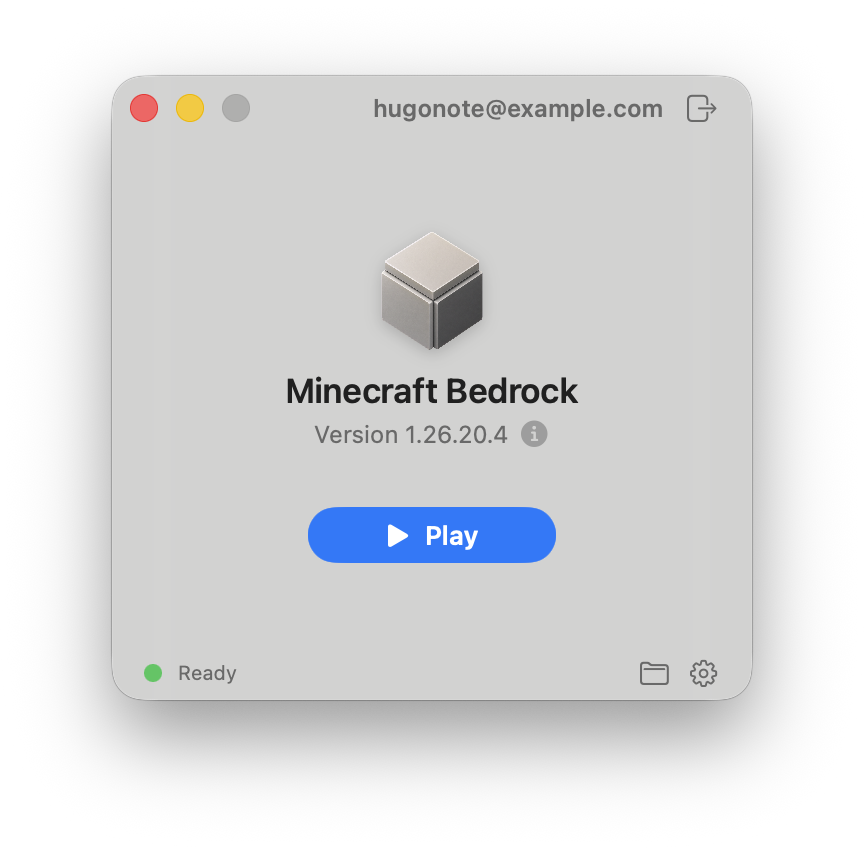
Overview
Minecraft Bedrock Launcher is an unofficial Swift and SwiftUI app for running
Minecraft: Bedrock Edition on macOS through the
mcpelauncher
runtime.
Download the latest Apple Silicon build from GitHub Releases. macOS 14 or newer is required.
Features
- Native SwiftUI launcher window for macOS.
- Google Play sign-in through WebKit.
- Store Google Play credentials in the macOS Keychain.
- Version lookup and APK/split APK download through bundled Google Play tools.
- Runtime download/update and compatibility patch setup.
- Local app bundle export for an installed version.
The launcher code is MIT licensed. Upstream components keep their own licenses.
Build
Requirements:
- macOS 14 or newer
- Apple Silicon Mac for release builds
- Swift 6 toolchain
- Xcode with
actoolfor app icon compilation - CMake when building bundled Google Play helpers
Run tests:
swift test
Build the release .app bundle:
Scripts/build-app-bundle.sh
Build the release DMG:
Scripts/build-dmg.sh
The bundle script builds the launcher, helper executables, Sparkle framework,
app resources, and bundled Google Play helpers. To use prebuilt gplayver and
gplaydl helpers instead:
GPLAYVER_PATH=/path/to/gplayver \
GPLAYDL_PATH=/path/to/gplaydl \
Scripts/build-app-bundle.sh
If you want to build the Swift products manually:
swift build -c release --product MinecraftBedrockLauncher
swift build -c release --product mcpelauncher-ui-qt
swift build -c release --product mcpelauncher-webview
Useful release-time variables:
APP_VERSION=0.1.0CODESIGN_IDENTITY="Developer ID Application: ..."SPARKLE_FEED_URL=https://.../appcast.xmlSPARKLE_PUBLIC_ED_KEY=...NOTARY_PROFILE=...
Credits
- Runtime:
minecraft-linux/mcpelauncher-manifest, GPL-3.0 - Compatibility patches:
minecraft-linux/mcpelauncher-moddb - Google Play helpers:
minecraft-linux/Google-Play-API, Apache-2.0 - Updates:
Sparkle, MIT-style license
Minecraft Bedrock Launcher is not affiliated with Mojang, Microsoft, Google, or
the minecraft-linux maintainers.