MCP-native agent evaluation and observability server
Iris — MCP-Native Agent Eval & Observability


Iris is an open-source Model Context Protocol (MCP) server that provides trace logging, quality evaluation, and drift detection for AI agents. Any MCP-compatible agent framework can discover and invoke Iris tools.
Quickstart
npm install -g @iris-eval/mcp-server
iris-mcp
Or run directly:
npx @iris-eval/mcp-server
Docker
docker run -p 3000:3000 -v iris-data:/data ghcr.io/iris-eval/mcp-server
Configuration
Iris looks for config in this order (later overrides earlier):
- Built-in defaults
~/.iris/config.json- Environment variables (
IRIS_*) - CLI arguments
CLI Arguments
| Flag | Default | Description |
|------|---------|-------------|
| --transport | stdio | Transport type: stdio or http |
| --port | 3000 | HTTP transport port |
| --db-path | ~/.iris/iris.db | SQLite database path |
| --config | ~/.iris/config.json | Config file path |
| --api-key | — | API key for HTTP authentication |
| --dashboard | false | Enable web dashboard |
| --dashboard-port | 6920 | Dashboard port |
Environment Variables
| Variable | Description |
|----------|-------------|
| IRIS_TRANSPORT | Transport type |
| IRIS_PORT | HTTP port |
| IRIS_DB_PATH | Database path |
| IRIS_LOG_LEVEL | Log level: debug, info, warn, error |
| IRIS_DASHBOARD | Enable dashboard (true/false) |
| IRIS_API_KEY | API key for HTTP authentication |
| IRIS_ALLOWED_ORIGINS | Comma-separated allowed CORS origins |
Security
When using the HTTP transport, Iris includes production-grade security:
- Authentication — Set
IRIS_API_KEYor--api-keyto requireAuthorization: Bearer <key>on all endpoints (except/health). Recommended for any network-exposed deployment. - CORS — Restricted to
http://localhost:*by default. Configure withIRIS_ALLOWED_ORIGINS. - Rate limiting — 100 requests/minute for dashboard API, 20 requests/minute for MCP endpoints. Configurable via
~/.iris/config.json. - Security headers — Helmet middleware applies CSP, X-Frame-Options, X-Content-Type-Options, and other standard headers.
- Input validation — All query parameters validated with Zod schemas. Malformed requests return 400.
- Request size limits — Body payloads limited to 1MB by default.
- Safe regex — User-supplied regex patterns in custom eval rules are validated against ReDoS attacks.
- Structured logging — JSON logs to stderr via pino. Never writes to stdout (reserved for stdio transport).
# Production deployment example
iris-mcp --transport http --port 3000 --api-key "$(openssl rand -hex 32)" --dashboard
MCP Tools
log_trace
Log an agent execution trace with spans, tool calls, and metrics.
Input:
agent_name(required) — Name of the agentinput— Agent input textoutput— Agent output texttool_calls— Array of tool call recordslatency_ms— Execution time in millisecondstoken_usage—{ prompt_tokens, completion_tokens, total_tokens }cost_usd— Total cost in USDmetadata— Arbitrary key-value metadataspans— Array of span objects for detailed tracing
evaluate_output
Evaluate agent output quality using configurable rules.
Input:
output(required) — The text to evaluateeval_type— Type:completeness,relevance,safety,cost,customexpected— Expected output for comparisontrace_id— Link evaluation to a tracecustom_rules— Array of custom rule definitions
get_traces
Query stored traces with filters and pagination.
Input:
agent_name— Filter by agent nameframework— Filter by frameworksince— ISO timestamp lower bounduntil— ISO timestamp upper boundmin_score/max_score— Score range filterlimit— Results per page (default 50)offset— Pagination offset
MCP Resources
iris://dashboard/summary— Dashboard summary statisticsiris://traces/{trace_id}— Full trace detail with spans and evals
Claude Desktop
Add Iris to your Claude Desktop MCP config:
{
  "mcpServers": {
    "iris-eval": {
      "command": "npx",
      "args": ["@iris-eval/mcp-server"]
    }
  }
}
Then ask Claude to "log a trace" or "evaluate this output" — Iris tools are automatically available.
See examples/claude-desktop/ for more configuration options.
Web Dashboard
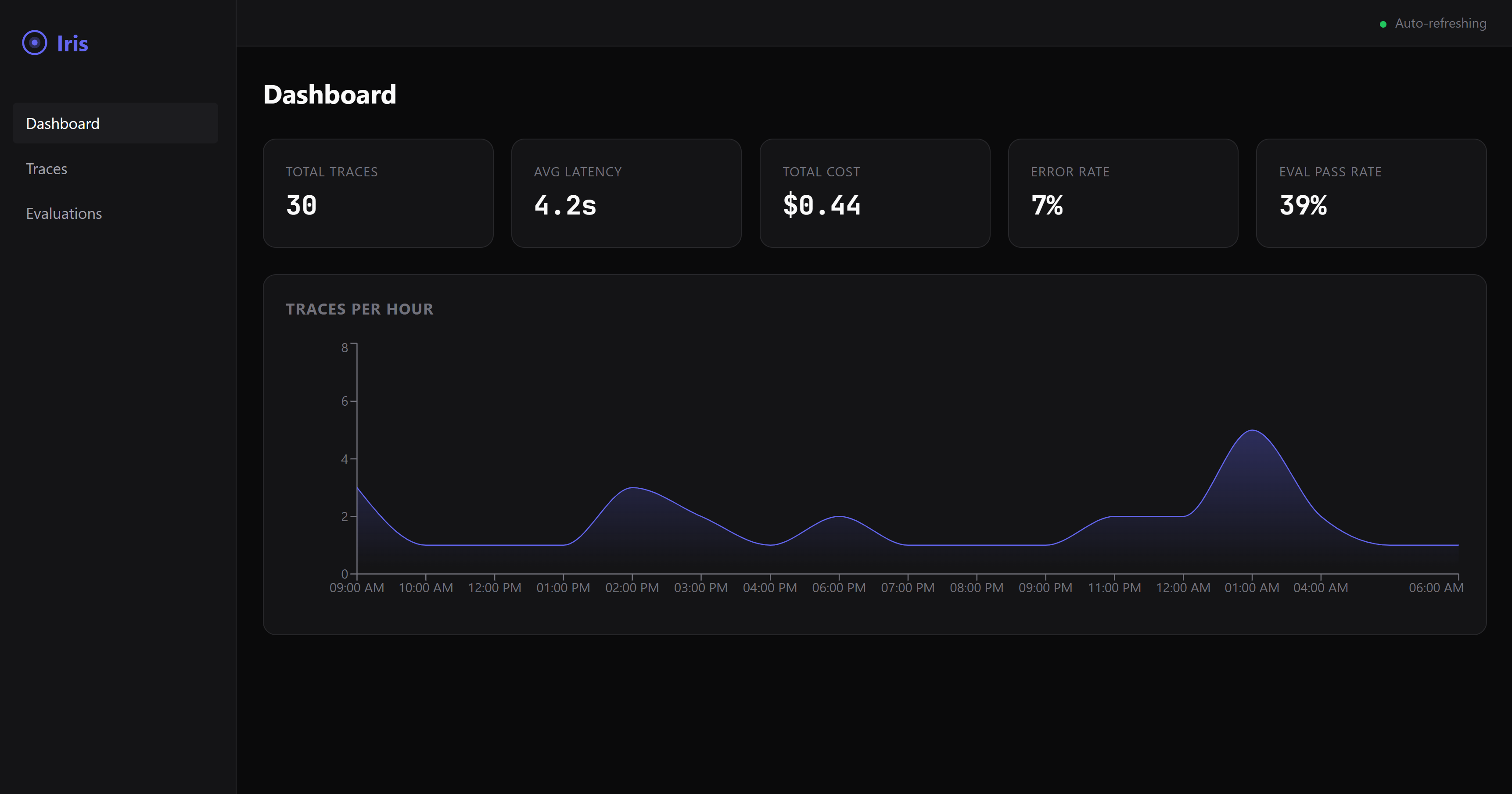
Start with --dashboard flag to enable the web UI at http://localhost:6920.
Examples
- Claude Desktop setup — MCP config for stdio and HTTP modes
- TypeScript — MCP SDK client usage
- LangChain — Agent instrumentation
- CrewAI — Crew observability
Community
- GitHub Issues — Bug reports and feature requests
- GitHub Discussions — Questions and ideas
- Contributing Guide — How to contribute
- Roadmap — What's coming next
License
MIT