G
Google Analytics MCP
by @jafforgehq
MCP server by jafforgehq
Created 2/21/2026
Updated about 21 hours ago
README
Repository documentation and setup instructions
SEO Analytics MCP
MCP server for Google Search Console (GSC) + Google Analytics 4 (GA4).
How It Works
What .venv Means
.venvis this project's private Python environment.- It contains its own Python interpreter and dependencies for this repo only.
run-local.shactivates.venvso the MCP server runs with the correct package versions.
What stdio Means
stdiomeans the MCP client and server communicate through standard input/output streams.- The client starts
run-local.sh, sends tool requests in, and reads JSON responses out. - No web server or HTTP endpoint is required for the default local setup.
- Your MCP client (Claude/Codex) launches
run-local.shas a stdio server process. run-local.shprepares.venv, installs dependencies, loadsconfig/.env, and validatesconfig/service-account.json.- The Python server (
seo-analytics-mcp) receives tool calls, fetches data from GSC/GA4 using the service account, and computes merged analysis outputs. - Results are returned to the MCP client as structured JSON.
Deployment Model
- This project is deployed as a local process on your machine via stdio.
- It is not an HTTP API service by default and does not require cloud hosting.
- To "deploy" it for another environment, clone the repo there, provide
config/.envandconfig/service-account.json, then register that machine'srun-local.shpath in the MCP client.
Prerequisites
- Python 3.11+
Quick Start
- Create local config files from templates:
cp config/.env.example config/.env
cp config/service-account.example.json config/service-account.json
- Fill required values:
config/.envDEFAULT_GSC_SITE_URL(required format:sc-domain:example.com)DEFAULT_GA4_PROPERTY_ID
config/service-account.json- Replace all
REPLACE_WITH_...fields with real Google service-account values.
- Replace all
- Run the server:
./run-local.sh
The script creates/uses .venv, installs dependencies, loads config/.env, validates credentials, and starts seo-analytics-mcp over stdio.
MCP Client Setup
Use the local launcher script as the MCP server command:
/absolute/path/to/analytics/run-local.sh
Codex App
Add server:
codex mcp add seo-analytics -- /absolute/path/to/analytics/run-local.sh
Verify:
codex mcp list
Remove:
codex mcp remove seo-analytics
Claude Code CLI
Add server:
claude mcp add -s project seo-analytics -- /absolute/path/to/analytics/run-local.sh
Verify:
claude mcp list
Remove:
claude mcp remove seo-analytics
Claude Desktop App (macOS)
- Quit Claude Desktop completely.
- Edit
~/Library/Application Support/Claude/claude_desktop_config.json. - Add this server entry (merge into existing
mcpServersif present):
{
  "mcpServers": {
    "seo-analytics": {
      "type": "stdio",
      "command": "/absolute/path/to/analytics/run-local.sh",
      "args": []
    }
  }
}
- Start Claude Desktop again.
- In a new chat, run tool
capabilitiesto confirm connection.
Main Tools
capabilitiesgsc_list_sitesgsc_top_pagesgsc_top_queriesga4_landing_pagesanalytics_merge_page_metricsanalytics_generate_action_itemsanalytics_trend_reportanalytics_data_quality_report
Screenshots
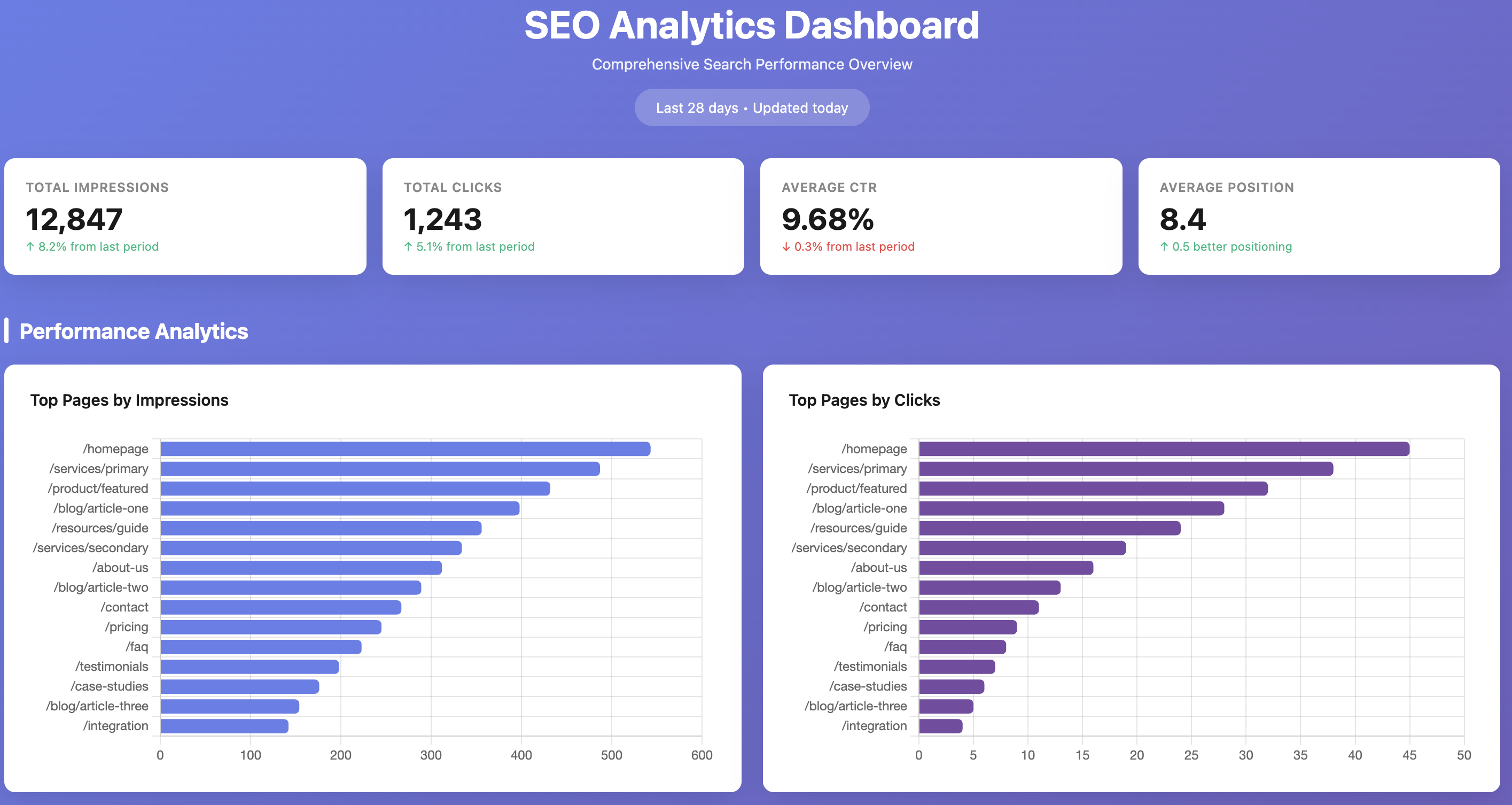
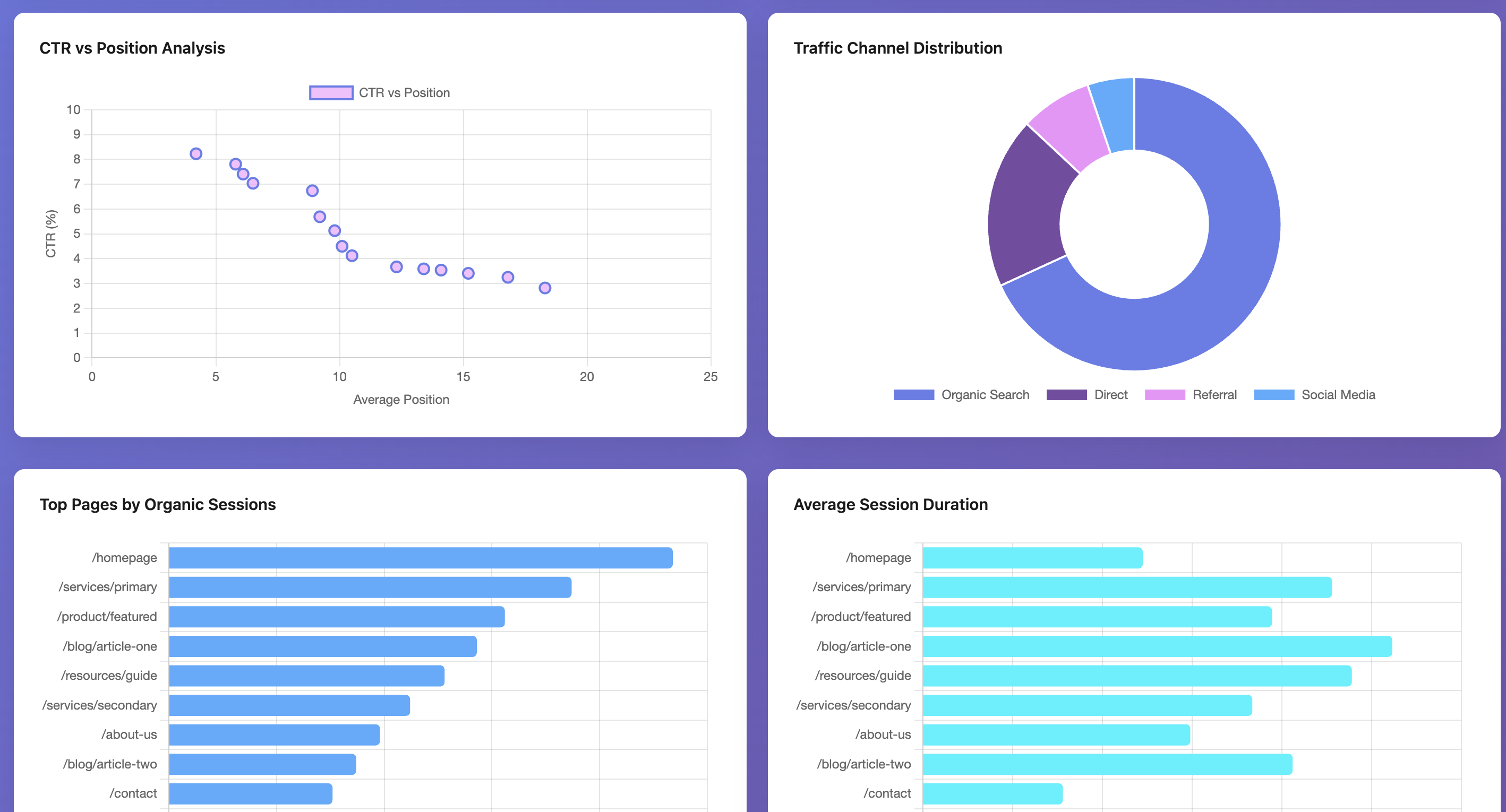
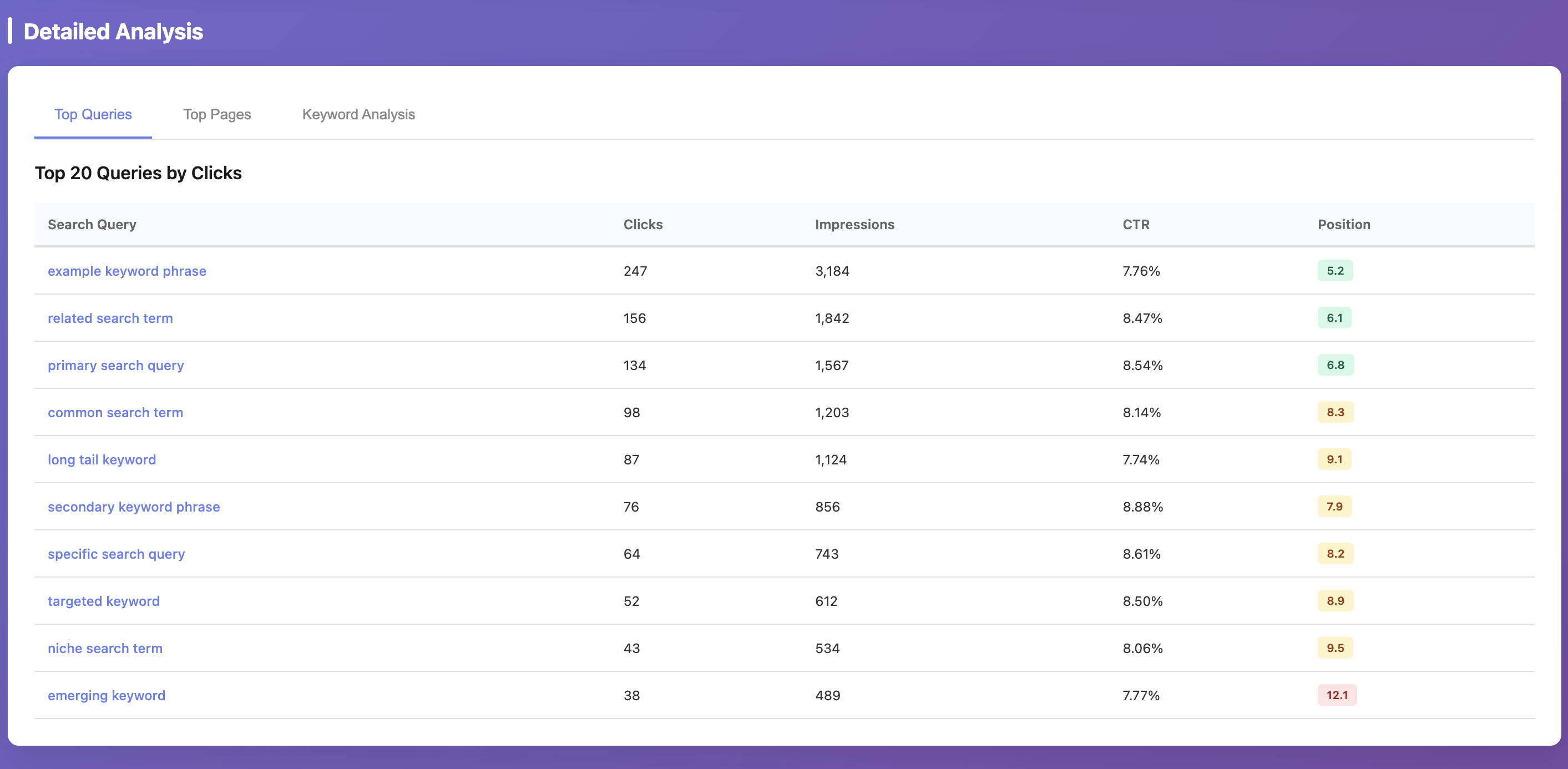
These screenshots are example outputs produced by using Claude Code with this MCP server. The MCP provides the underlying GSC/GA4 data and analytics tools; dashboard rendering is not generated by default by the server itself. For privacy reasons, values shown in the screenshots are randomized; the actual workflow was executed against real data.
Troubleshooting
service-account.json still contains placeholder values- Replace all
REPLACE_WITH_...fields inconfig/service-account.json.
- Replace all
No such file or directory: .../credentials/service-account.json- You have a stale credential env override from an older setup.
- Re-add the MCP server so it runs the latest
run-local.shand usesconfig/service-account.json.
Operation not permittedwhen Claude Desktop starts MCP- macOS is blocking execution from protected folders (commonly
~/Documents). - Either grant Claude Desktop access in
System Settings -> Privacy & Security(Files and Foldersand/orFull Disk Access) or move the repo to a non-protected path like~/dev/analytics. - After changing permissions/path, restart Claude Desktop and re-add the MCP entry if needed.
- macOS is blocking execution from protected folders (commonly
Missing property_id and DEFAULT_GA4_PROPERTY_ID is not set- Set
DEFAULT_GA4_PROPERTY_IDinconfig/.env.
- Set
Missing site_url...- Set
DEFAULT_GSC_SITE_URLinconfig/.env.
- Set
- GSC permission error on
https://...property- This server enforces GSC properties in
sc-domain:<domain>format to avoid URL-prefix mismatch issues. - Use a Domain property in Search Console and grant your service account access there.
- This server enforces GSC properties in
Security
- Never commit
config/service-account.jsonorconfig/.env. - Commit only template files:
config/service-account.example.jsonconfig/.env.example
Quick Setup
Installation guide for this server
Install Package (if required)
uvx google-analytics-mcp
Cursor configuration (mcp.json)
{
"mcpServers": {
"jafforgehq-google-analytics-mcp": {
"command": "uvx",
"args": [
"google-analytics-mcp"
]
}
}
}