MCP server sync for all your AI tools
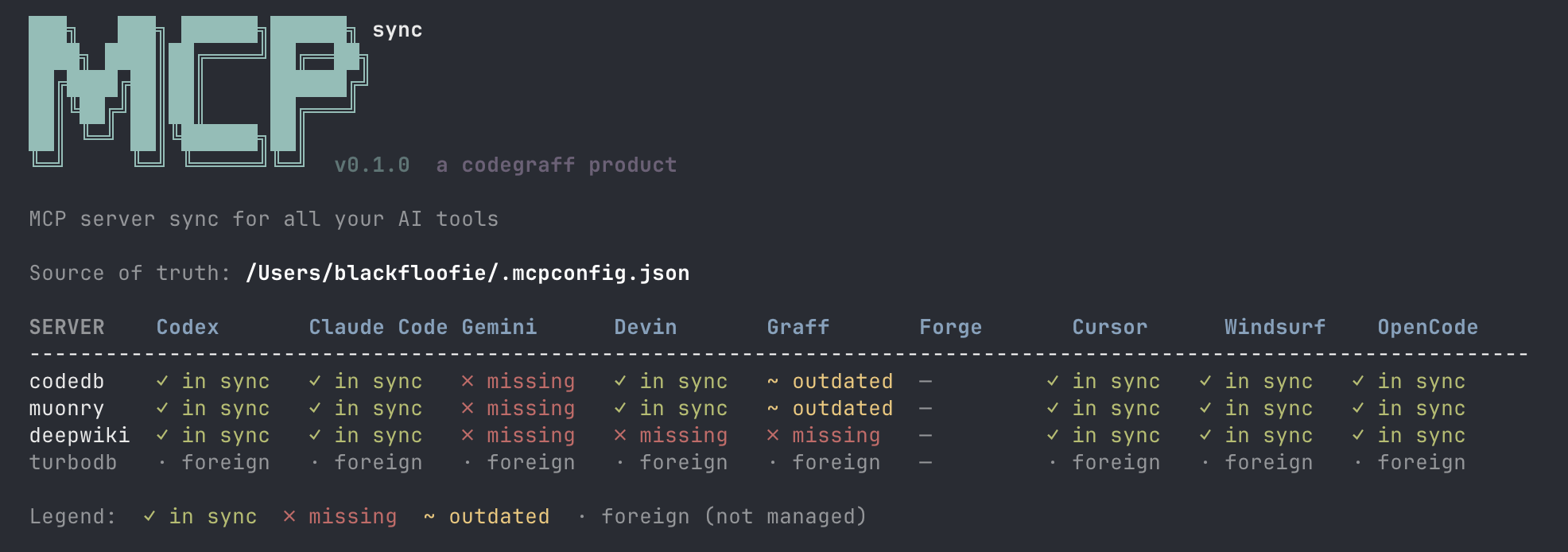
mcpsync keeps your MCP servers identical across every AI coding tool you use — Claude Code, Cursor, Windsurf, OpenCode, Gemini CLI, Graff, and Forge — from a single source-of-truth file at ~/.mcpconfig.json.
Add a server once. Run mcpsync sync. Done.
Why mcpsync?
- One source of truth —
~/.mcpconfig.jsonis the only file you ever edit - Additive sync — tool-specific servers you've added manually are never touched
- Atomic writes — all config updates use temp-file + rename, never corrupting a live tool
- Seven tools at once — Claude Code, Cursor, Windsurf, OpenCode, Gemini, Graff, Forge
- Single static binary — written in Zig, no runtime, no dependencies
Install
curl -fsSL https://mcpsync.codegraff.com | bash
Or build from source (requires Zig 0.16+):
git clone https://github.com/justrach/mcpsync
cd mcpsync && zig build -Doptimize=ReleaseFast
cp zig-out/bin/mcpsync ~/bin/mcpsync
Quick start
# Bootstrap: pull existing MCP configs from all your tools into ~/.mcpconfig.json
mcpsync init

# See what's in sync and what isn't
mcpsync status

# Push source-of-truth to every tool
mcpsync sync

# Preview changes without applying them
mcpsync diff
Status table
  SERVER    Claude Code Cursor      Windsurf    OpenCode    Gemini      Graff       Forge
  ------------------------------------------------------------------------------------------
  codedb    ✓ in sync   ✓ in sync   ✓ in sync   ✓ in sync   ✓ in sync   ✓ in sync   ✓ in sync
  muonry    ✓ in sync   ✓ in sync   ✓ in sync   ✓ in sync   ✓ in sync   ✓ in sync   ✓ in sync
  deepwiki  ✓ in sync   ✓ in sync   ✓ in sync   ✓ in sync   ✓ in sync   ✓ in sync   ✓ in sync

  Legend:  ✓ in sync  ✗ missing  ~ outdated  · foreign (not managed)
Managing servers
# Add a stdio server
mcpsync add myserver --cmd /usr/local/bin/myserver --args --mcp

# Add an HTTP/SSE server
mcpsync add myserver --url https://example.com/mcp

# Remove a server
mcpsync remove myserver

# List all managed servers
mcpsync list
How it works
~/.mcpconfig.json  ← single source of truth
        │
        ├─ mcpsync sync
        │
        ├──► ~/.claude/settings.json        (Claude Code)
        ├──► ~/.cursor/mcp.json             (Cursor)
        ├──► ~/.codeium/windsurf/mcp_config.json  (Windsurf)
        ├──► ~/.config/opencode/mcp.json    (OpenCode)
        ├──► ~/.gemini/settings.json        (Gemini CLI)
        ├──► ~/codegraff/.mcp.json          (Graff)
        └──► ~/forge/mcp.json               (Forge)
Each tool's config is merged surgically — only the mcpServers key is replaced. Every other key in the file (hooks, keybindings, theme settings) is round-tripped verbatim. Foreign servers that exist in a tool but not in your source-of-truth are preserved and shown as · foreign.
Source of truth format
~/.mcpconfig.json is plain JSON, tool-agnostic:
{
  "mcpServers": {
    "myserver": {
      "command": "/usr/local/bin/myserver",
      "args": ["--mcp"]
    },
    "remote": {
      "url": "https://example.com/mcp"
    }
  }
}
All commands
| Command | Description |
|---|---|
| mcpsync / mcpsync status | Sync grid: every server × every tool |
| mcpsync sync | Push source-of-truth to all tools |
| mcpsync diff | Preview what sync would change |
| mcpsync init | Bootstrap ~/.mcpconfig.json from existing tool configs |
| mcpsync list | List managed servers |
| mcpsync add <name> --cmd <path> [--args ...] | Add a stdio server |
| mcpsync add <name> --url <url> | Add an HTTP/SSE server |
| mcpsync remove <name> | Remove a server |
Supported tools
| Tool | Config file |
|---|---|
| Claude Code | ~/.claude/settings.json |
| Cursor | ~/.cursor/mcp.json |
| Windsurf | ~/.codeium/windsurf/mcp_config.json |
| OpenCode | ~/.config/opencode/mcp.json |
| Gemini CLI | ~/.gemini/settings.json |
| Graff | ~/codegraff/.mcp.json |
| Forge | ~/forge/mcp.json |
Built with
- Zig 0.16
- No external dependencies