Local Power Automate MCP server, browser extension, and installable Codex skill.
MCP Power Automate




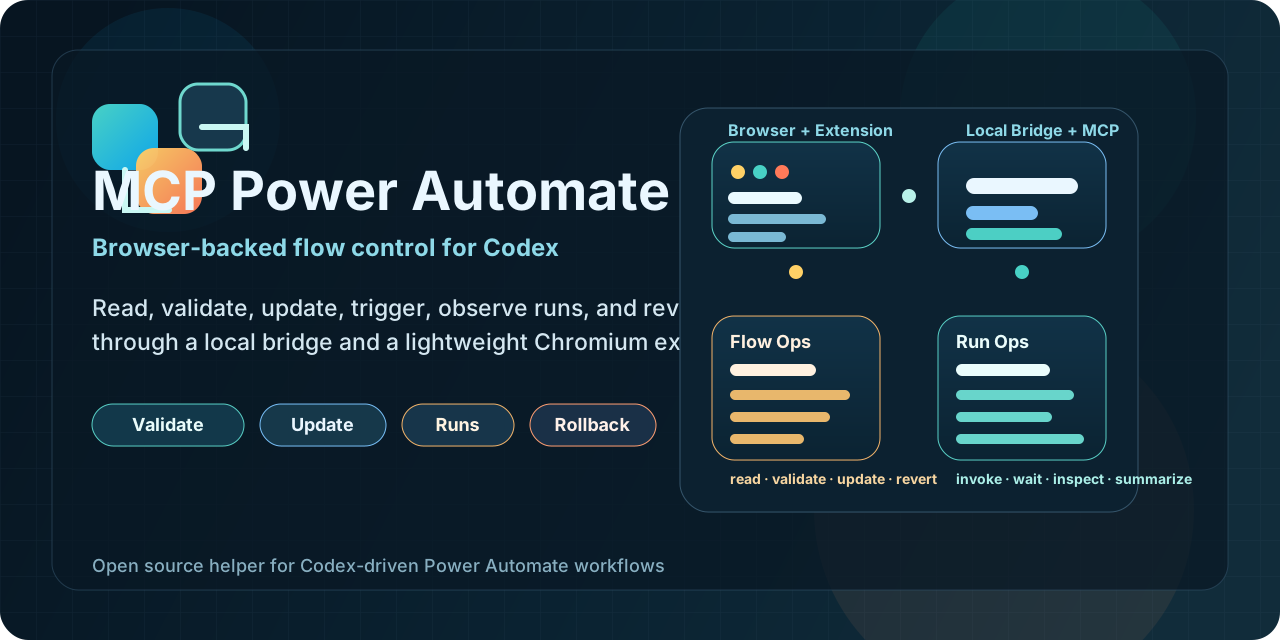
Local MCP server, Chromium extension, and installable skill for operating Microsoft Power Automate flows through Codex.
This project lets an agent:
- list flows from the current environment, including owned and shared-visible flows
- select an explicit target flow instead of following the active tab
- read, validate, update, create, clone, test, inspect runs, and revert flows
- use the browser only for auth and visual context while the MCP owns the workflow logic
Install in 60 seconds
Install the skill from GitHub:
npx skills add kaael1/mcp-power-automate --skill power-automate-mcp
Register the MCP locally:
codex mcp add power-automate-local -- npx -y @kaael1/mcp-power-automate
Load the extension:
- Open
chrome://extensionsoredge://extensions - Enable Developer Mode
- Click
Load unpacked - Select the
extensionfolder in this repo
Open Power Automate, refresh any flow page, and ask Codex to:
list_flowsset_active_flowget_flow
If this saves you time, star the repo:
- https://github.com/kaael1/mcp-power-automate
Public package and registry links
- GitHub: https://github.com/kaael1/mcp-power-automate
- npm: https://www.npmjs.com/package/@kaael1/mcp-power-automate
- Official MCP Registry: https://registry.modelcontextprotocol.io/v0/servers?search=io.github.kaael1/mcp-power-automate
- skills.sh discovery: https://skills.sh/
How it works
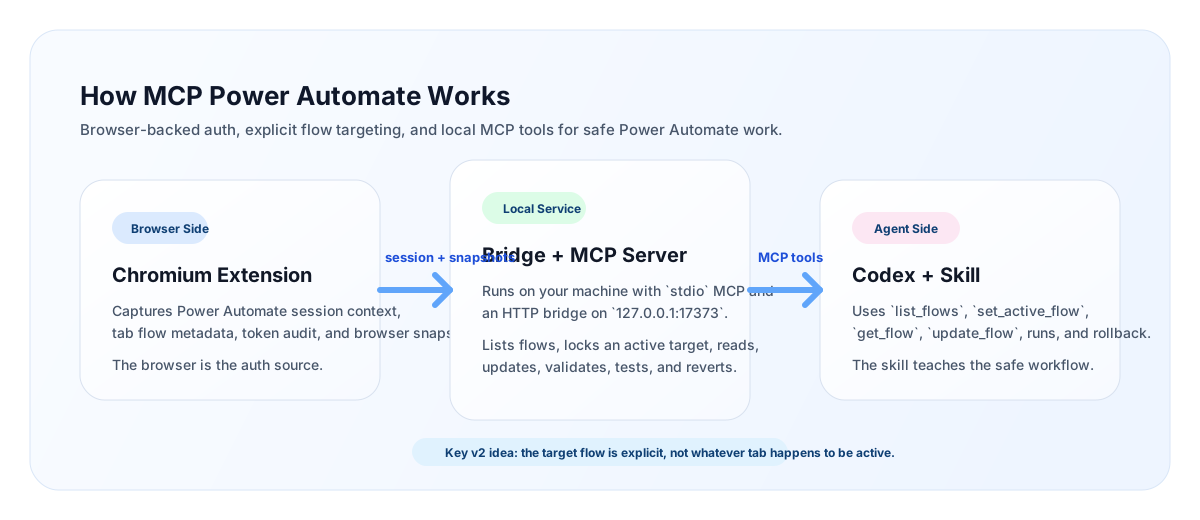
The project has three pieces:
server/Local MCP server plus an HTTP bridge on127.0.0.1:17373extension/Chromium extension that captures browser auth, tab flow context, token audit, and snapshotsskills/power-automate-mcp/Skill instructions that teach the agent to work safely with explicit flow targeting
Why this is local
This project is intentionally local-first.
- Your browser session remains the auth source
- The extension captures the environment and tab context you already trust
- The MCP runs on your machine and talks to Power Automate with your browser-backed session
- The selected target flow is explicit, so the agent does not blindly follow whichever tab is active
This gives you a good tradeoff:
- much more agent autonomy than manual clicking
- much less infrastructure and auth complexity than a remote SaaS MCP
Current capabilities
- Read the selected target flow
- List flows from the current environment
- Merge
owned,shared-user, andportal-sharedflows into one catalog - Lock the MCP onto an explicit active target flow
- Validate flows with legacy validation endpoints
- Update a flow and keep one-step rollback history
- Create a blank request or recurrence flow
- Clone an existing flow
- List runs, inspect action-level results, and wait for completion
- Get a callback URL and invoke manual/request flows
Install options
1. Skill install from GitHub
npx skills add kaael1/mcp-power-automate --skill power-automate-mcp
You can verify discovery with:
npx skills add kaael1/mcp-power-automate --list
2. MCP install from npm
Use this in Codex-compatible config:
{
  "mcpServers": {
    "power-automate-local": {
      "command": "npx",
      "args": ["-y", "@kaael1/mcp-power-automate"]
    }
  }
}
3. MCP install from local clone
codex mcp add power-automate-local -- node /path/to/mcp-power-automate/server/index.mjs
Typical workflow
- Start the local bridge and MCP.
- Open any flow in the target Power Automate environment.
- Let the extension capture auth and environment context.
- Ask Codex to
list_flows. - Ask Codex to
set_active_flowfor the flow you actually want. - Continue with
get_flow,validate_flow,update_flow,list_runs,get_run,wait_for_run, orinvoke_trigger.
The popup helps you:
- compare the selected target flow with the current tab flow
- switch the selected target to the current tab
- refresh run status
- review the last update summary
- revert the last saved change
list_flows returns an accessScope hint per flow:
ownedshared-userportal-shared
Available MCP tools
get_statusget_healthlist_flowsrefresh_flowsset_active_flowset_active_flow_from_tabget_active_flowget_flowupdate_flowcreate_flowclone_flowvalidate_flowget_last_updaterevert_last_updatelist_runsget_latest_runget_runget_run_actionswait_for_runget_last_runget_trigger_callback_urlinvoke_trigger
Available resources
power-automate://statuspower-automate://last-runpower-automate://active-flow
Security model
This MCP is not a remote cloud service.
- It depends on a logged-in Chromium session
- It uses browser-backed tokens captured locally by the extension
- It is best suited for trusted local use
- It is strong enough for supervised real work, but still benefits from change discipline on production flows
Current limitations
- The browser still provides auth and current-tab context
- Rollback is currently one step only
- The popup shows summaries, not a full diff UI
- The current architecture is local-first, not remote SaaS-style
- Critical production use is still best done with supervision
Publishing
This repo is already prepared for:
- GitHub discovery
skills.sh/ Vercel-style skill installation- npm distribution
- Official MCP Registry publishing
Relevant files:
Repo guidance
See AGENTS.md for local repository guidance for agents and contributors.
License
MIT. See LICENSE.