Hand-built OSINT wordlist forge in Rust. Craft blocks, order your blueprint, generate the list, then strike with hashcat or john.
mcpscrk — Marco Calvo Password Cracker
An OSINT wordlist forge. Turn what you know about a target into a surgical,
hand-built dictionary — block by block, in the order you choose — then throw it
at the hash with hashcat or john.
It does one thing, and it does it well: build the right list for this person.
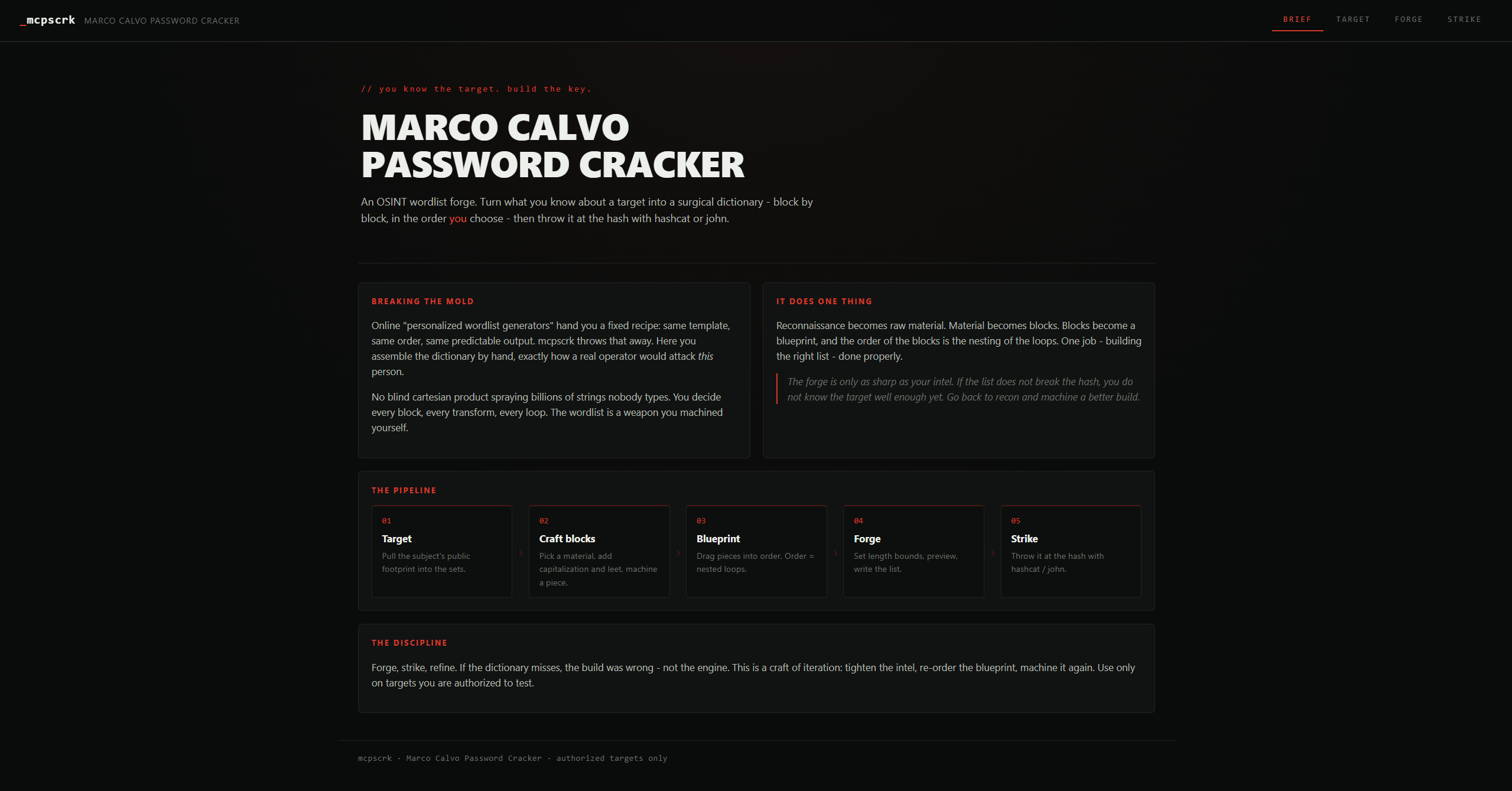
One workshop: intel in, blueprint out, hash tested — no fixed templates.
Breaking the mold
The "personalized wordlist generators" you find online all hand you the same fixed recipe — same template, same order, same predictable output. A blind cartesian product that sprays billions of strings nobody would ever type.
mcpscrk throws that away. Here there is no fixed structure. You assemble the dictionary by hand, the way a real operator would attack this target: you choose every block, every transform (capitalization, leet, dates), and the exact order they nest into. The wordlist becomes a weapon you machined yourself, so you can always craft exactly what you want.
The forge is only as sharp as your intel. If the list does not break the hash, it is on you — you do not know the target well enough yet. Go back to recon and machine a better build.
How it works
Target (OSINT) -> Materials -> Blocks -> Blueprint -> Forge -> wordlist -> Strike
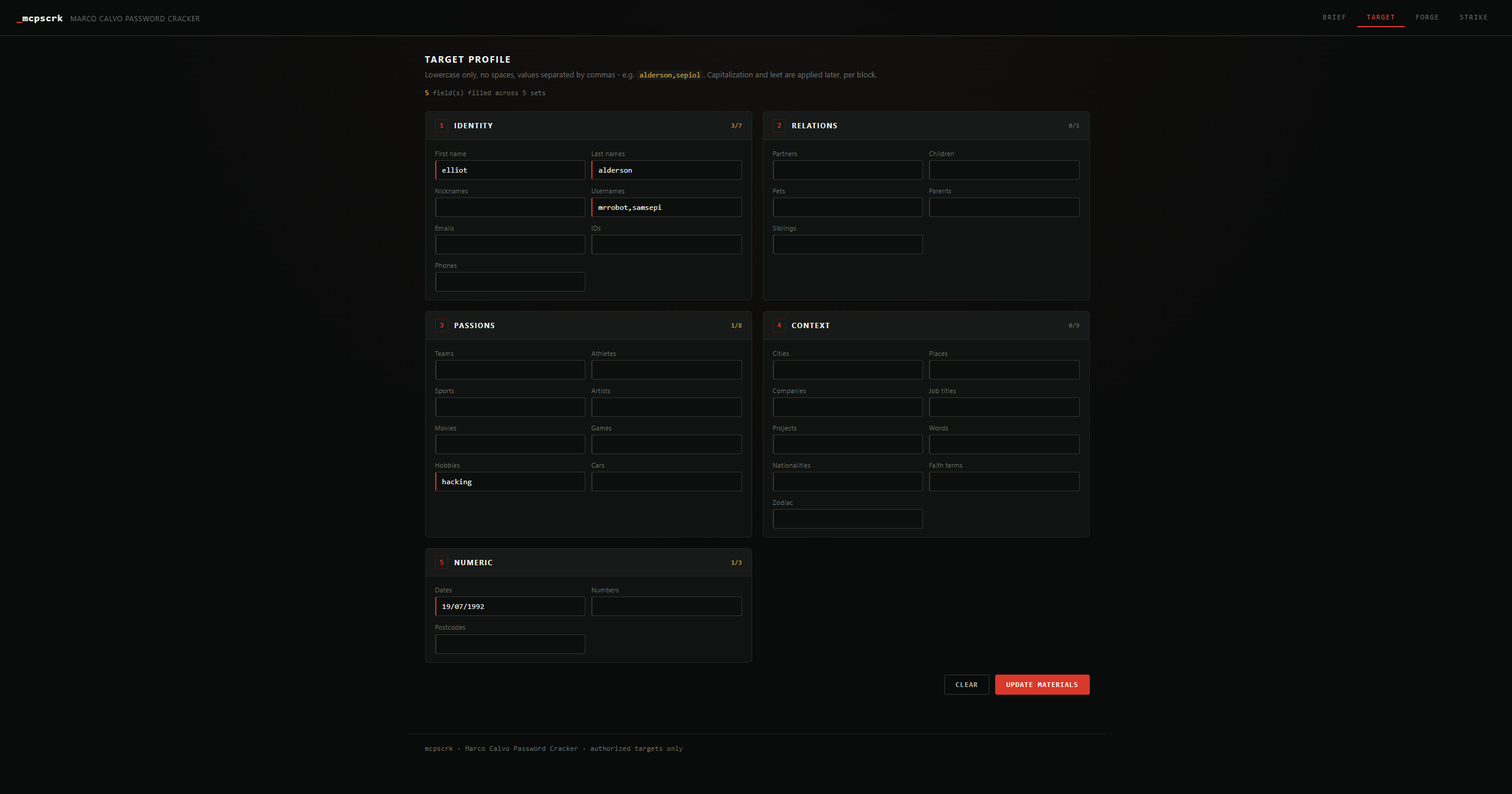
Target — OSINT into materials
Pull the subject's public footprint into the sets (names, dates, relations, passions, places, numbers…). Empty fields stay out of the way until you need them.
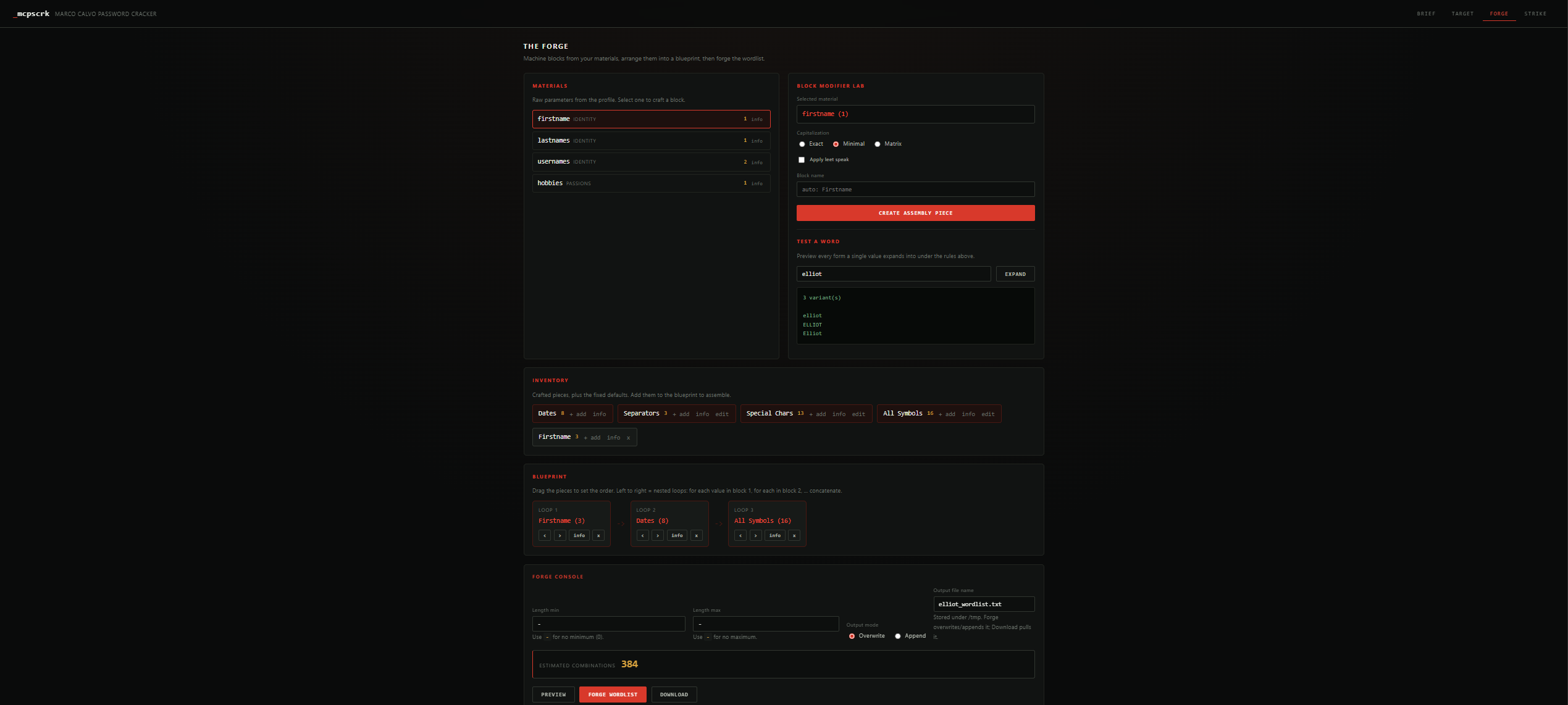
Forge — blocks, blueprint, wordlist
Pick a material, apply capitalization and leet, machine reusable blocks. Drag them into order — that order is the nesting of the loops. Set length bounds, preview the live count, write the list.
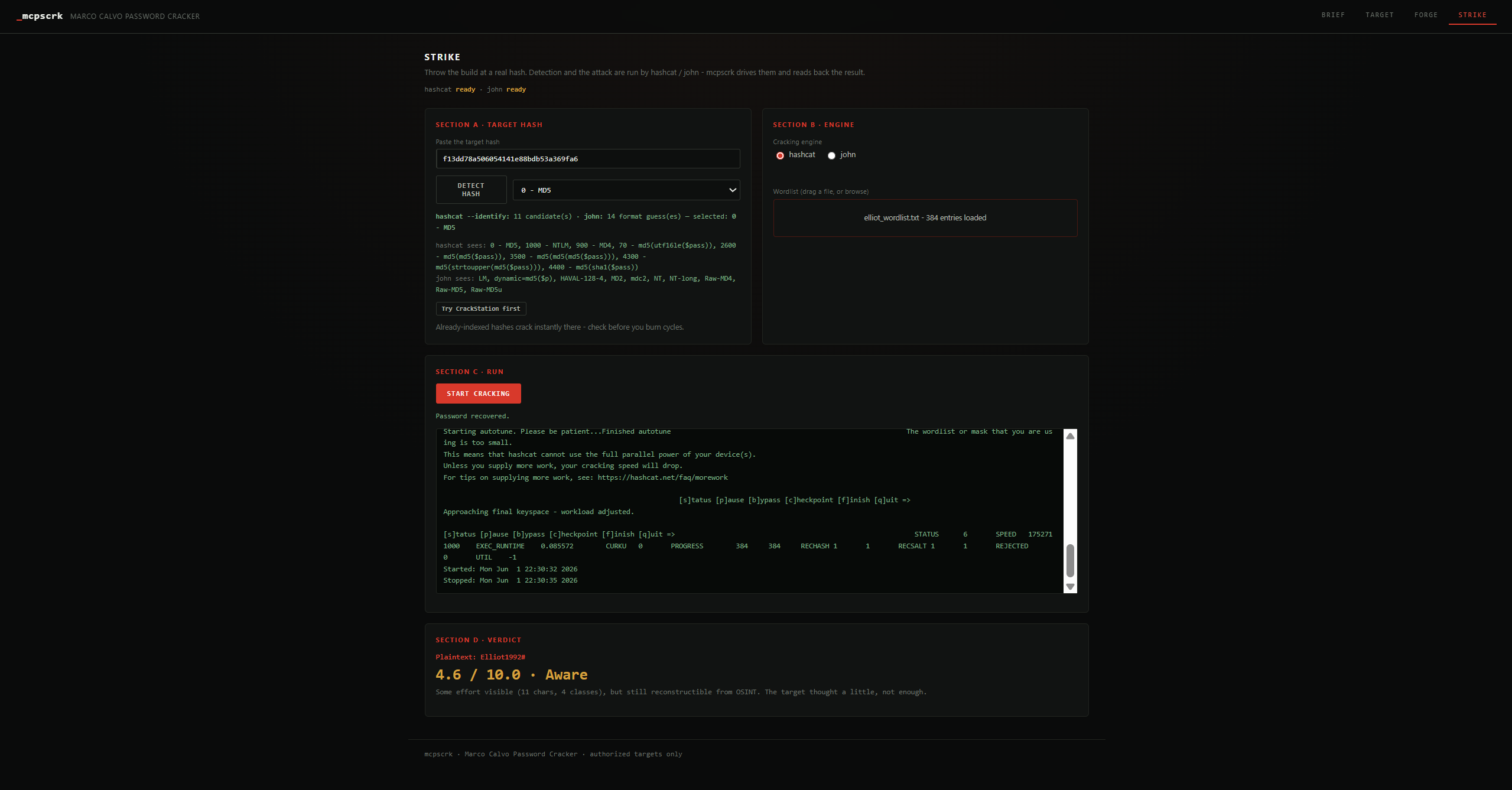
Strike — detect, crack, verdict
Detect the hash (hashcat + John's second opinion), run hashcat or john over your build with live progress and cancel, then read the exposure verdict on the recovery.
Running it
A single flag: the port. Build it and visit the interface.
make run                 # builds (release) + serves on :8787
make run PORT=9000       # pick your own port

# or directly:
cargo run --release -- --port 8787
Then open http://127.0.0.1:8787 and work from the browser. The whole UI —
target intel, the forge, and the strike lab — is embedded in the single binary;
there are no external assets to serve.
make always refreshes bin/mcpscrk with the latest optimized build.
Cracking engines (optional)
The Strike tab drives external tools; install whichever you want:
sudo apt install -y hashcat pocl-opencl-icd # hashcat + a CPU OpenCL runtime
For John the Ripper you want the jumbo build (the apt package is core John and can't crack raw hashes). If an engine is missing, mcpscrk still forges wordlists and tells you what is unavailable; if one engine fails to run it falls back to the other.
Architecture
src/
├── main.rs            boot + CLI + privilege/engine warnings
├── cli.rs             single flag: -p/--port
├── engine/            THE FORGE - all dictionary-building logic
│   ├── sets.rs        OSINT categories + symbol/separator defaults
│   ├── expand.rs      capitalization + leet speak (with explosion guards)
│   ├── dates.rs       date engine
│   ├── block.rs       assembly piece (block)
│   ├── blueprint.rs   ordered blocks = nested loops, size estimate
│   ├── forge.rs       lazy generation + dedup + streaming write + count
│   └── filters.rs     min/max length
├── crack/             THE STRIKE - drives hashcat/john (never reinvents them)
│   ├── detect.rs      hash-type detection (hashcat --identify + John's view)
│   ├── job.rs         async attack: live progress, cancel, engine fallback
│   ├── runner.rs      engine primitives
│   └── rating.rs      exposure verdict
└── server/            THE VIEW - web server (axum), state, routes
web/                   embedded frontend (brief / target / forge / strike)
Responsible use
Use mcpscrk only against hashes and accounts you own or are explicitly authorized to test. The real lesson it teaches: hand-made, footprint-based passwords are fragile — use a password manager.