MCP Server Development
Scholar MCP
A lightweight MCP server for AI-assisted academic paper analysis.
Motivation
Automates early-stage literature review by connecting PDF parsing with Claude via MCP.
Supports:
- PDF ingestion
- Abstract extraction
- Multi-paper comparison
Features
- read_pdf — Extract full text from a PDF file
- extract_abstract — Extract the abstract section
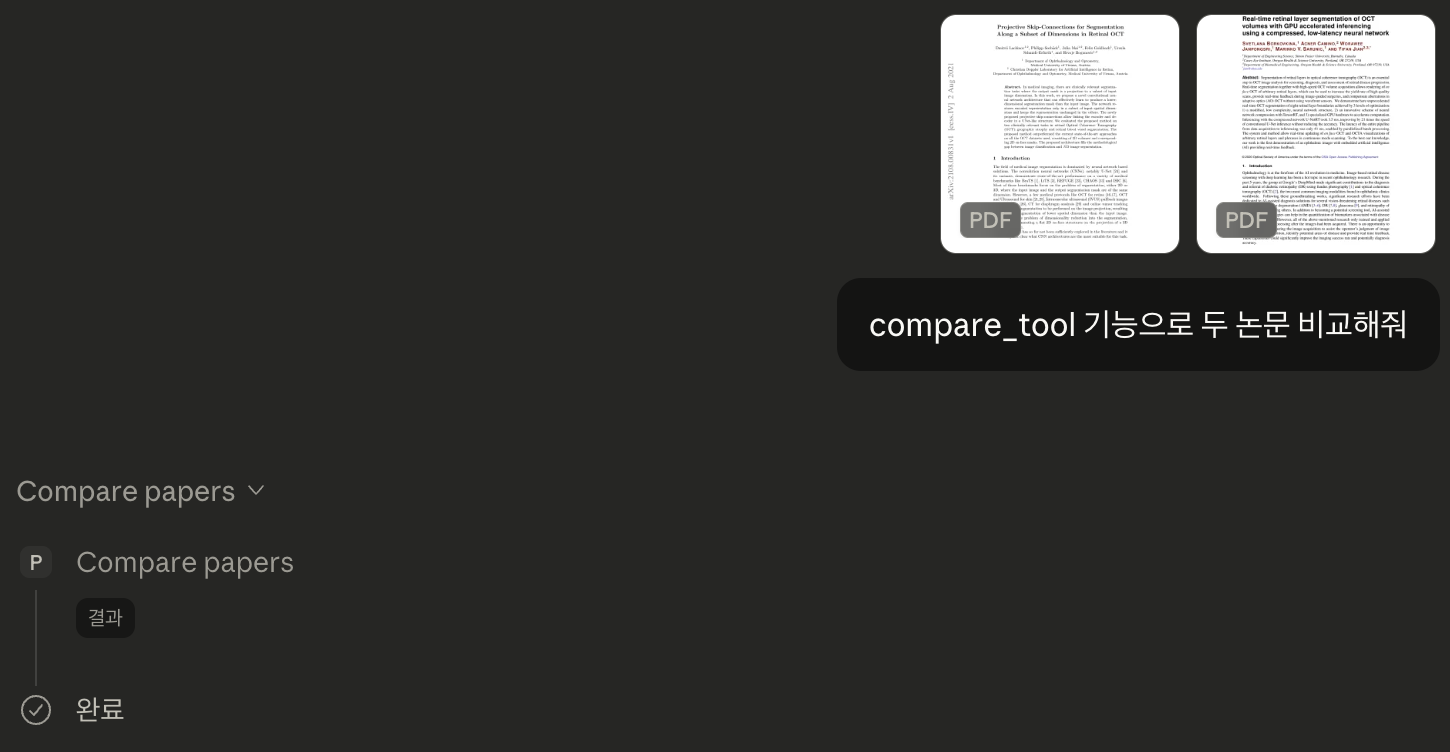
- compare_papers — Extract and prepare multiple papers for comparison
- ping — Test connectivity
- update_analysis_policy (with dry-run) — Demonstrates safe state mutation with optional simulation mode
Architecture
Claude Desktop communicates with Scholar MCP via JSON-RPC over stdio (MCP protocol).
The server registers tools and handles execution through structured request handlers.
The design separates:
- Read-only tools (PDF extraction & comparison)
- State-changing tools (policy updates with optional dry-run)
All tool executions are wrapped in safe error handling to prevent server disconnections.
Installation
git clone https://github.com/mkjun2016/scholar-mcp.git
cd scholar-mcp
npm install
Usage
Run locally:
node server.js
Configure in Claude Desktop:
{
  "mcpServers": {
    "scholar-mcp": {
      "command": "/absolute/path/to/node",
      "args": ["/absolute/path/to/scholar-mcp/server.js"]
    }
  }
}
Example Workflow
-
Call
compare_paperswith two PDF paths -
Ask Claude to:
- Compare research problems
- Summarize methodological differences
- Identify key contributions
- Highlight research gaps
This enables rapid AI-assisted literature comparison.
Technical Notes
Built on JSON-RPC over stdio (MCP) with robust error handling to ensure reliable tool execution.
Demo
Example interaction using compare_papers with Claude Desktop:
License
ISC