A little, scriptable and powerful UI-Chat-Application for asking Gen-AI
Ask m' AI
Ask m' AI (ask my ai -> ask m' ai) is a little Desktop-Chat-Application for LargeLanguageModels (e.g. OpenAI's GPT).
Unlike many chat applications out there, this application aims to be scriptable. Which means you can call it from you terminal and gave all necessary options as arguments. The conversations will also be printed out in the terminal, so you can use it in your scripts.
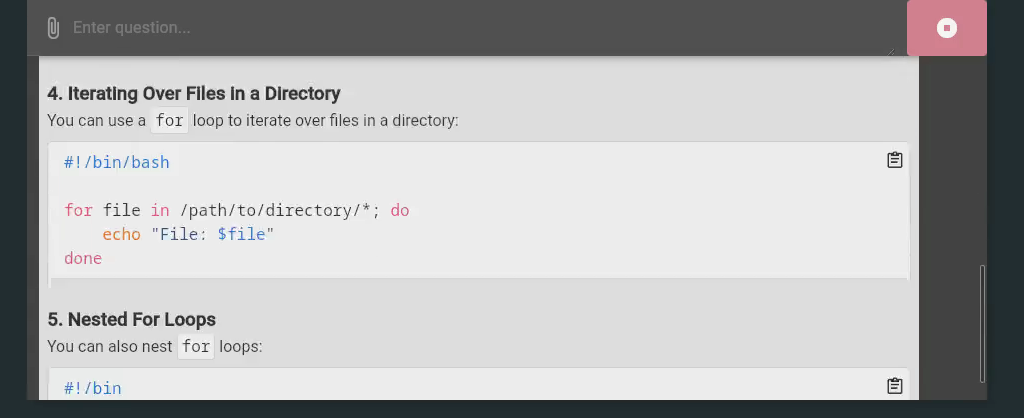
https://github.com/user-attachments/assets/a6d16332-55a1-4866-9f3e-31490a488935
Quickstart
LocalAI
ask-mai -b localai --llm.localai.base-url=http://localhost:8080/v1 --llm.localai.model=gpt-4
OpenAI
ask-mai -b openai --llm.openai.api-key.plain=YOUR_OPENAI_API_KEY
Ollama
ask-mai -b ollama --llm.ollama.server-url=http://localhost:11434 --llm.ollama.model=llama3.2
Anthropic
ask-mai -b anthropic --llm.anthropic.api-key.plain=YOUR_ANTHROPIC_API_KEY
Mistral
ask-mai -b mistral --llm.mistral.api-key.plain=YOUR_MISTRAL_API_KEY --llm.mistral.model=mistral-small-latest
DeepSeek
ask-mai -b deepseek --llm.deepseek.api-key.plain=YOUR_DEEPSEEK_API_KEY
Google Gemini
ask-mai -b google --llm.google.api-key.plain=YOUR_GOOGLE_API_KEY
Features
- Support different LLM provider
- Tool Support
- You can define your own tools which can be called from the LLM
- There are some built-in tools:
- "getSystemInformation" - Get some information about the system
- "getEnvironment" - Read environment variables from the system
- "getSystemTime" - Get the current system time
- "getStats" - Get stats of a file or directory
- "changeMode" - Changes the mode of file or directory
- "changeOwner" - Changes the owner of file or directory
- "changeTimes" - Changes the access and/or modification time of file or directory
- "createFile" - Create a file on the system
- "createTempFile" - Create a temporary file on the system
- "appendFile" - Append content to an existing file
- "readTextFile" - Read a text file from the system
- "deleteFile" - Delete a file from the system
- "createDirectory" - Creates a new directory on the system
- "createTempDirectory" - Creates a new temporary directory on the system
- "deleteDirectory" - Delete a directory from the system
- "executeCommand" - Execute a command on the system
- "callHttp" - Do a http call
- Run as MCP-Server (see below)
- Which allows you to use ask-mai' tools (even your custom tools) for other applications which support MCP-Server
- MCP-Server support
- You can define multiple MCP-Servers which can be used by the LLM (currently only tools)
- Scriptable
- All settings can be set via:
- yaml configuration file
- environment variables
- command line arguments
- The users questions and models answers will be printed out in the terminal
- All settings can be set via:
- Customizable
- Choose between two themes (light and dark)
- Choose between different languages (english, german)
- Choose between different code themes (see help for all available themes)
Install this application
AUR (Arch Linux)
yay -S ask-mai
Download this application
You can download the latest version of this application from the releases page. There are many different versions for different operating systems, architectures and feature sets.
The file names are structured as follows:
ask-mai-${OS}-${ARCH}-${FEATURE}.${EXTENSION}
Available OS:
- darwin - MacOS
- linux - Linux
- windows - Windows
Available Architectures:
- amd64 - 64bit
- 386 - 32bit
- arm64 - ARM 64bit
Available Features:
- compressed - The binary is compressed (can be problematic for some antivirus software - especially on windows)
- console - The binary is console application (only for windows)
- debug - The binary contains devtools (you can inspect the GUI-Sources)
Start this application as mcp-server
You can start this application as an MCP server by using the ask-mai-mcp-server as first positional argument:
ask-mai ask-mai-mcp-server
Or you can rename the binary to ask-mai-mcp-server and start it like this:
ask-mai-mcp-server
Do run the MCP server as a streamable HTTP server, you can use the -http-address flag:
ask-mai ask-mai-mcp-server --http-address=":8080"
How to build this application
- Install dependencies see wails documentation
- Build the application:
wails build
How to build and install this application (flatpak) by yourself
flatpak-builder .flatpak-build de.rainu.ask-mai.yml --repo=.flatpak-repo --install-deps-from=flathub --force-clean --default-branch=master --arch=x86_64 --ccache
flatpak build-bundle .flatpak-repo ask-mai.flatpak --runtime-repo=https://flathub.org/repo/flathub.flatpakrepo --arch=x86_64 de.rainu.ask-mai master
sudo flatpak install --reinstall ask-mai.flatpak
Application starts not fast enough
If the application does not start fast enough for your needs, you can get the prompt by your own and use the -ui-prompt flag to start the application with that prompt.
Here is an example with rofi:
#!/bin/sh

PROMPT=$(rofi -dmenu -p "Ask-mAI" -l 0 -location 2)
if [ $? -ne 0 ]; then
    exit 1
fi

ask-mai -ui-prompt "${PROMPT}"
Contributing
If you use nix, you can use nix develop to enter a shell with all dependencies you need for contributing. The flake also utilises treefmt to format all *.nix and *.go files. This can be done with nix fmt and checked with nix flake check.