Memlink is a self-hosted MCP (Model Context Protocol) server that gives AI agents persistent, organized memory. One memory, one URL, any agent connects. No tokens. No headers. No OAuth. Just the URL.

Memlink
Universal Memory for AI Agents
Self-hosted · Fast · Organized
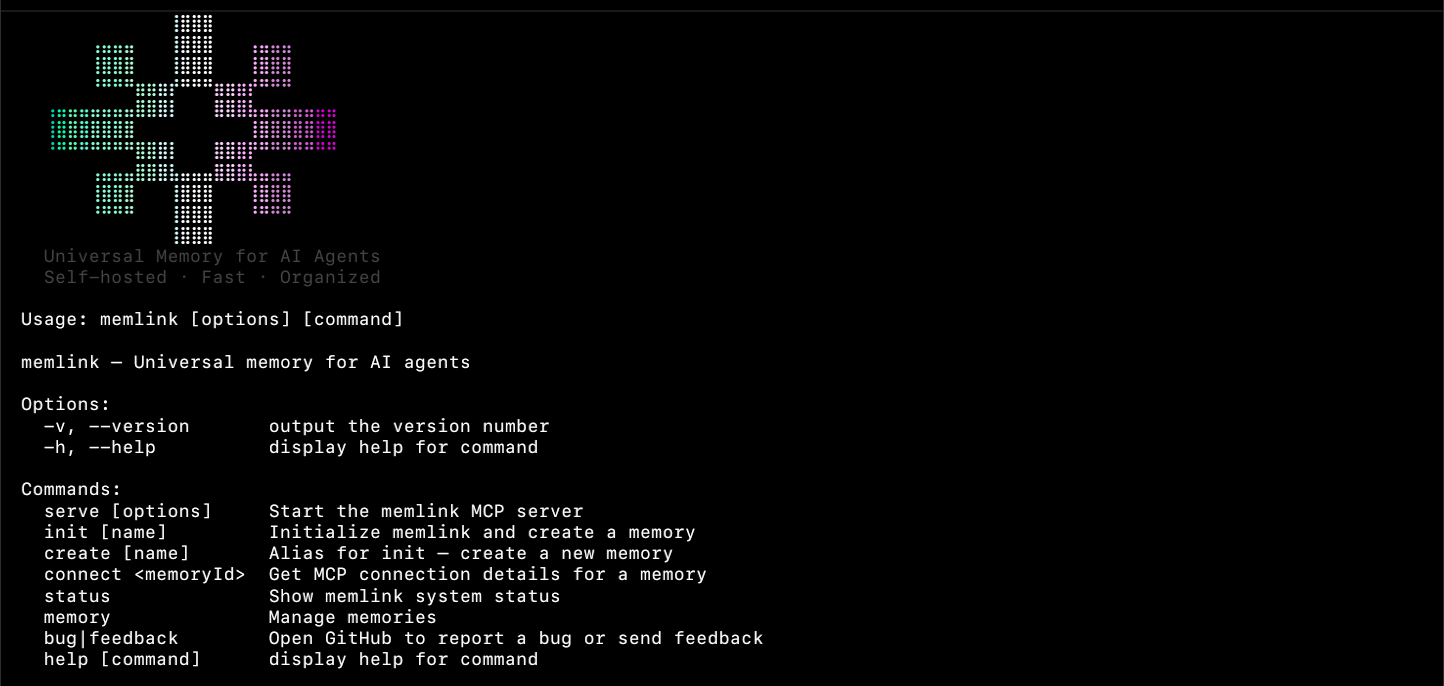
Memlink is a self-hosted MCP (Model Context Protocol) server that gives AI agents persistent, organized memory. One memory, one URL, any agent connects.
No tokens. No headers. No OAuth. Just the URL.
Installation




Windows
PowerShell:
iex (iwr memlink.rblez.com/install.sh).Content
CMD:
powershell -c "iex (iwr memlink.rblez.com/install.sh).Content"
macOS/Linux
curl -sL memlink.rblez.com/install.sh | sh
npm
npm install -g memlink
bun
bun install -g memlink
From source
git clone https://github.com/rblez/memlink.git
cd memlink
bun install
npm run build
Quick Start
memlink                              # Show system overview
memlink init my-project              # Create a memory
memlink connect <id>                 # Get connection details
memlink serve                        # Start MCP server
Commands
| Command | Description |
|---------|-------------|
| memlink | System overview: server, memories, entries, size |
| memlink init <name> (alias i) | Create a memory. -s, --serve auto-start server |
| memlink create <name> (alias c) | Alias for init |
| memlink ls (alias list) | List all memories (name, ID, size) |
| memlink show <id> (alias sh) | Show full memory as consolidated Markdown |
| memlink serve (alias s) | Start MCP server. -p, --port, -H, --host |
| memlink connect <id> (alias con) | Get MCP connection details |
| memlink bug (alias feedback) | Open GitHub issue with pre-filled template |
Global flags
| Flag | Description |
|------|-------------|
| -v, --version | Show version |
| -h, --help | Show help |
| --json | Scriptable JSON output (all commands) |
Environment Variables
| Variable | Description | Default |
|----------|-------------|---------|
| MEMLINK_DIR | Data directory | ~/.memlink |
| MEMLINK_PORT / PORT | Server port | 4444 |
| MEMLINK_HOST / HOST | Server host | localhost |
Architecture
~/.memlink/
├── config.json              # Global config
└── abc123def456.memory.json # Universal memory (JSON)
Agents connect via MCP:
http://localhost:4444/mcp?id=MEMORY_ID
Data flow:
User → CLI → Core → Memory Files
Agent → MCP Server → Core → Memory Files
MCP Tools
| Tool | Description |
|------|-------------|
| memory_read | Read all entries or by title |
| memory_edit | Create or update an entry |
| memory_delete | Delete an entry by title |
| memory_search | Search by query |
| memory_sync | Validate memory integrity |
| memory_batch | Bulk create/update |
| bulk_delete | Delete by titles/tags/pattern |
| backup_create | Create backup |
| backup_restore | Restore from backup |
| backup_list | List backups |
| backup_delete | Delete a backup |
| backup_cleanup | Clean old backups |
Robustness
- Atomic writes: files written to
.tmpthen renamed — no corruption on crash - Auto-backups: backups created automatically on every mutation, keeping last 3
- TTY detection: ASCII art and clipboard disabled in non-TTY (CI, Docker, pipes)
- Safe clipboard: clipboard failures handled silently
Development
bun install              # Install deps
npm run build            # Build + type check
npm run dev:server       # Server with hot reload
npm run dev:cli          # CLI dev mode
npm run test             # Run tests
npm run lint             # ESLint
npm run format           # Prettier
Project Structure
src/
├── cli/index.ts       # CLI entrypoint (commands)
├── cli/output.ts      # Output formatting, colors, branding
├── server/index.ts    # MCP server (Express + @modelcontextprotocol/sdk)
├── core/
│   ├── memory.ts      # File I/O, CRUD, search, backup, bulk ops
│   └── types.ts       # Types, constants
tests/
├── memory.test.ts     # Core memory unit tests
├── server.test.ts     # MCP server integration tests
└── unit.test.ts       # Additional unit tests
CI/CD
bun test → bun run build → bun run format:check → bun run lint
Releases trigger on v* tags → builds 5 platform binaries + npm publish.
License
MIT License. See LICENSE for details.