M
Mcpplex
by @shuaibird
Terminal UI for exploring MCP logs with pairing, search, and live tail.
Created 3/30/2026
Updated about 8 hours ago
README
Repository documentation and setup instructions
mcpplex
A terminal UI for viewing and exploring MCP (Model Context Protocol) server logs.
Built with Textual.
Note: This tool has been developed and tested primarily with Claude Desktop logs. It may work with other MCP clients, but this has not been verified.
Screenshots
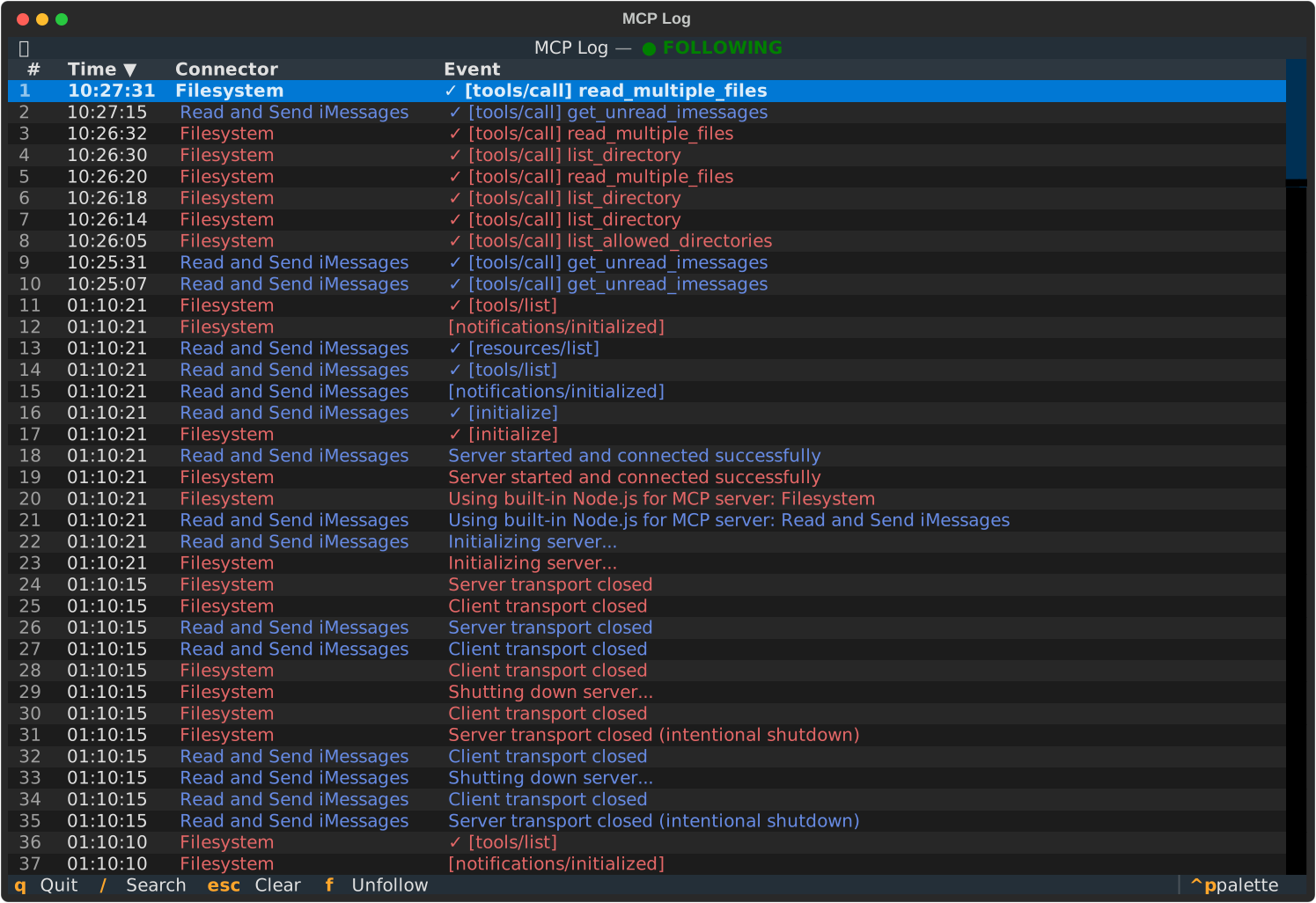
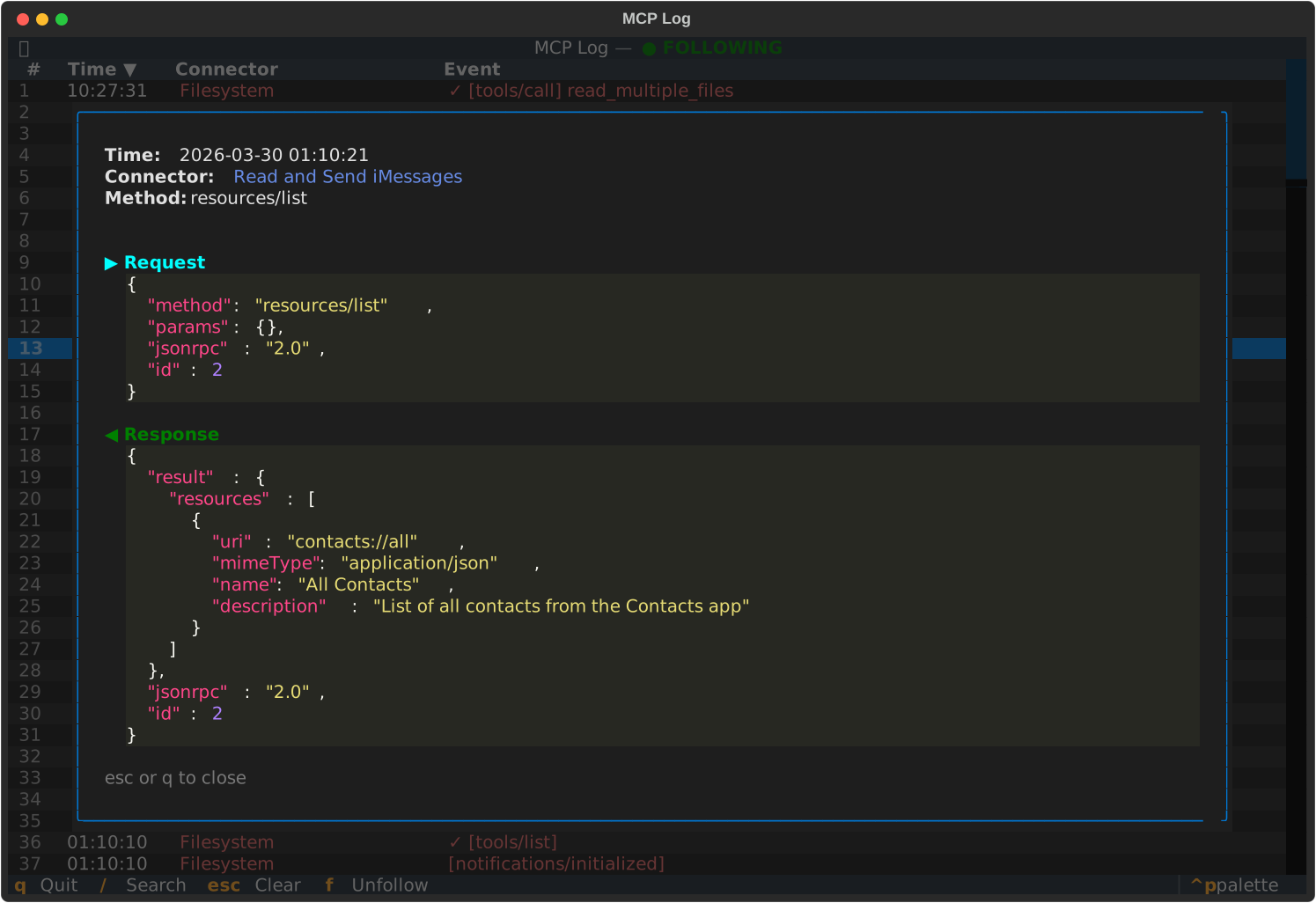
Features
- Log parsing — auto-detects timestamps, server names, log levels, and JSON-RPC messages
- Request/response pairing — matches client requests with server responses by message ID, scoped per session
- JSON payload inspection — pretty-printed detail view for structured payloads, including truncated JSON recovery
- Search — filter log entries in real time with
/ - Live tail — follow a log file for new entries (
-f), similar totail -f - Color-coded connectors — each MCP server gets a distinct color via golden-ratio hue spacing
- Sortable time column — click the Time header to toggle ascending/descending
Install
pipx install mcpplex
Or with pip:
pip install mcpplex
Usage
# View a log file
mcpplex mcp.log

# Follow a log file for live updates
mcpplex -f mcp.log

# Pipe from stdin
cat mcp.log | mcpplex
Keybindings
| Key | Action |
|-----------|-------------------------|
| / | Open search bar |
| Enter | Show detail view |
| f | Toggle follow mode |
| Escape | Close search / clear |
| q | Quit |
Contributing
git clone https://github.com/shuaibird/mcpplex
cd mcpplex
pip install -e ".[dev]"
pytest
Quick Setup
Installation guide for this server
Install Package (if required)
uvx mcpplex
Cursor configuration (mcp.json)
{
"mcpServers": {
"shuaibird-mcpplex": {
"command": "uvx",
"args": [
"mcpplex"
]
}
}
}