MCP server by TanmayRawal
RAG-Powered MCP Server for Document Q&A





A production-ready Retrieval-Augmented Generation (RAG) pipeline exposed as a Model Context Protocol (MCP) server — enabling Claude Desktop to answer questions directly from your private document collection.
Built with FAISS vector search, Sentence Transformers, and Groq LLM.
Features
- Retrieval-Augmented Generation (RAG) pipeline
- FAISS vector similarity search
- Sentence Transformer embeddings
- Groq LLaMA inference for fast responses
- Streamlit chat interface
- Claude Desktop MCP integration
- Source-grounded answers (no hallucination)
- Adjustable retrieval depth
What This Does
You feed it PDFs → it indexes them semantically → Claude Desktop can query them in real-time via MCP tool calls.
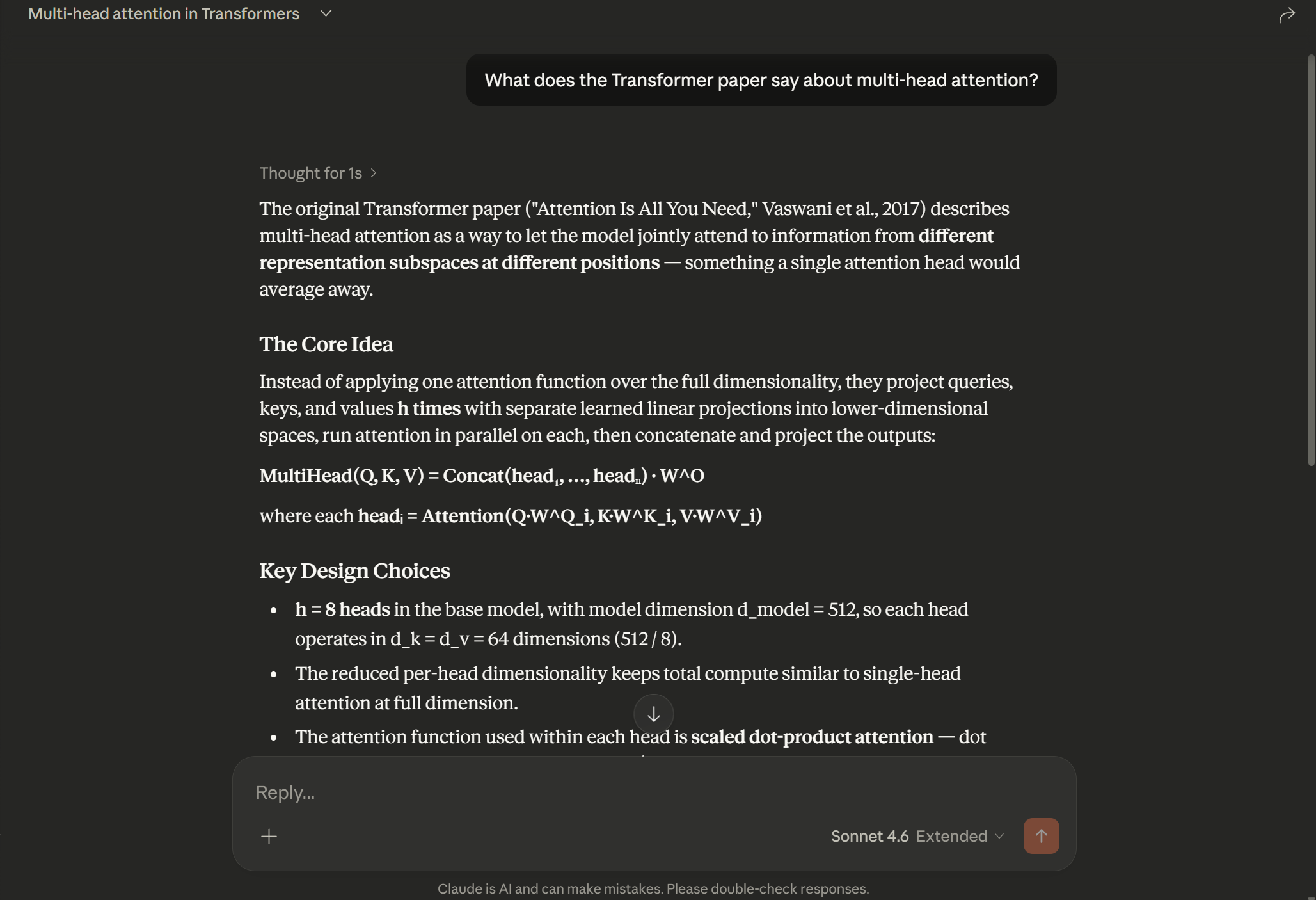
Ask Claude "What does the Transformer paper say about multi-head attention?" and it retrieves the exact relevant passages from your documents and generates a grounded answer — no hallucination, no guessing.
Architecture
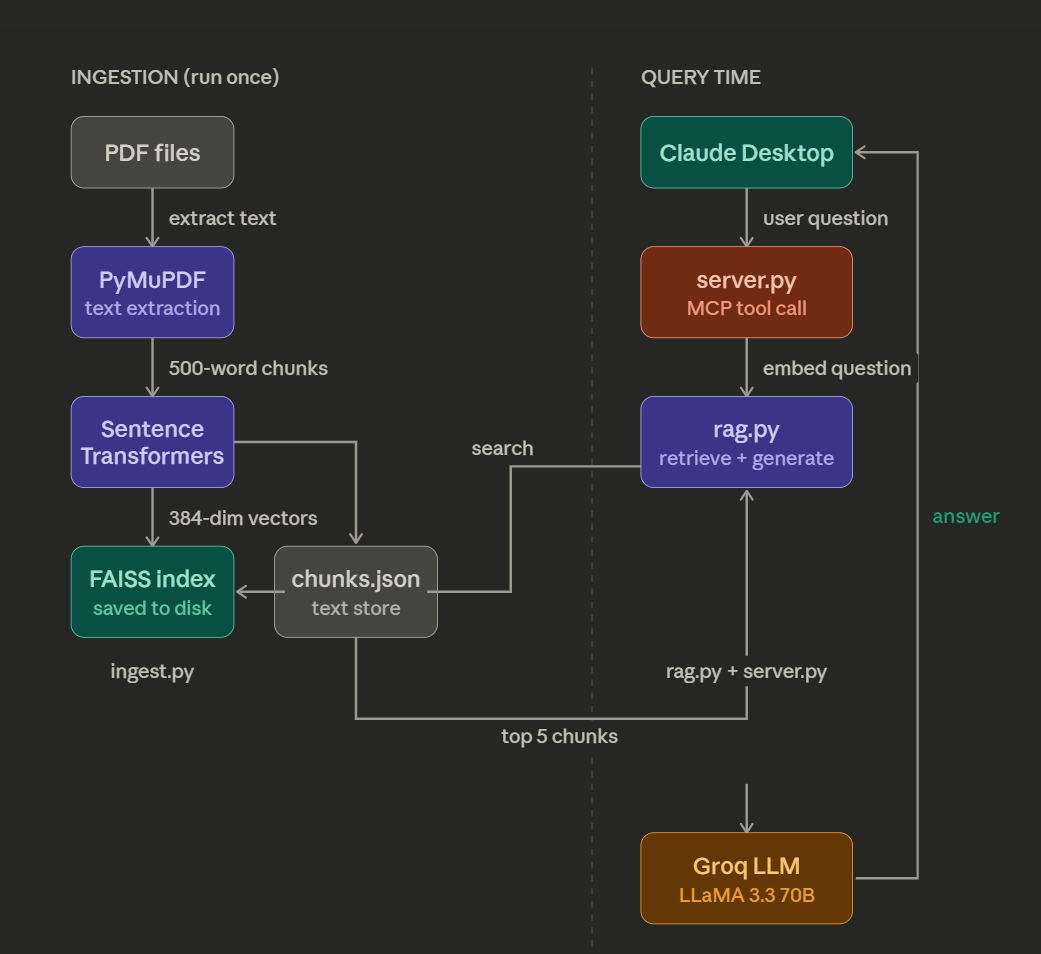
PDFs
  ↓  PyMuPDF extracts text
Text Chunks (500 words each)
  ↓  Sentence Transformers embeds
FAISS Index (local vector store)

--- At query time ---

User Question → Claude Desktop
  ↓  MCP tool call
server.py receives question
  ↓  embeds question
FAISS finds Top 5 similar chunks
  ↓  chunks stuffed into prompt
Groq LLaMA generates grounded answer
  ↓
Answer returned to Claude Desktop
Tech Stack
| Component | Technology | Purpose | |-----------|-----------|---------| | PDF parsing | PyMuPDF | Extract raw text from PDFs | | Embeddings | Sentence Transformers (all-MiniLM-L6-v2) | Convert text to semantic vectors | | Vector store | FAISS (Meta) | Fast similarity search | | LLM | Groq (LLaMA 3.3 70B) | Generate answers from retrieved chunks | | MCP server | FastMCP (Python SDK) | Expose RAG as Claude Desktop tool |
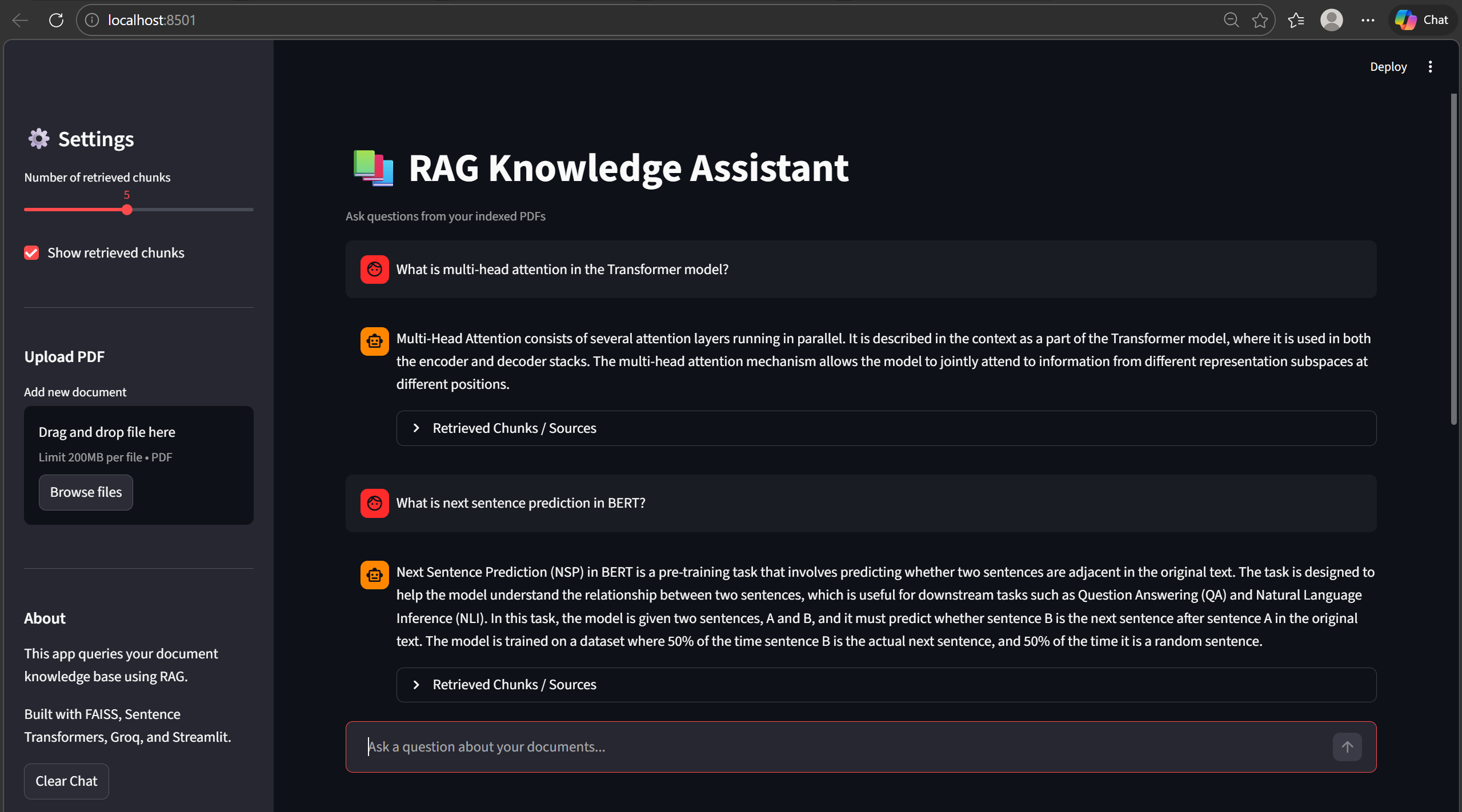
Streamlit Web Interface
The project also includes an interactive Streamlit chat interface that allows users to query their documents directly from a browser.
Features:
• Chat-style interface
• Source-grounded answers
• Adjustable retrieval depth
• Retrieved document chunks inspection
Screenshot
Project Structure
rag-mcp-server/
│
├── documents/              ← Put your PDFs here
│   ├── 1706.03762v7.pdf    (Attention Is All You Need)
│   ├── 1810.04805v2.pdf    (BERT)
│   └── 2005.11401v4.pdf    (RAG paper by Meta)
│
├── assets/
│   ├── demo.png            (Claude Desktop answering from papers)
│   ├── mcp_running.png     (MCP server running in Claude settings)
│   └── architecture.png
│
├── ingest.pynb               ← Run once: chunks + embeds PDFs → FAISS index
├── rag.py                  ← Core RAG logic: retrieve + generate
├── server.py               ← MCP server: exposes RAG as Claude tool
│
├── chunks.json             ← Auto-generated by ingest.py
├── faiss_index.bin         ← Auto-generated by ingest.py
│
├── requirements.txt
└── README.md
├── streamlit_app.py       ← Streamlit web interface
Setup
1. Clone the repo
git clone https://github.com/TanmayRawal/rag-mcp-server.git
cd rag-mcp-server
2. Create a Python 3.11 environment
conda create -n ragmcp python=3.11
conda activate ragmcp
3. Install dependencies
pip install -r requirements.txt
4. Get a free Groq API key
- Go to console.groq.com
- Sign up and create an API key
- Add it to both
rag.pyandserver.py:
os.environ["GROQ_API_KEY"] = "your_key_here"
5. Add PDFs to documents/
Place any PDFs in the documents/ folder. Suggested papers:
6. Run ingestion
python ingest.py
Reads all PDFs, splits into 500-word chunks, embeds with Sentence Transformers, saves FAISS index. Run once (or when you add new documents).
7. Test RAG directly
python rag.py
Connecting to Claude Desktop
1. Edit the MCP config
- Windows:
C:\Users\<you>\AppData\Roaming\Claude\claude_desktop_config.json - Mac:
~/Library/Application Support/Claude/claude_desktop_config.json
{
  "mcpServers": {
    "rag-knowledge-base": {
      "command": "/path/to/conda/envs/ragmcp/python",
      "args": ["/path/to/rag-mcp-server/server.py"]
    }
  }
}


### 2. Restart Claude Desktop

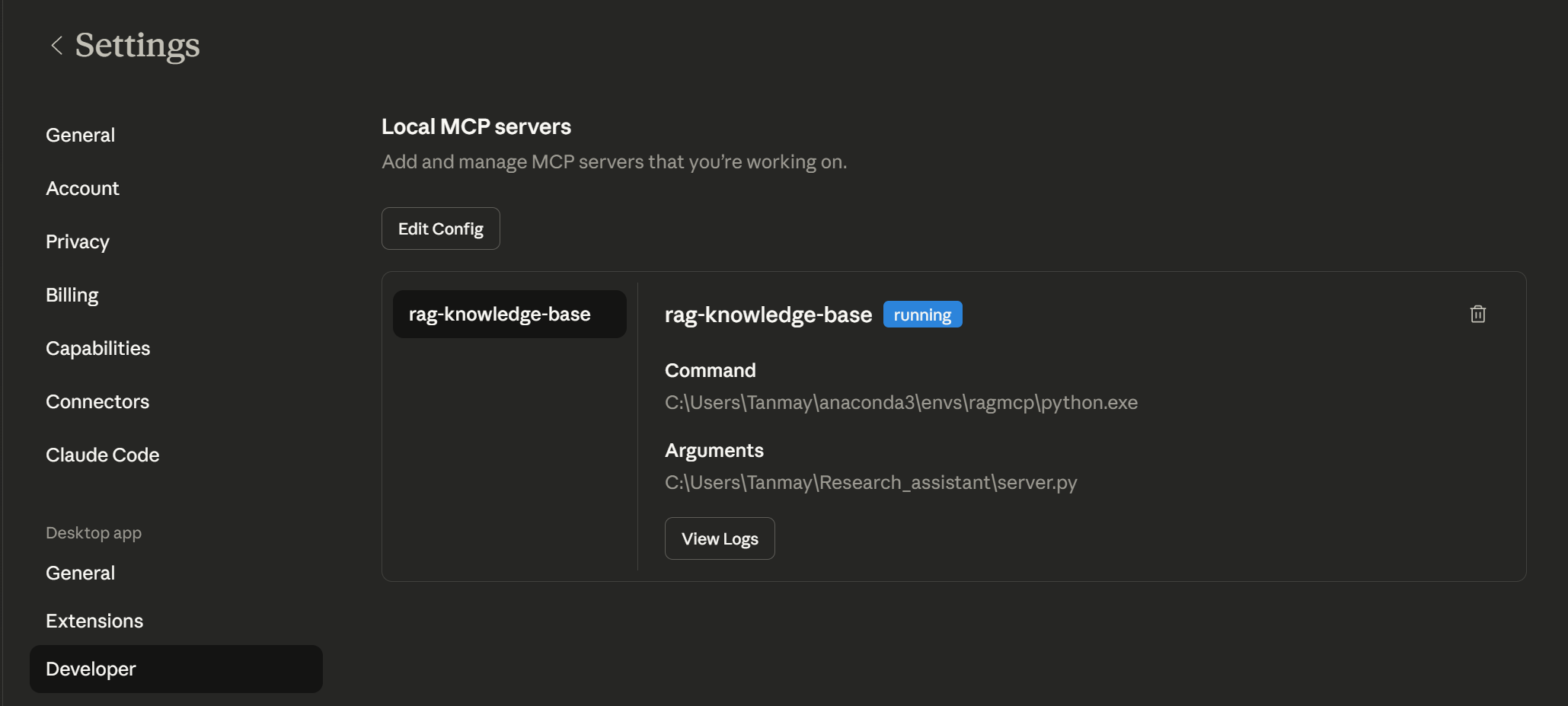
Fully quit and reopen. Go to **Settings → Developer** — you should see `rag-knowledge-base` with status **running**.

### 3. Ask Claude anything about your documents
What does the Transformer paper say about multi-head attention? What datasets were used to evaluate RAG? Explain the BERT pre-training objectives.
Claude automatically calls your `query_knowledge_base` tool and answers from your actual documents.

---

## How RAG Works

1. **Retrieve** — embed the question, search FAISS for top 5 semantically similar chunks
2. **Augment** — inject those chunks into the LLM prompt as context
3. **Generate** — LLM reads chunks and generates a grounded answer

No fine-tuning. No training. Just smart search + generation.

---
## Example Questions

Try asking questions like:

- What does the Transformer paper say about multi-head attention?
- What are the pre-training objectives used in BERT?
- How does Retrieval Augmented Generation work?
- What datasets were used to evaluate the RAG model?

---


## Requirements
pymupdf sentence-transformers faiss-cpu groq mcp
Python 3.11+ required.

---

## Future Improvements

- Support more formats (`.txt`, `.docx`, `.md`)
- Hybrid search (BM25 + semantic)
- Conversation memory across queries
- Streamlit web UI
- Multiple independent knowledge bases

---

## License

MIT