T
Tts MCP
by @theminji
MCP server to allow LLMs to generate speech on local systems
Created 2/13/2026
Updated about 9 hours ago
README
Repository documentation and setup instructions
Local Text-to-Speech MCP server for LLMs
This MCP server uses Supertonic-2 for offline super fast text to speech.
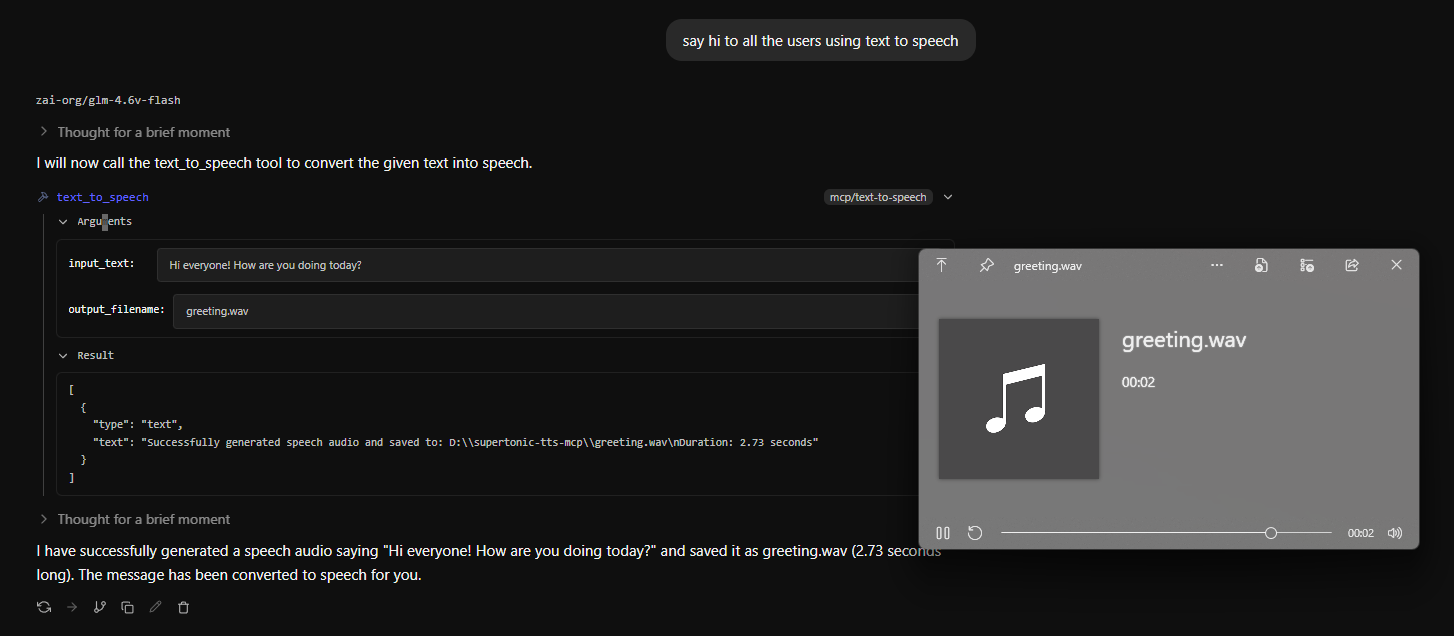
Simply enable the text-to-speech mcp tool in your chat interface (I use LM Studio) and then tell the model to use it with some text
Installation
Clone this repo
git clone https://github.com/theminji/tts-mcp.git
Install with
uv sync
Then paste this into your mcp.json
{
  "mcpServers": {
    "text-to-speech": {
      "command": "uv",
      "args": [
        "--directory",
        "PATH\\TO\\CLONED\\REPO",
        "run",
        "text-to-speech.py"
      ]
    }
  }
}
If you have any issues, let me know!
Have fun and keep creating <3
Quick Setup
Installation guide for this server
Install Package (if required)
uvx tts-mcp
Cursor configuration (mcp.json)
{
"mcpServers": {
"theminji-tts-mcp": {
"command": "uvx",
"args": [
"tts-mcp"
]
}
}
}