Open a Vivid Business account from your AI chat via MCP
Vivid MCP

Open a business account right from your AI chat
Tell your AI to open a Vivid Business account.
Share your company details, and your account is ready — no tab switching required.



 How it works
|
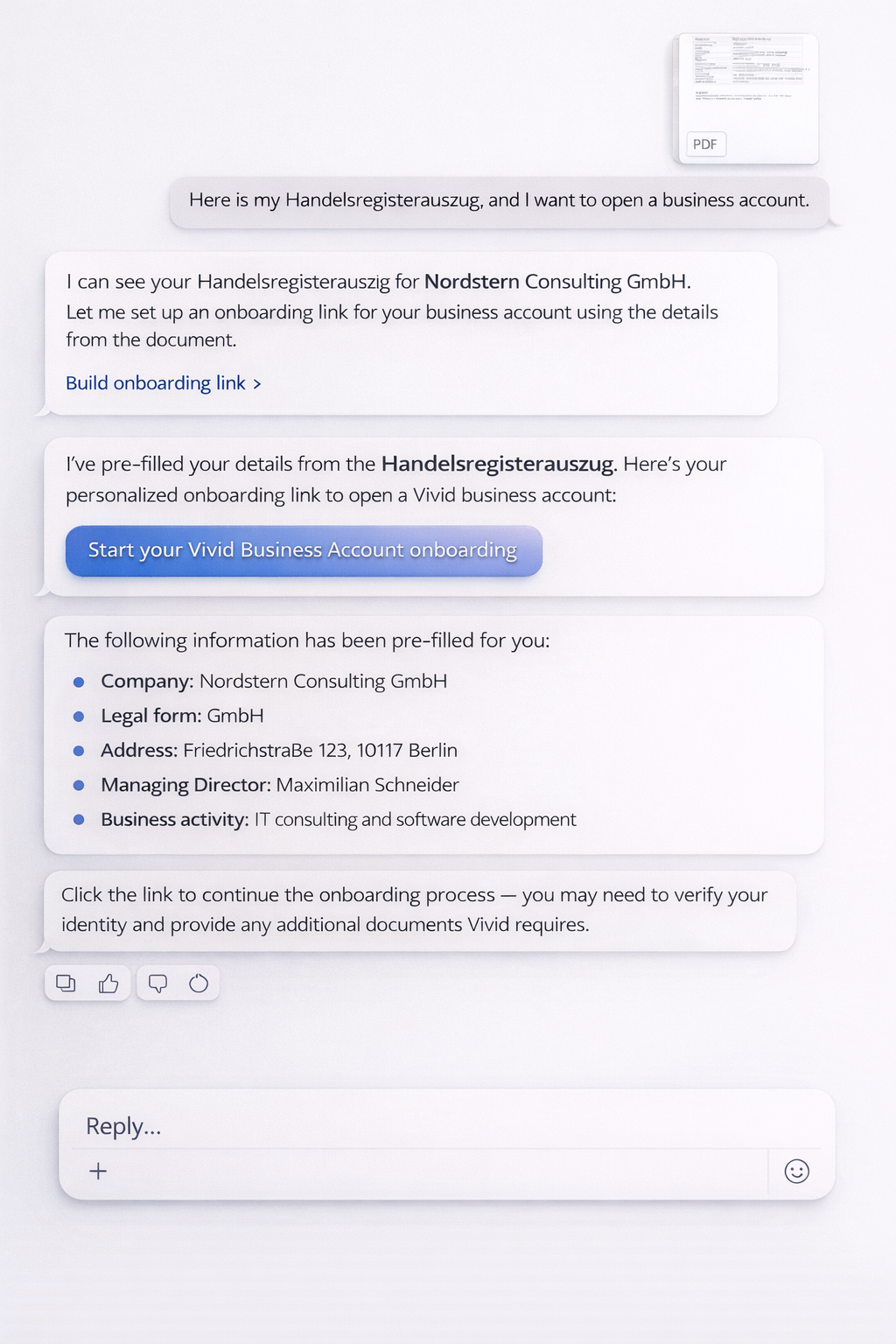
1. Share your company info Upload registration documents or describe your business in chat |
2. AI handles the rest Details are extracted and your account is created automatically |
3. Account ready Everything is pre-filled. Verify your identity and start banking |
┌─────────────────────────────────────────────────────────────────────────────┐
│  AI Chat                                                                    │
├─────────────────────────────────────────────────────────────────────────────┤
│                                                                             │
│  You: 📎 Handelsregisterauszug_GmbH.pdf                                     │
│       I want to open a business account                                     │
│                                                                             │
│  AI:  I've read your document — Nordstern Consulting GmbH, Berlin.          │
│       Setting up your Vivid Business account with pre-filled details...     │
│                                                                             │
│       ✓ Your account is ready. Complete verification to start banking.     │
│                                                                             │
└─────────────────────────────────────────────────────────────────────────────┘
🚀 Get Started
MCP Server
https://api.prime.vivid.money/mcpNo API key required. Works with any MCP-compatible client.
Claude
- Go to claude.ai/settings/connectors
- Click Add custom connector
- Paste:
https://api.prime.vivid.money/mcp
ChatGPT
- Open Settings → Apps → Advanced
- Click Create App
- Paste:
https://api.prime.vivid.money/mcp
Cursor

Any MCP Client
Add a remote HTTP MCP server with URL:
https://api.prime.vivid.money/mcp
| Protocol | Transport | Authentication | |:---------|:----------|:---------------| | Model Context Protocol | HTTPS (streamable) | Not required |
Features
| Feature | Status |
|:--------|:------:|
| Open a business account | ✅ Live |
| Account balances | Soon |
| Transaction history | Soon |
| Card management | Soon |
| Spending insights | Soon |
🧩 Skills
This repository includes ready-to-use skills compatible with Claude Code, OpenClaw, and AgentSkills standard.
skills/
└── business-account-opening/
    └── SKILL.md
Claude Code (marketplace)
/plugin marketplace add vivid-money/vivid-mcp
/plugin install vivid-mcp@vivid-mcp
Claude Code (local) —
claude --plugin-dir ./vivid-mcpOpenClaw —
cp -r skills/business-account-opening ~/.openclaw/skills/