D
Datomic MCP Server
by @xlisp
🚀 Datomic MCP Server
Created 8/30/2025
Updated 7 months ago
README
Repository documentation and setup instructions
⚡ Datomic MCP Server
AI. Query. Persist. Extend.
A robust Clojure-based MCP server designed for querying Datomic databases and integrating with AI-powered workflows.
🔍 Key Features
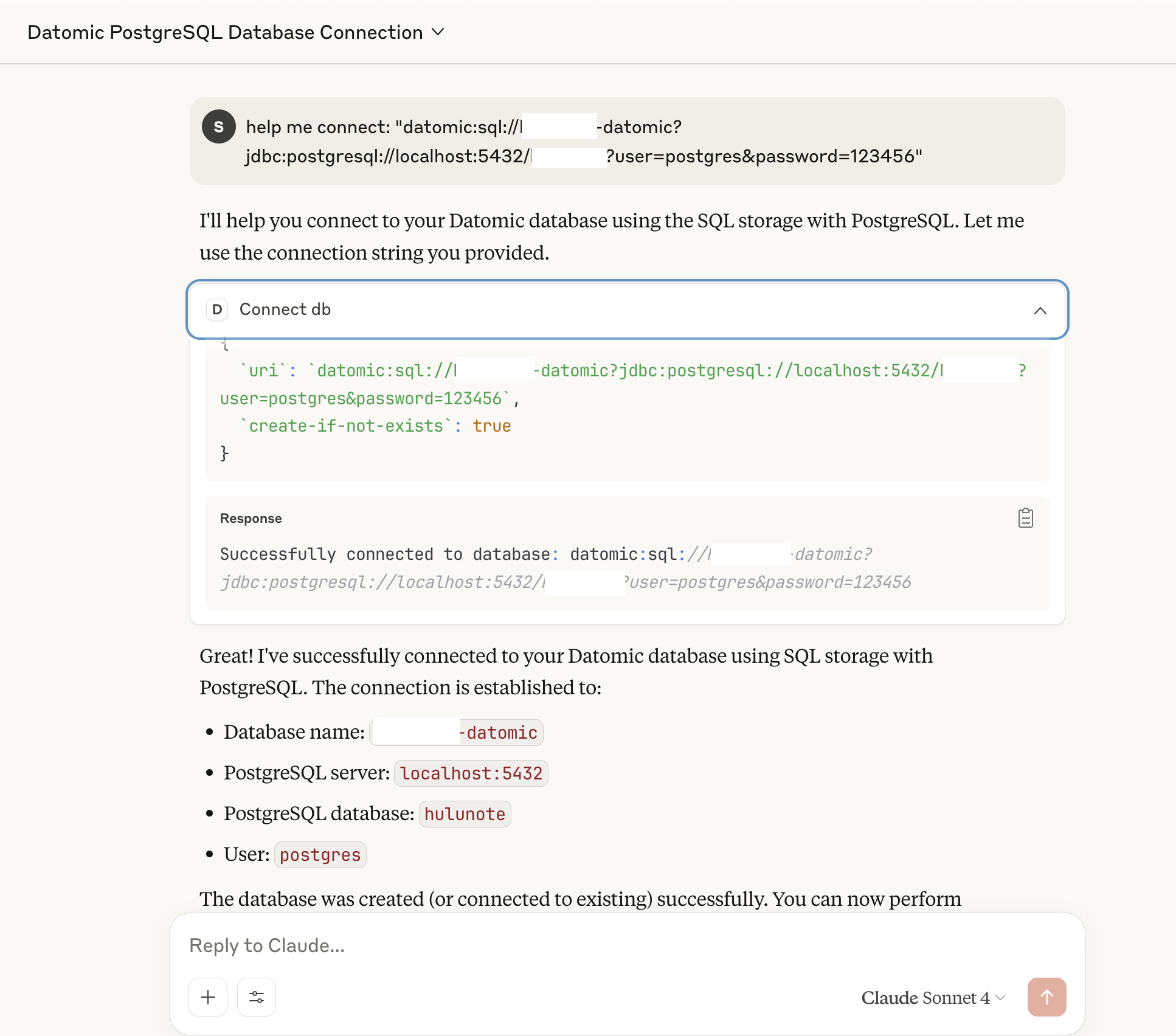
🗄️ Connect to Datomic (SQL / Dev / Cloud)
- Seamlessly connect to your Datomic database and run queries directly from AI workflows.
- Works with Datomic Pro (SQL, Dev-local) and Datomic Cloud setups.
📂 Query entity relationships
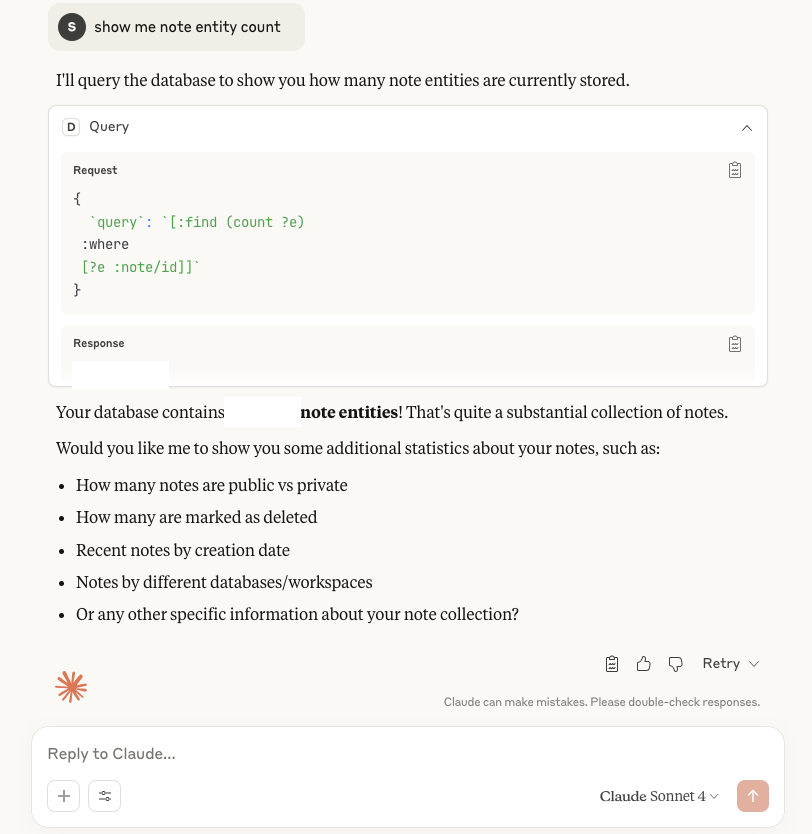
📊 Aggregate queries & computations
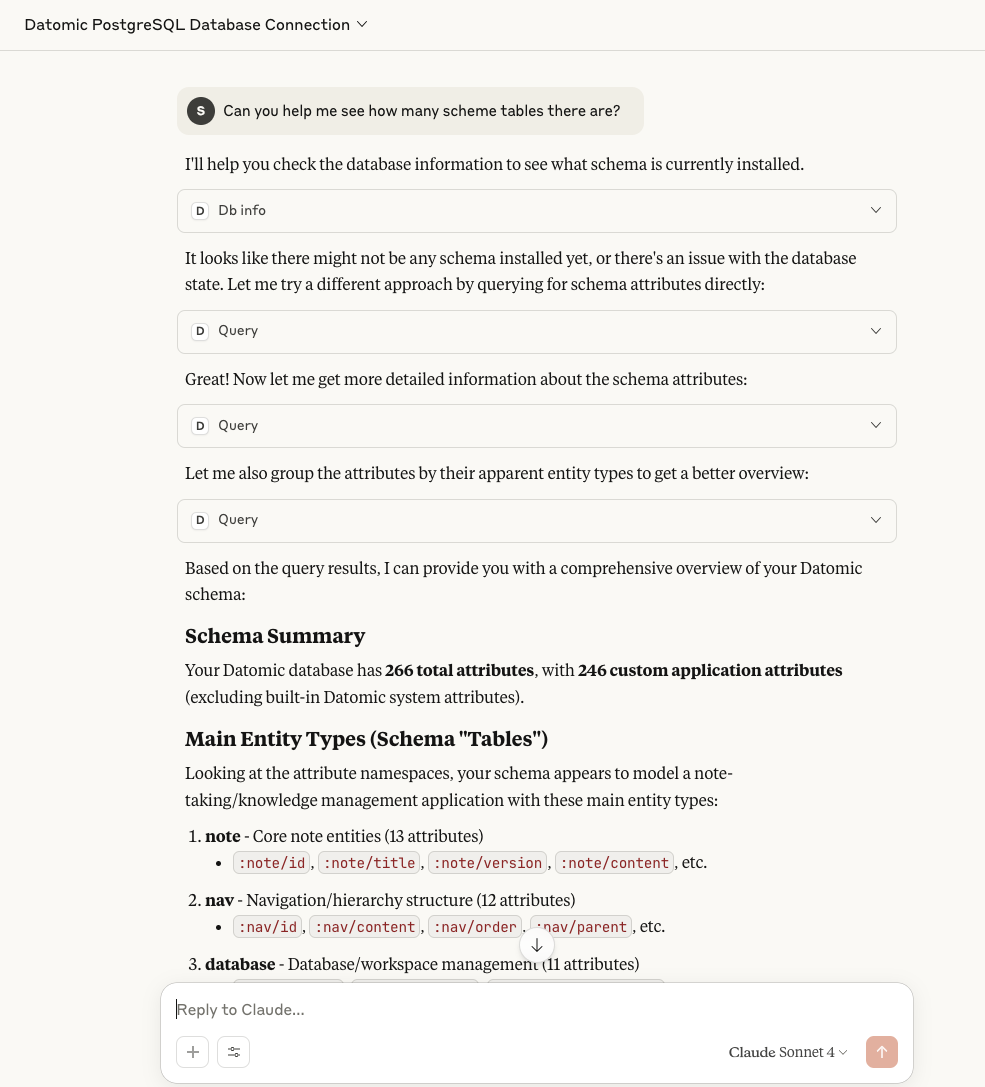
🧾 Entity properties and history
- Explore entity attributes
- Query temporal history (as-of, since)
- Transaction-time navigation
⚙️ Getting Started
▶️ Run the MCP Server
Run with Clojure CLI:
clojure -X:mcp
Or from Emacs REPL:
(mcp-server)
✅ Check Server Health
Use the following command to verify the MCP server is up and responding to JSON-RPC:
echo '{"jsonrpc": "2.0", "id": 1, "method": "initialize", "params": {"protocolVersion": "2024-11-05", "capabilities": {}, "clientInfo": {"name": "test", "version": "1.0"}}}' \
| /usr/local/bin/clojure -M -m datomic-mcp.core
Expected response:
Datomic MCP Server running on STDIO transport.
{"jsonrpc":"2.0","method":"notifications/tools/list_changed"}
...
{"jsonrpc":"2.0","id":1,"result":{"protocolVersion":"2024-11-05","capabilities":{"logging":{},"tools":{"listChanged":true}},"serverInfo":{"name":"datomic-server","version":"0.1.0"}}}
🖥️ MCP Client Configuration (Claude Desktop)
Example client setup for launching the server from Claude Desktop:
{
    "datomic-mcp": {
      "command": "/bin/bash",
        "args": [
          "-c",
          "cd /Users/xlisp/CljPro/datomic-mcp-server && /usr/local/bin/clojure -M -m datomic-mcp.core"
        ]
    }

...

}
- Tools

🔮 Roadmap
inspired by https://github.com/xlisp/datascript-mcp-server
- Query live Datomic databases 👉 connect to SQL / Dev-local / Cloud
- Hybrid queries across Datomic + DataScript 👉 offline + persistent data https://github.com/xlisp/datascript-mcp-server
- Visualize Datomic relationships 👉 Visualization MCP Server
- Import/export datasets 👉 transit, edn, or AI-generated inserts
- Filesystem MCP integration 👉 browse schema & migrations https://github.com/xlisp/filesystem-mcp-server
- Support Datomic history queries 👉 temporal navigation (as-of, since, history)
Contributing
- Fork the repository
- Create a feature branch (
git checkout -b feature/amazing-feature) - Commit your changes (
git commit -m 'Add amazing feature') - Push to the branch (
git push origin feature/amazing-feature) - Open a Pull Request
License
This project is licensed under the MIT License - see the LICENSE file for details.
FQA
change list
- [x] Datomic in-memory database already supports
- [x] Connect any Datomic database url
Run in JDK 17 (datomic client)
export JAVA_HOME="/Library/Java/JavaVirtualMachines/microsoft-17.jdk/Contents/Home" #'/Library/Java/JavaVirtualMachines/microsoft-11.jdk/Contents/Home'
export PATH=$JAVA_HOME/bin:$PATH
export CPPFLAGS="-I/Library/Java/JavaVirtualMachines/microsoft-17.jdk/Contents/Home/include"
Run datomic transactor
- datomic-pro-1.0.6165 transactor must run on java 1.8 ( brew install openjdk@8 ), other jdk will errors
Execution error (ActiveMQInternalErrorException) at org.apache.activemq.artemis.core.protocol.core.impl.ChannelImpl/sendBlocking (ChannelImpl.java:404).
➜  datomic-pro-1.0.6165 ./rundatomic.sh
Launching with Java options -server -Xms4g -Xmx4g -XX:+UseG1GC -XX:MaxGCPauseMillis=50
Starting datomic:sql://<DB-NAME>?jdbc:postgresql://localhost:5432/db123123?user=postgres&password=123456, you may need to change the user and password parameters to work with your jdbc driver ...
Built with Clojure. Powered by Datomic. Inspired by the future of persistent querying. In the Source we trust.
Quick Setup
Installation guide for this server
Installation Command (package not published)
git clone https://github.com/xlisp/datomic-mcp-server
Manual Installation: Please check the README for detailed setup instructions and any additional dependencies required.
Cursor configuration (mcp.json)
{
"mcpServers": {
"xlisp-datomic-mcp-server": {
"command": "git",
"args": [
"clone",
"https://github.com/xlisp/datomic-mcp-server"
]
}
}
}