MCP server that lets AI assistants fetch content from authenticated web pages.
auth-fetch-mcp


MCP server that lets AI assistants fetch content from authenticated web pages.
When your AI tries to read a URL that requires login, this tool opens a real browser for you to sign in — then captures the page content. Sessions are saved locally, so you only log in once per service.
Demo
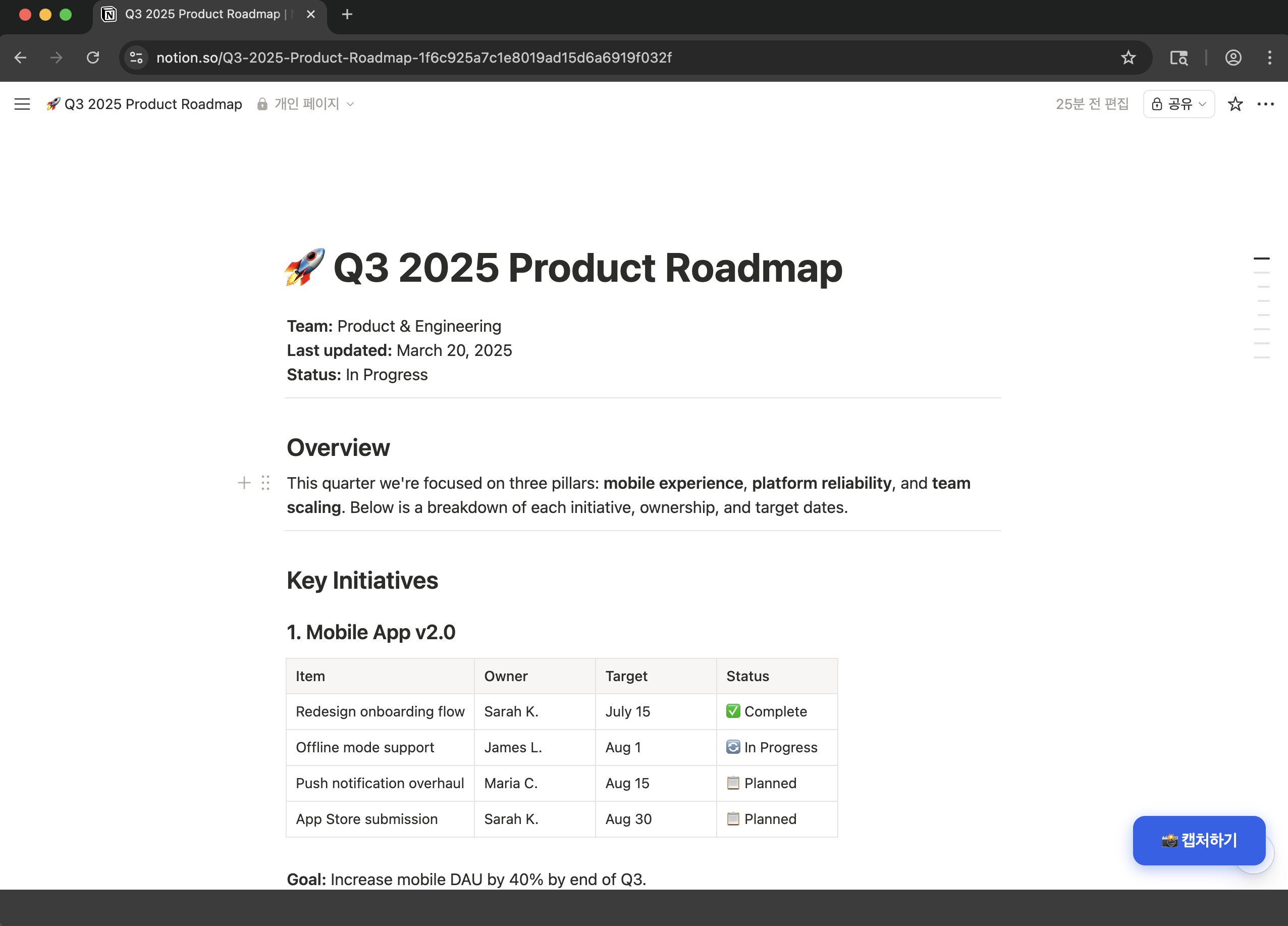
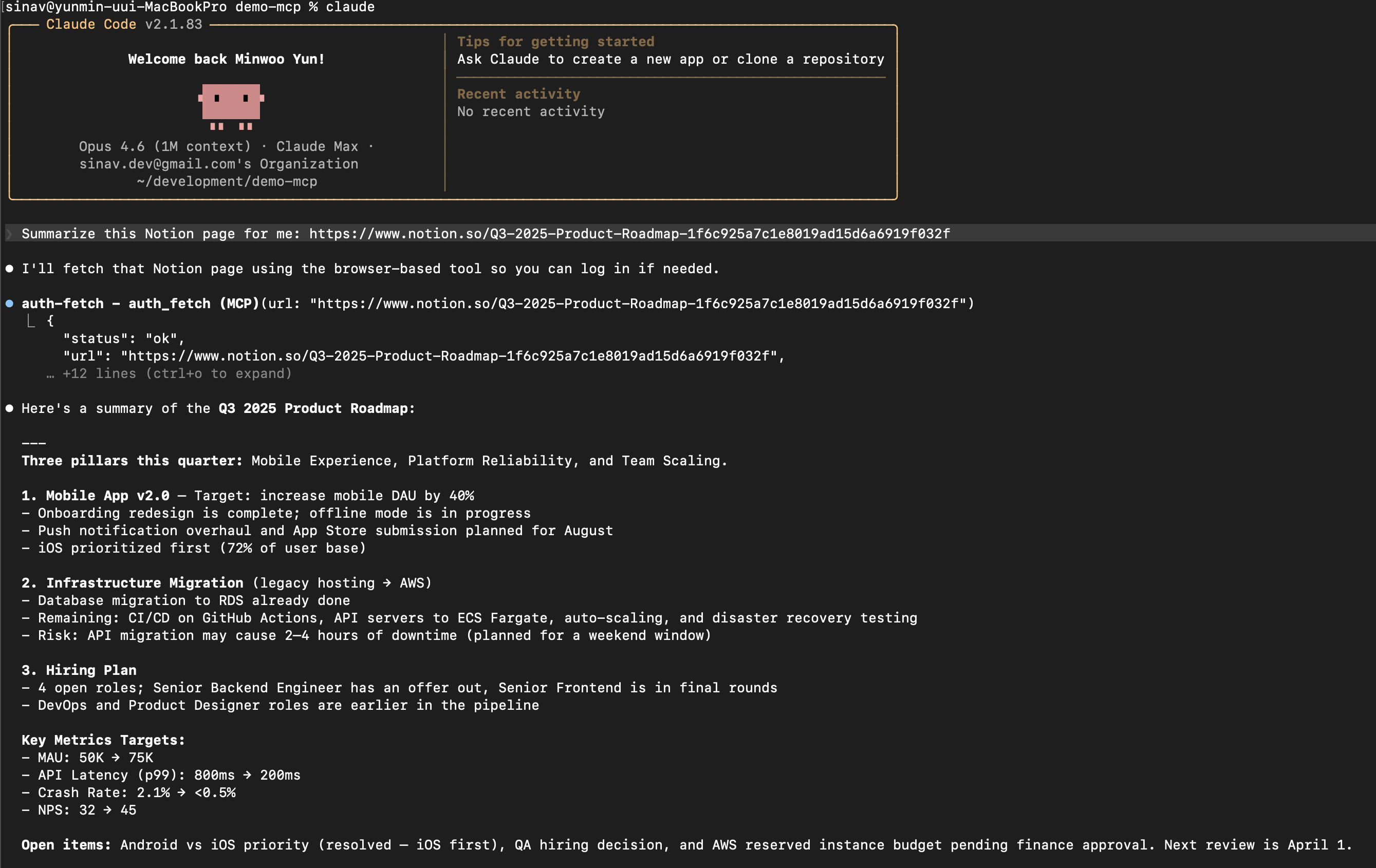
"Summarize this Notion page for me"
A browser opens with a Capture button. Log in if needed, then click it:
The AI receives the full page content and responds:
Quick Start
Claude Code
claude mcp add --scope user auth-fetch -- npx auth-fetch-mcp@latest
.mcp.json (Cursor, Windsurf, etc.)
{
  "mcpServers": {
    "auth-fetch": {
      "command": "npx",
      "args": ["auth-fetch-mcp@latest"]
    }
  }
}
Chromium is auto-installed on first run if not already present.
How It Works
- Ask your AI to read any authenticated page — just paste the URL.
- A browser window opens automatically and navigates to the page.
- Log in as you normally would (supports SSO, 2FA, CAPTCHA — anything).
- Click the "📸 Capture" button in the bottom-right corner when ready.
- The page content is captured, the browser closes, and your AI receives the content.
Tools
auth_fetch
The primary tool. Fetches page content using a real browser, opening a window for login if needed.
| Parameter | Type | Required | Description |
|-----------|--------|----------|-------------|
| url | string | yes | The URL to fetch content from |
| wait_for| string | no | CSS selector to wait for before capturing (useful for SPAs) |
Flow:
- Opens a headed browser and navigates to the URL
- A floating "📸 Capture" button appears on the page
- User logs in or navigates as needed (button re-appears after page transitions)
- User clicks the button — content is captured as Markdown — browser closes
list_pages
Lists all open tabs in the browser with their URLs and titles.
close_browser
Closes the browser window. Login sessions are saved and will be reused next time.
How Sessions Work
Login sessions are saved to ~/.auth-fetch-mcp/browser-data/. This is a standard Chromium profile directory containing cookies and local storage. Sessions persist across restarts, so previously logged-in sites will load faster on the next visit.
To clear all sessions:
rm -rf ~/.auth-fetch-mcp/browser-data/
Supported AI Tools
- Claude Code
- Cursor
- Windsurf
- Any MCP-compatible client using stdio transport
Limitations
- Requires a local environment (does not work in web-based chat interfaces)
- First access to each service requires manual login
- Very long pages are truncated to fit LLM context windows (50K chars)
- Some sites with aggressive bot detection may not work (try the
wait_foroption)
Privacy
- All data stays on your machine — nothing is sent to external servers
- Browser sessions are stored locally in your home directory
- The MCP server only communicates with the AI tool via stdio (local pipe)
Contributing
Contributions are welcome! Please open an issue or submit a pull request.
git clone https://github.com/ymw0407/auth-fetch-mcp.git
cd auth-fetch-mcp
npm install
npm run build
License
MIT