M
MCP Terminal Server
作者 @jonrad
MCP server that renders interactive xterm.js terminals inline in Claude Code and Claude Desktop — fully interactive with multi-session PTY support
创建于 3/15/2026
更新于 about 6 hours ago
README
Repository documentation and setup instructions
Terminal MCP App
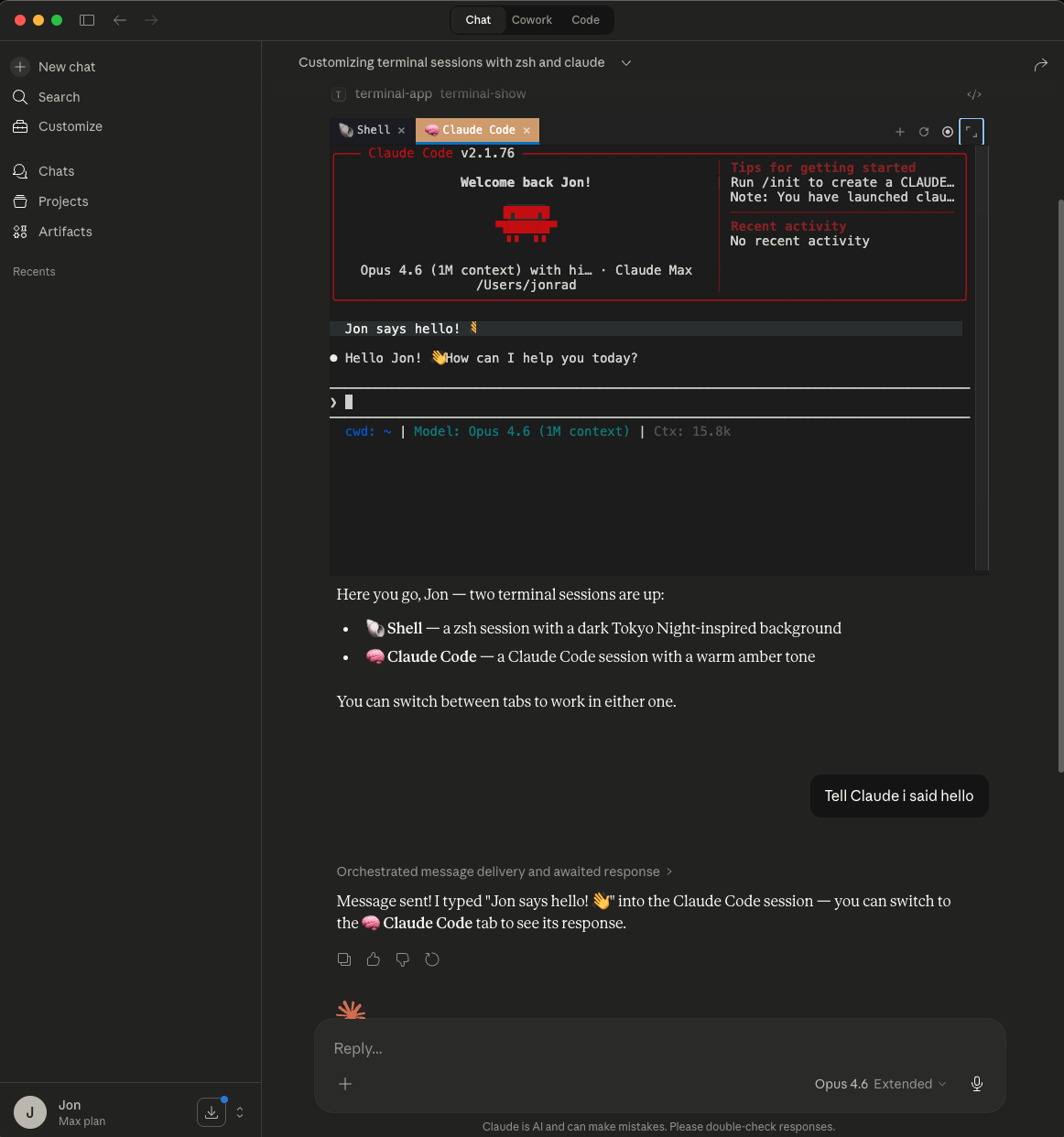
An MCP App that renders an interactive xterm.js terminal inline in Claude Code and Claude Desktop. Multi-session PTY support via node-pty with tabbed UI.
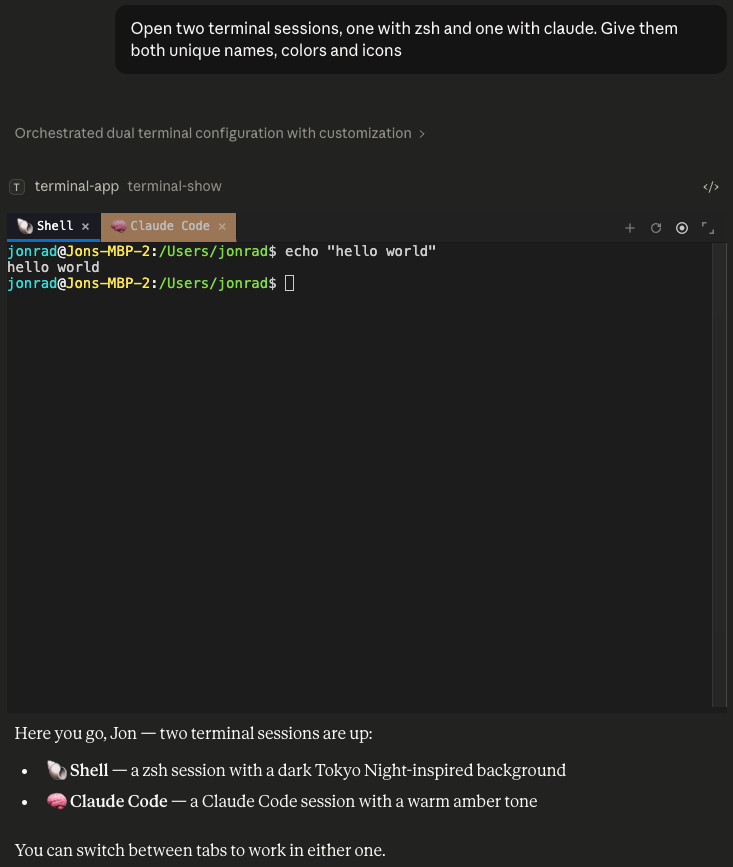
Yo dawg, I heard you like Claude, so I put Claude in your Claude so you can Claude while you Claude.
MCP Client Configuration
Add to your MCP client configuration (stdio transport):
{
  "mcpServers": {
    "terminal": {
      "command": "npx",
      "args": [
        "-y",
        "--silent",
        "github:jonrad/mcp-terminal-server",
        "--stdio"
      ]
    }
  }
}
Features
- Fully Interactive: Users can type directly in the terminal — full keyboard input, shell interaction, and program control
- AI-Writable: The LLM can send commands and input to terminal sessions via
terminal-write, enabling AI-driven workflows - Inline Terminal: xterm.js terminal emulator with full xterm-256color support
- Multi-Session Tabs: Create, switch, close, and customize terminal sessions
- Tab Customization: Set names, colors, and icons per tab via LLM tools
- Fullscreen Toggle: Switch between inline and fullscreen display modes
- LLM-Readable History:
terminal-readreturns ANSI-stripped output for LLM consumption - Graceful Cleanup: All PTY sessions killed on server shutdown
Tools
terminal-show— Opens the terminal UI and spawns one or more sessions. Accepts optionaltabsarray (each withcommand,cwd,name,color,icon),height, andwidth. Defaults to one bash tab.terminal-create— Spawns additional sessions without re-rendering UI. Sametabsoptions asterminal-show.terminal-list(App-only) — Lists all sessions with IDs, labels, titles, and style.terminal-write(App-only) — Writes data to a PTY session. Omit data to poll the output buffer.terminal-read— Returns ANSI-stripped terminal history (last 10k chars). Non-destructive.terminal-resize(App-only) — Resizes PTY to match UI dimensions.terminal-refresh(App-only) — Sends SIGWINCH to force running programs to redraw.terminal-close(App-only) — Kills a PTY session and removes it.terminal-customize— Sets name, color, and/or icon on a tab.
License
MIT
快速设置
此服务器的安装指南
安装包 (如果需要)
npx @modelcontextprotocol/server-mcp-terminal-server
Cursor 配置 (mcp.json)
{
"mcpServers": {
"jonrad-mcp-terminal-server": {
"command": "npx",
"args": [
"jonrad-mcp-terminal-server"
]
}
}
}