AI-Powered Red Team Automation via Model Context Protocol (MCP). Let LLMs autonomously execute penetration testing, AD attacks, and lateral movement with 15+ integrated offensive security tools.

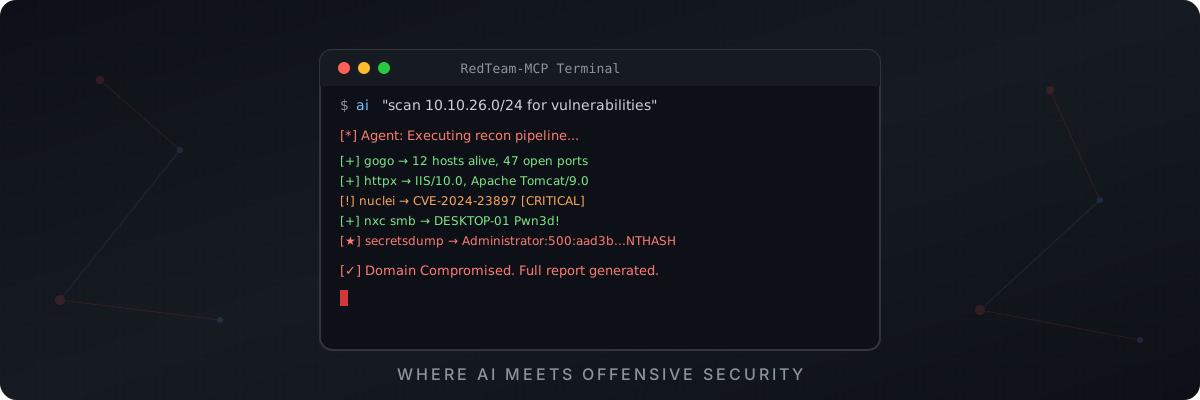
🔴 RedTeam-MCP
AI-Powered Autonomous Red Team Framework via Model Context Protocol






Let AI autonomously plan attack paths, invoke security tools, move laterally, and escalate domain privileges — like a real pentester.
English · 简体中文 · Quick Start · Tools · Architecture
📖 Overview
RedTeam-MCP is an AI red team automation framework built on the Model Context Protocol (MCP). It wraps 15+ mainstream offensive security tools into standardized interfaces that any LLM can invoke directly.
With it, Claude / GPT / any MCP-compatible LLM can:
- 🔍 Autonomous Asset Discovery — Scan subnets, fingerprint OS, enumerate ports & services
- 🌐 Web Fingerprinting — Detect tech stacks, middleware, CMS versions
- 💥 Precision Vulnerability Verification — Template-based CVE/RCE/SQLi detection
- 🏰 Active Directory Attacks — Kerberoasting / AS-REP Roasting / DCSync / Delegation
- 🔀 Lateral Movement — Pass-the-Hash / WMI exec / SMB relay
- 📊 Automated Reporting — AI summarizes all findings into attack chain analysis
⚠️ Disclaimer: This tool is for authorized security testing and educational purposes only. Always obtain proper authorization before testing.
✨ Key Features
🤖 AI-Native Design
|
⚡ Zero-Config Setup
|
🔧 15+ Integrated Tools
|
🧠 Agent Skill System
|
🚀 Quick Start
Prerequisites
| Requirement | Windows | Linux | |------------|---------|-------| | OS | Windows 10/11 (x64) | Ubuntu 20.04+ / Kali / Debian (x64) | | Runtime | Python 3.10+ | Python 3.10+ | | Network | Internet (for tool download) | Internet (for tool download) |
Step 1: Clone & Install
🪟 Windows
git clone https://github.com/ktol1/RedTeam-MCP.git
cd RedTeam-MCP/redteam-server

# Create virtual environment
python -m venv venv
venv\Scripts\activate.bat

# Install dependencies & download all tools
pip install -r requirements.txt
python install_tools.py
🐧 Linux
git clone https://github.com/ktol1/RedTeam-MCP.git
cd RedTeam-MCP/redteam-server

# Create virtual environment
python3 -m venv venv
source venv/bin/activate

# Install dependencies & download all tools
pip install -r requirements.txt
python3 install_tools_linux.py

# Make binaries executable
chmod +x ../redteam-tools/*
Step 2: Add tools to PATH
🪟 Windows
Add the redteam-tools directory to your system PATH environment variable.
🐧 Linux
# Add to ~/.bashrc or ~/.zshrc
echo 'export PATH="$HOME/RedTeam-MCP/redteam-tools:$PATH"' >> ~/.bashrc
source ~/.bashrc
Step 3: Connect to AI Client
VS Code (Cline / Roo Code)
{
  "mcpServers": {
    "RedTeam": {
      "command": "path/to/venv/Scripts/python.exe",
      "args": ["path/to/redteam-server/server.py"]
    }
  }
}
Linux: replace Scripts/python.exe with bin/python3
Claude Desktop
Windows: Edit %APPDATA%\Claude\claude_desktop_config.json
Linux: Edit ~/.config/claude/claude_desktop_config.json
{
  "mcpServers": {
    "RedTeam": {
      "command": "path/to/venv/bin/python3",
      "args": ["path/to/redteam-server/server.py"]
    }
  }
}
Cursor IDE
Settings → Features → MCP Servers → Add:
- Type:
command - Name:
RedTeam - Command:
path/to/venv/bin/python3 path/to/redteam-server/server.py
Step 4: Test
⚠️ Must run inside the Python virtual environment! If you see
ModuleNotFoundError: No module named 'mcp', activate your venv first.
# Make sure venv is activated (you should see (venv) in your prompt)
mcp dev server.py
Successful output:
Starting MCP inspector...
⚙️ Proxy server listening on localhost:6277
🚀 MCP Inspector is up and running at:
   http://localhost:6274/?MCP_PROXY_AUTH_TOKEN=...
🌐 Opening browser...
Open the Inspector URL, enter your venv Python path as Command and server.py as Arguments, click Connect to see all tools loaded:
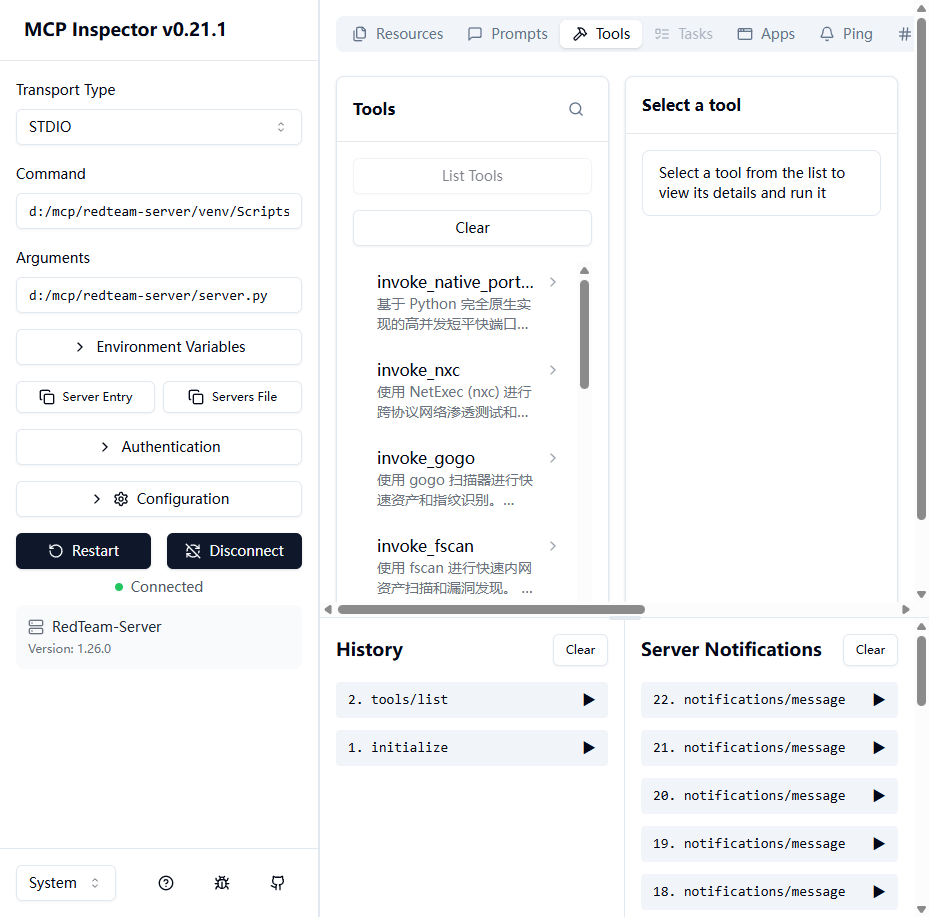
↑ MCP Inspector connected — all 14 tools loaded including Playwright browser tool
Then tell your AI: "Scan the 192.168.1.0/24 network for live Windows hosts and identify open services."
🔧 Integrated Tools
| Category | Tool | Description | |----------|------|-------------| | 🔍 Asset Discovery | gogo | Ultra-fast port scanning & protocol fingerprinting | | 🔍 Asset Discovery | fscan | All-in-one intranet scanner (ports, vuln, brute-force) | | 🌐 Web Recon | httpx | HTTP probing, tech detection, title extraction | | 💥 Vuln Scanning | nuclei | Template-based vulnerability scanner (CVE/RCE/SQLi) | | 📂 Fuzzing | ffuf | Web directory & VHost brute-forcer | | 🌍 DNS | dnsx | DNS resolution & subdomain enumeration | | 🔑 Kerberos | kerbrute | Kerberos user enumeration & password spraying | | 🏰 AD Attack | Impacket | wmiexec / psexec / secretsdump / getST / ntlmrelayx | | 🔀 Lateral Movement | NetExec (nxc) | Multi-protocol pentest framework (SMB/WinRM/LDAP...) | | 🗺️ AD Mapping | BloodHound.py | Active Directory privilege path collection | | 📡 Port Scan | Built-in | Native async Python port scanner (no Npcap needed) | | 🌐 Browser | Playwright | Headless browser for JS-rendered page info extraction |
🏗️ Architecture
┌─────────────────────────────────────────────────────────┐
│                   AI Agent (LLM)                        │
│            Claude / GPT / Any MCP Client                │
└──────────────────────┬──────────────────────────────────┘
                       │ MCP Protocol (stdio)
                       ▼
┌─────────────────────────────────────────────────────────┐
│               redteam-server/server.py                  │
│                  FastMCP Server                         │
│  ┌──────────┐ ┌──────────┐ ┌──────────┐ ┌───────────┐  │
│  │invoke_   │ │invoke_   │ │invoke_   │ │invoke_    │  │
│  │gogo()    │ │fscan()   │ │nuclei()  │ │dcsync()   │  │
│  └────┬─────┘ └────┬─────┘ └────┬─────┘ └─────┬─────┘  │
│       │  async subprocess + timeout protection  │       │
└───────┼─────────────┼───────────┼───────────────┼───────┘
        ▼             ▼           ▼               ▼
┌─────────────────────────────────────────────────────────┐
│                  redteam-tools/                          │
│   Windows: gogo.exe  fscan.exe  httpx.exe  nuclei.exe   │
│   Linux:   gogo     fscan     httpx     nuclei          │
│   + impacket-* / nxc / bloodhound-python (pip)          │
│   + playwright (headless Chromium browser engine)        │
└─────────────────────────────────────────────────────────┘
🎯 Demo
Example: Autonomous Network Penetration
User: "Scan 10.10.26.0/24, find all Windows hosts, check for vulnerabilities."

AI Agent Execution Plan:
  1. gogo -i 10.10.26.0/24 -p win -v -q     → Found 4 Windows hosts
  2. httpx → Web services on :80, :8080       → Identified IIS, Tomcat
  3. nuclei -as -s critical,high              → CVE-2024-XXXX confirmed
  4. nxc smb ... --shares                     → Writable share found
  5. Report: Complete attack chain documented
Example: Active Directory Attack Chain
User: "We have credentials user:pass for corp.local. Find a path to Domain Admin."

AI Agent:
  1. bloodhound-python -c All                → Collected AD graph
  2. kerbrute userenum                        → 47 valid users discovered
  3. GetUserSPNs.py (Kerberoast)             → 3 SPN hashes captured
  4. Cracked svc_backup hash → DA privileges via backup operator
  5. secretsdump.py -just-dc                  → Full domain hash dump
📁 Project Structure
RedTeam-MCP/
├── 📄 README.md                      # Bilingual docs (EN + 中文)
├── 📄 LICENSE                        # MIT License
├── 📂 assets/
│   ├── logo.svg                      # Project logo
│   └── banner.svg                    # Project banner
├── 📂 .github/skills/redteam/
│   └── 📄 SKILL.md                  # AI Agent knowledge base
├── 📂 redteam-server/
│   ├── 📄 server.py                 # MCP Server (all tool wrappers)
│   ├── 📄 install_tools.py          # Windows tool installer
│   ├── 📄 install_tools_linux.py    # Linux tool installer
│   ├── 📄 requirements.txt         # Python dependencies
│   └── 📄 README.md                # Server-specific docs
└── 📂 redteam-tools/                # Binary tools (auto-populated)
    ├── 🪟 *.exe                     # Windows binaries
    └── 🐧 * (no extension)          # Linux binaries
🤝 Contributing
Contributions are welcome! Please feel free to submit a Pull Request.
- Fork the Project
- Create your Feature Branch (
git checkout -b feature/AmazingFeature) - Commit your Changes (
git commit -m 'Add some AmazingFeature') - Push to the Branch (
git push origin feature/AmazingFeature) - Open a Pull Request
📜 License
Distributed under the MIT License. See LICENSE for more information.
🔴 简体中文文档
📖 概述
RedTeam-MCP 是一个基于 Model Context Protocol (MCP) 的 AI 红队自动化框架,将 15+ 款主流渗透测试工具封装为 AI 可直接调用的标准化接口。
通过它,Claude / GPT / 任何 MCP 兼容大模型能够:
- 🔍 自主发现资产 — 扫描网段、识别操作系统、枚举端口与服务
- 🌐 Web 指纹识别 — 探测技术栈、中间件、CMS 版本
- 💥 漏洞精准验证 — 基于模板的 CVE/RCE/SQLi 检测
- 🏰 域内攻击 — Kerberoasting / AS-REP Roasting / DCSync / 委派攻击
- 🔀 横向移动 — Pass-the-Hash / WMI 执行 / SMB 中继
- 📊 自动化报告 — AI 汇总所有发现并生成攻击链分析
⚠️ 免责声明:本工具仅用于授权的安全测试和教育目的。使用前请务必获得合法授权。
✨ 核心特性
🤖 AI 原生设计
|
⚡ 零配置安装
|
🔧 15+ 集成工具
|
🧠 Agent 知识库系统
|
🚀 快速开始
环境要求
| 要求 | Windows | Linux | |------|---------|-------| | 操作系统 | Windows 10/11 (x64) | Ubuntu 20.04+ / Kali / Debian (x64) | | 运行时 | Python 3.10+ | Python 3.10+ | | 网络 | 需要联网(下载工具)| 需要联网(下载工具)|
第一步:克隆并安装
🪟 Windows 安装
git clone https://github.com/ktol1/RedTeam-MCP.git
cd RedTeam-MCP\redteam-server

# 创建虚拟环境
python -m venv venv
venv\Scripts\activate.bat

# 安装依赖并一键下载所有工具
pip install -r requirements.txt
python install_tools.py
🐧 Linux 安装
git clone https://github.com/ktol1/RedTeam-MCP.git
cd RedTeam-MCP/redteam-server

# 创建虚拟环境
python3 -m venv venv
source venv/bin/activate

# 安装依赖并一键下载所有工具
pip install -r requirements.txt
python3 install_tools_linux.py

# 赋予执行权限
chmod +x ../redteam-tools/*
第二步:添加工具到 PATH
🪟 Windows
将 redteam-tools 目录添加到系统的 PATH 环境变量中。
🐧 Linux
echo 'export PATH="$HOME/RedTeam-MCP/redteam-tools:$PATH"' >> ~/.bashrc
source ~/.bashrc
第三步:接入 AI 客户端
VS Code(通过 Cline / Roo Code 插件)
将以下配置加入 MCP Server 设置:
{
  "mcpServers": {
    "RedTeam": {
      "command": "你的路径/venv/Scripts/python.exe",
      "args": ["你的路径/redteam-server/server.py"]
    }
  }
}
Linux 用户:将 Scripts/python.exe 替换为 bin/python3
Claude Desktop 桌面版
Windows:编辑 %APPDATA%\Claude\claude_desktop_config.json
Linux:编辑 ~/.config/claude/claude_desktop_config.json
{
  "mcpServers": {
    "RedTeam": {
      "command": "你的路径/venv/bin/python3",
      "args": ["你的路径/redteam-server/server.py"]
    }
  }
}
Cursor IDE
设置 → Features → MCP Servers → 添加:
- Type:
command - Name:
RedTeam - Command:
你的路径/venv/bin/python3 你的路径/redteam-server/server.py
第四步:测试
⚠️ 必须在 Python 虚拟环境中运行! 如果报错
ModuleNotFoundError: No module named 'mcp',请先激活虚拟环境。
# 确保已激活虚拟环境(提示符前应显示 (venv))
mcp dev server.py
成功输出:
Starting MCP inspector...
⚙️ Proxy server listening on localhost:6277
🚀 MCP Inspector is up and running at:
   http://localhost:6274/?MCP_PROXY_AUTH_TOKEN=...
🌐 Opening browser...
打开 Inspector 网址,填入虚拟环境的 Python 路径为 Command,server.py 路径为 Arguments,点击 Connect 即可看到所有工具已加载:
↑ MCP Inspector 连接成功,显示全部 14 个工具已加载(包含 Playwright 浏览器工具)
然后对 AI 说:"扫描 192.168.1.0/24 网段,发现所有 Windows 主机并识别开放服务。"
🔧 集成工具列表
| 类别 | 工具 | 说明 | |------|------|------| | 🔍 资产发现 | gogo | 极速端口扫描与协议指纹识别 | | 🔍 资产发现 | fscan | 内网综合扫描器(端口/漏洞/弱口令爆破)| | 🌐 Web 侦察 | httpx | HTTP 探测、技术栈指纹、标题提取 | | 💥 漏洞扫描 | nuclei | 基于模板的漏洞扫描器(CVE/RCE/SQLi)| | 📂 模糊测试 | ffuf | Web 目录与虚拟主机爆破 | | 🌍 DNS | dnsx | DNS 解析与子域名枚举 | | 🔑 Kerberos | kerbrute | Kerberos 用户名枚举与密码喷洒 | | 🏰 域攻击 | Impacket | wmiexec / psexec / secretsdump / getST / ntlmrelayx | | 🔀 横向移动 | NetExec (nxc) | 多协议渗透框架(SMB/WinRM/LDAP...)| | 🗺️ 域图谱 | BloodHound.py | Active Directory 权限路径收集 | | 📡 端口扫描 | 内置 | 原生异步 Python 端口扫描器(无需 Npcap)| | 🌐 浏览器 | Playwright | 无头浏览器动态页面信息读取(JS 渲染/Cookie/表单)|
🎯 演示
示例:自主网络渗透
用户:"扫描 10.10.26.0/24,找到所有 Windows 主机,检查漏洞。"

AI Agent 执行计划:
  1. gogo -i 10.10.26.0/24 -p win -v -q     → 发现 4 台 Windows 主机
  2. httpx → :80, :8080 Web 服务              → 识别出 IIS、Tomcat
  3. nuclei -as -s critical,high              → 确认 CVE-2024-XXXX
  4. nxc smb ... --shares                     → 发现可写共享
  5. 报告:完整攻击链记录输出
示例:Active Directory 攻击链
用户:"我们有 corp.local 的凭据 user:pass,找到通往域管的路径。"

AI Agent:
  1. bloodhound-python -c All                → 收集 AD 图谱
  2. kerbrute userenum                        → 发现 47 个有效用户
  3. GetUserSPNs.py (Kerberoast)             → 捕获 3 个 SPN 哈希
  4. 破解 svc_backup 哈希 → 通过备份操作员获取域管权限
  5. secretsdump.py -just-dc                  → 导出全域哈希
⭐ Star History
如果觉得这个项目有用,请给个 Star 支持一下!⭐
Built with ❤️ for the Security Community
RedTeam-MCP — Where AI Meets Offensive Security