MCP server by omerb784
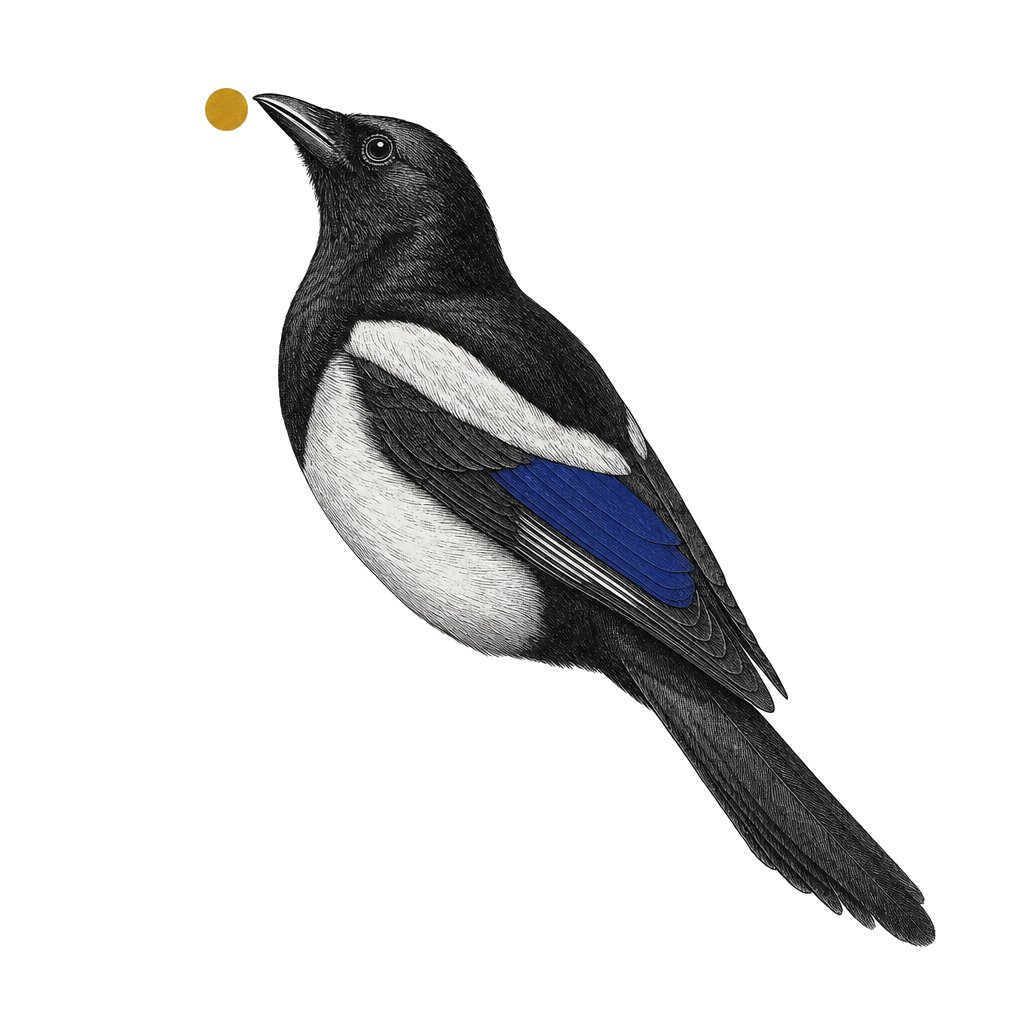
Magpie
Your loyal Magpie.
Lands every visual in the nest.
Local dashboard + embedded MCP server. Your AI agent writes HTML, Mermaid, SVG, Markdown, Graphviz/DOT, Vega-Lite, D2, status reports, ADRs, plans — Magpie lands them in a gallery you can browse. Library, projects, tags, versions, side-by-side compare, source attribution. One install, two surfaces (MCP tools + browser dashboard).


Website · User guide · npm · Security
What it is
Your LLM gives you chat history. Magpie gives you a gallery your AI curates for you.
A dumb organizer with smart producers. Your AI coding agent (or Stitch, Figma, Mermaid Chart, SVGMaker, Icons8 over MCP) does the creative work; Magpie files it, tags it, versions it, attributes it, and lets you browse every non-code thing your AI ever made for you — across sessions, in a real grid UI.
What it isn't
- Not a generator — no LLM in the server. Your AI writes the content.
- Not a whiteboard — no infinite canvas, no drawing, no real-time collab.
- Not cloud — everything lives at
~/.magpie/on your disk. Zero telemetry. - Not collaborative — single user, single machine, by design.
- Not freemium — MIT open source. No paid tier exists or is planned.
Three actors · one nest
Magpie's story is three named roles. You're the reader they all serve.
| Actor | What | Sticky line |
|---|---|---|
| Master · the trainer | A portable Agent Skill bundled in the npm tarball at skill/magpie-master/SKILL.md. Pure judgment — picks projects, decides iterate vs add, asks before filing when uncertain. No code, no storage. | Teaches your AI Magpie's rules. |
| Magpie · the trained bird | Your AI coding agent (Cursor, Cline, etc.) with the Master skill loaded. Brings visuals to the Nest, arranges them by project, keeps versions in order. | Tends the nest, version after version. |
| Nest · the dumb infra | One SQLite file. One blobs folder. Lives at ~/.magpie/ on your disk. Holds what your Magpie brings. No LLM. No telemetry. Never phones home. | Local. Quiet. Yours. |
Master trains · Magpie tends · Nest keeps.
Infra is dumb. That's the point. The server has no model. Decisions happen on the host side, inside the trained AI. Dumb infrastructure is small (~200KB pre-deps), fast (sync SQLite · sub-ms search), auditable (TypeScript strict · raw SQL · MIT), and impossible to compromise in interesting ways. See SECURITY.md for the threat model.
Supported formats
| Type | Ext | Renderer | Use for |
|---|---|---|---|
| html | .html | iframe (raw) | UI mockups, dashboards, landing pages |
| mermaid | .mmd | bundled Mermaid v11 → SVG | flowcharts, sequence, state, ER, gantt |
| svg | .svg | iframe (raw) | icons, logos, single vector elements |
| markdown | .md | marked + DOMPurify → sanitized HTML | prose, READMEs, design notes, specs |
| dot | .dot | @hpcc-js/wasm-graphviz (WASM Graphviz) → SVG | Graphviz directed/undirected graphs |
| vega-lite | .vl.json | vega-lite + vega → SVG | charts, data viz (bar / line / scatter / area). Inline data via data.values; remote data.url rejected. |
| d2 | .d2 | @terrastruct/d2 (WASM) → SVG | modern text-to-diagram diagrams (dagre / elk layouts) |
All renderers run offline. No JVM, no native binaries, no remote calls.
Install
npx magpie-mcp
Or globally:
npm install -g magpie-mcp
magpie-mcp
Requires Node ≥20 and a system Chrome / Chromium install (Magpie uses puppeteer-core against your existing browser — no 200 MB download).
On first run Magpie starts two listeners:
- MCP stdio — your AI coding agent connects via your config (below).
- HTTP + WebSocket — dashboard at
http://localhost:3737(auto-bumps if taken).
Open the URL. Keep the terminal running. From any other terminal, npx magpie re-opens the dashboard against the last running port.
Configure your MCP host
Generate the snippet:
npx magpie-mcp --print-config
Paste into Claude Desktop or Claude Code config:
{
  "mcpServers": {
    "magpie": {
      "command": "npx",
      "args": ["-y", "magpie-mcp"]
    }
  }
}
Restart your host. Magpie's tools and resources should appear.
Install the master skill (v0.9.1+)
Magpie ships with an Agent Skill that teaches your AI coding agent when to file silently, when to iterate, and when to stop and ask you about new projects or ambiguous matches. The skill is opt-in:
npx magpie-mcp --install-skill
This copies magpie-master/SKILL.md into ~/.claude/skills/magpie-master/. Your AI coding agent loads it on-demand when triggered by the keywords magpie, magpie-mcp, add_visual, iterate, or nest. The skill defers to your existing instructions for everything else.
Already installed? --install-skill is idempotent:
- Same hash as bundled → no-op.
- Older version installed → upgraded cleanly.
- Same version with local edits → refuses with a diff hint. Re-run with
--forceto overwrite.
The MCP server's instructions string carries the same protocol as a layered fallback, so hosts without the skill loaded keep working — just without the skill's on-demand context.
Cursor + Cline auto-install is not supported in v0.9.1. Manual install (copy the bundled SKILL.md into your host's skill directory) works for any host that reads markdown skills.
First visual
In your AI coding agent:
"Mock me a CRM dashboard for sales reps."
Your AI coding agent writes HTML → calls add_visual → Magpie saves, renders a thumbnail, returns a preview URL. Click it. Tag it. Star it.
"Make it dark mode."
Your AI coding agent calls iterate → v2 added to the same visual. Compare v1 vs v2 side-by-side from the dashboard.
Dashboard tour
- Sidebar — projects (active + Starred + Show archived toggle). Right-click a project to rename / archive / merge.
- Grid — thumbnail card per visual. Click for the detail drawer.
- Detail drawer — full preview, version list, tags editor (× chips + "+" input), star toggle, archive / restore, per-version re-render on failed.
- Compare URL —
/compare/:id?a=N&b=Mopens side-by-side iframes for any two versions. - Header search — debounced full-library title search.
- Empty state — landing card with the
--print-configsnippet pre-baked.
The dashboard auto-refreshes via WebSocket when your AI coding agent adds, iterates, or archives. A "Reconnecting…" banner appears if the connection drops.
Tools reference
14 tools. No deletes via MCP — hard deletes are UI-only by design.
| Tool | Purpose |
|---|---|
| create_project(name, type) | Set up an empty project. Optional — add_visual auto-creates. |
| add_visual(project, type, content \| content_path, title?, tags?, source?) | Save new HTML / Mermaid / SVG / Markdown / DOT / Vega-Lite / D2 with optional provenance. Pass exactly one of content (inline) or content_path (absolute file path under the project root); prefer content_path for anything > a few KB to save tokens. |
| iterate(visual_id, content \| content_path, message?, description?) | Append a new version with the full updated content. Optional description for long-form rationale shown in version history. Same content / content_path rules as add_visual — for iterate especially, prefer content_path since regenerating full content inline burns tokens fast. |
| list_projects() | List active projects + visual counts. |
| list_versions(visual_id) | History of a single visual. |
| find_visuals(query?, project?, tags?, type?, source?, starred?, match_description?) | Search / filter the library (AND-style). Multiple tags compose AND. tag (singular) accepted as deprecated alias. |
| compare(visual_id, a?, b?) | Return a compare URL. Defaults to current_ver-1 vs current_ver. |
| open_preview(visual_id, version?) | Get the dashboard URL for an existing visual. |
| update_visual(visual_id, title?, tags?, starred?, description?) | Rename / replace tag set / toggle star / set description. |
| update_project(name, new_name?, description?) | Rename a project and/or update its description (rejects name conflicts). |
| archive_visual(visual_id) | Hide a visual from default views. |
| archive_project(name) | Hide a project from default views. |
| merge_projects(src_name, dst_name) | Move all visuals into dst and archive src. |
| read_inbox(since?) | Pull recent dashboard activity (sends to agent, comments, picks) for warm session handoff. |
All tools return plain text. Preview URLs come back in the response so you can click straight to the dashboard.
Resources reference
For inspecting library state without driving tools:
| URI | Returns |
|---|---|
| magpie://library | All non-archived projects + counts (JSON). |
| magpie://project/{name} | Visuals in a project (id, title, type, current_ver, tags) (JSON). |
| magpie://visual/{id} or magpie://visual/{id}/v{n} | Raw saved content. mimeType = text/html, image/svg+xml, text/x-mermaid, text/markdown, text/vnd.graphviz, application/vnd.vega.v5+json, or text/x-d2. |
Export
Dashboard-only. Your AI coding agent doesn't drive downloads — open the dashboard and click.
| What | Where | Notes |
|---|---|---|
| Source blob (HTML / Mermaid / SVG / Markdown / DOT / .vl.json / .d2) | Drawer → Download → Source | Pick any version from the version dropdown first. |
| Thumbnail PNG | Drawer → Download → Thumbnail (PNG) | Disabled if the version's render isn't ok. |
| Rendered SVG | Drawer → Download → Rendered SVG | Available for svg, dot, vega-lite, d2. Mermaid needs a browser to compile — limitation. |
| Whole project as zip | Sidebar → project context menu → Export as zip… | Chooser: Current versions only (default) or All versions. Zip includes manifest.json, per-visual meta.json, source blobs, and thumbs (when render is ok). |
REST endpoints powering the above (read-only, offline):
GET /api/visuals/:id/source[?ver=N]GET /api/visuals/:id/render.svg[?ver=N](415 onhtml/markdown/mermaid)GET /thumbs/:id/v:n.png?download=1(without?download, inline as before)GET /api/projects/:name/export.zip[?versions=current|all](413 if zip > 1GB)
Recommended pairings
Pair Magpie with the master skill plus any visual MCP:
| Pairing | What it adds |
|---|---|
| magpie-master skill (bundled) | The master decision protocol — when to iterate vs add, when to stop and ask about new projects. Install via npx magpie-mcp --install-skill. See above. |
| Stitch (text → UI) | add_visual(type='html', source='stitch') |
| Mermaid Chart MCP | add_visual(type='mermaid', source='mermaid-chart') |
| Figma MCP | add_visual(type='html', source='figma') |
| SVGMaker | add_visual(type='svg', source='svgmaker') |
| Icons8 MCP | add_visual(type='svg', source='icons8') |
Magpie never calls generators or fetches URLs. Your AI coding agent orchestrates: skill (when) + generator (what) → Magpie (where).
FAQ
Where is my data stored?
~/.magpie/db.sqlite (metadata, WAL journal mode) + ~/.magpie/blobs/<id>/v<n>.{html,mmd,svg,md,dot,vl.json,d2,png} (content + thumbnails). Override with MAGPIE_HOME.
Can I sync between machines?
Copy ~/.magpie/. The directory is portable. There's no built-in cloud sync — by design.
Does it need Chrome?
Yes. puppeteer-core uses your system Chrome / Chromium for thumbnail rendering. Set MAGPIE_CHROME_PATH if auto-detect fails.
Why no delete tool? Hard deletes are intentionally UI-only. The MCP surface only archives. This makes destructive actions a deliberate human choice, not an LLM tool call.
Is there telemetry? Zero. No phone home. No version checks. No analytics. Forever.
Why not Electron? Bundled web only. The browser tab is the UI — a locked architectural decision.
Why "Magpie"? Magpies are famous for collecting shiny objects and storing them in their nest. That's exactly what this app does for every visual your AI agent authors — your loyal Magpie lands the mockups, diagrams, charts, reports, plans, and references your AI coding agent (Cursor, Cline, etc.) produces and keeps them organized in one place.
Process model — one canonical Magpie per machine
Magpie runs one canonical process per MAGPIE_HOME, with N facades. The first process to bind the IPC pipe at $MAGPIE_HOME/magpie.pipe-* becomes canonical and owns HTTP, SQLite, blob writes, and the render queue. Subsequent processes (a second AI coding agent session, Cursor, Claude Desktop) detect the bound pipe and become facades — they own the stdio pipe to their host and forward MCP traffic to the canonical over IPC. When the canonical dies, exactly one facade wins the race to bind and becomes the new canonical (re-binding the previous HTTP port so the dashboard URL doesn't change).
You'll see one of three banners on stderr at boot:
[magpie] canonical pid=12345 ipc=\\.\pipe\magpie-...— first process; bound the pipe.[magpie] connected as facade to canonical pid=99999 ipc=... http=:3737— another canonical exists; this process is a facade.[magpie] promoted to canonical pid=12345 ... (prev httpPort=3737)— was a facade; canonical died; this process won the promotion race.
Windows AV note: Defender real-time scanning adds ~1-3% overhead to test runs on a default install. Add $PWD and $env:MAGPIE_HOME as Add-MpPreference -ExclusionPath entries if you're running benchmarks. See scripts/measure-av-overhead.mjs for the measurement harness.
Back up your nest
Magpie stores everything in ~/.magpie/ (or wherever MAGPIE_HOME points):
db.sqlite (metadata) + blobs/<visual_id>/v<N>.<ext> (content) + last-port. To back up your nest, stop Magpie first, then snapshot the directory.
Cold copy (recommended):
# 1. Stop Magpie. Quit the host that launched it (Claude Code / Desktop / Cursor).
#    Or kill the process directly:
pkill -f magpie-mcp              # macOS / Linux
# Stop-Process -Name node        # Windows PowerShell — match your Magpie node.exe pid

# 2. Snapshot the directory.
tar -czf magpie-backup-$(date +%F).tar.gz -C ~ .magpie

# 3. Verify the archive is non-empty.
tar -tzf magpie-backup-*.tar.gz | head
Restore:
# 1. Stop Magpie (as above).
# 2. Move the existing dir aside (don't delete until restore is verified).
mv ~/.magpie ~/.magpie.pre-restore

# 3. Extract the backup.
tar -xzf magpie-backup-2026-05-14.tar.gz -C ~

# 4. Boot Magpie. If it opens cleanly and your projects show up, remove the staging dir.
rm -rf ~/.magpie.pre-restore
WAL note. SQLite's WAL mode means db.sqlite is paired with transient db.sqlite-wal and db.sqlite-shm files. The cold-copy above captures the whole directory atomically, which is safe as long as Magpie is stopped first. Never copy db.sqlite alone while Magpie is running — you'll get a partial snapshot.
Hot backup (v0.9.3+):
magpie-mcp --backup ~/magpie-backup-$(date +%F).tar.gz
WAL checkpoint + atomic tar without stopping Magpie. Refuses to overwrite by default; pass --force to overwrite an existing file. USTAR + gzip · zero new dependencies.
Where files live
Three locations matter:
- The nest —
MAGPIE_HOME(default~/.magpie/). SQLite + blobs. Per-user, never in git, never in npm tarball. - Your source files — wherever you put them. Magpie NEVER moves, edits, or deletes them.
content_pathis read + copy only — bytes are copied into the next blob slot; the original stays exactly where it was. - The skill —
~/.claude/skills/magpie-master/SKILL.md, installed bynpx magpie-mcp --install-skill(5-outcome idempotent).
Open /guide#filesystem in the dashboard for the full tree + per-scenario policy table.
Environment
| Var | Default | Purpose |
|---|---|---|
| MAGPIE_HOME | ~/.magpie | Storage root. |
| MAGPIE_PORT | 3737 | Preferred HTTP port (auto-bumps if taken). |
| MAGPIE_BIND | 127.0.0.1 | HTTP bind address. |
| MAGPIE_CHROME_PATH | auto-detect | Explicit Chrome binary path. |
| MAGPIE_CONTENT_ROOT | process.cwd() | Allowed root for content_path reads. Override only when the MCP host launches Magpie from a non-project cwd (e.g. Claude Desktop). |
CLI flags: --print-config, --version, --help.
Stack
TypeScript strict · Node 20+ · MCP SDK · Hono + ws · React + Vite · better-sqlite3 · puppeteer-core · bundled Mermaid v11 · marked + DOMPurify · @hpcc-js/wasm-graphviz · vega-lite + vega · @terrastruct/d2.
Develop
git clone https://github.com/omerb784/magpie-mcp.git
cd magpie-mcp
npm install
npm run dev          # tsx watch on server, vite dev for UI on :5273
npm test             # vitest
npm run typecheck
npm run build        # compile server + bundle UI into dist/
npm start            # run from dist/
UI dev runs on :5273 and proxies /api + /ws to the server (port 3838, set in .env.dev).
Contributing
PRs welcome — please open an issue first for non-trivial changes. To keep the scope tight, these are deliberately out of scope and won't be merged: an LLM in the server, MCP Apps / iframe-in-chat, an Electron or native shell, cloud sync or share links, AI auto-tagging, and multi-user / accounts. Magpie organizes AI-authored visuals; it does not generate them. For security issues, see SECURITY.md.
Security
Magpie is a local-only process. It opens loopback ports (127.0.0.1), reads/writes inside ~/.magpie/, and exposes one stdio MCP transport to its host. No outbound network calls. See SECURITY.md for the full threat model, listener inventory, sandboxing, and how to report a vulnerability.
License
MIT. © 2026 Omer BarOr.