D
Datascript MCP Server
作者 @xlisp
datascript mcp server
创建于 7/25/2025
更新于 8 months ago
README
Repository documentation and setup instructions
🚀 Datascript MCP Server
AI. Query. Visualize. Extend. A powerful Clojure-based MCP server built for querying DataScript and integrating with AI workflows.
🔍 Key Features
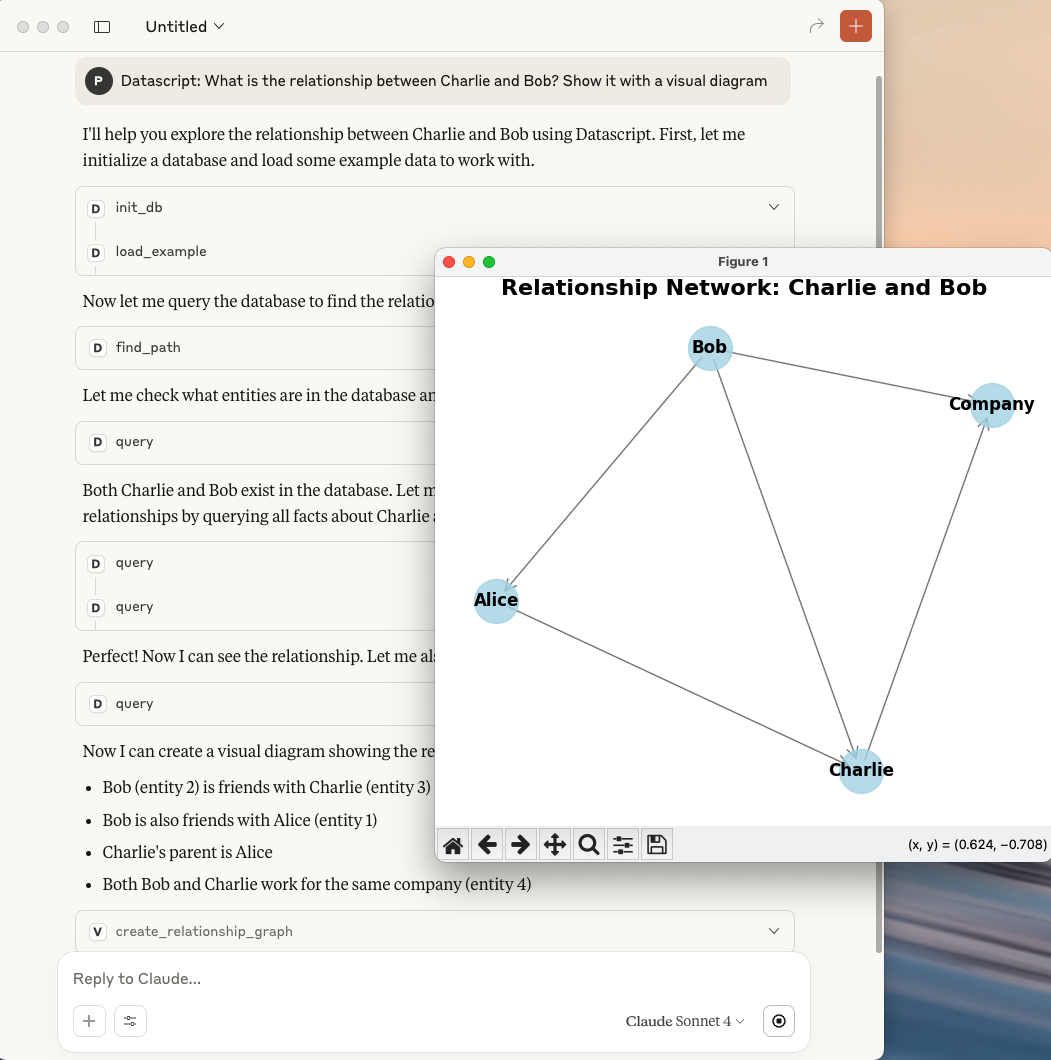
🕸️ Graph path search and visualization
- Datascript MCP Server + Visualization MCP Server
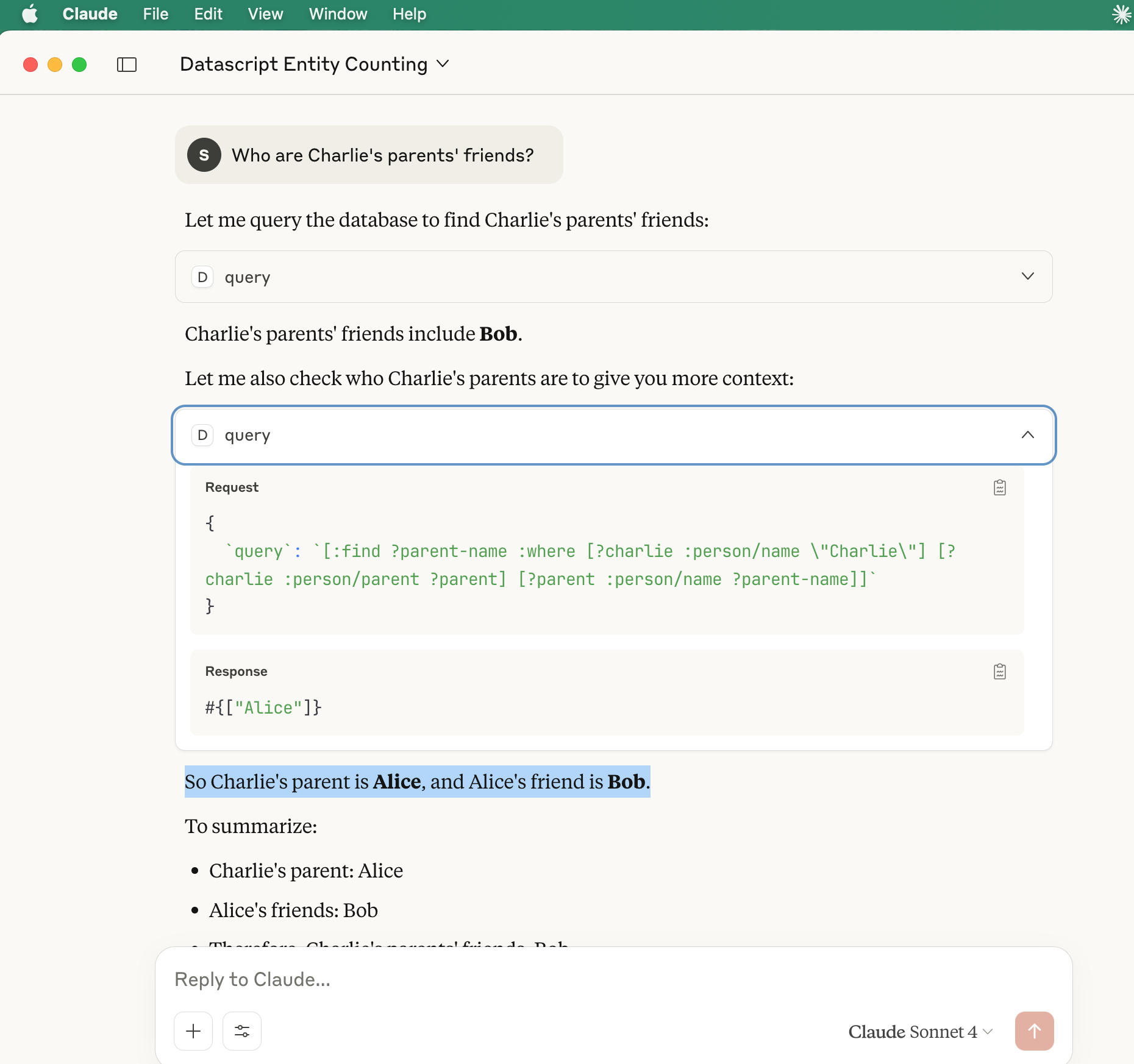
📂 Query parent-child relationships
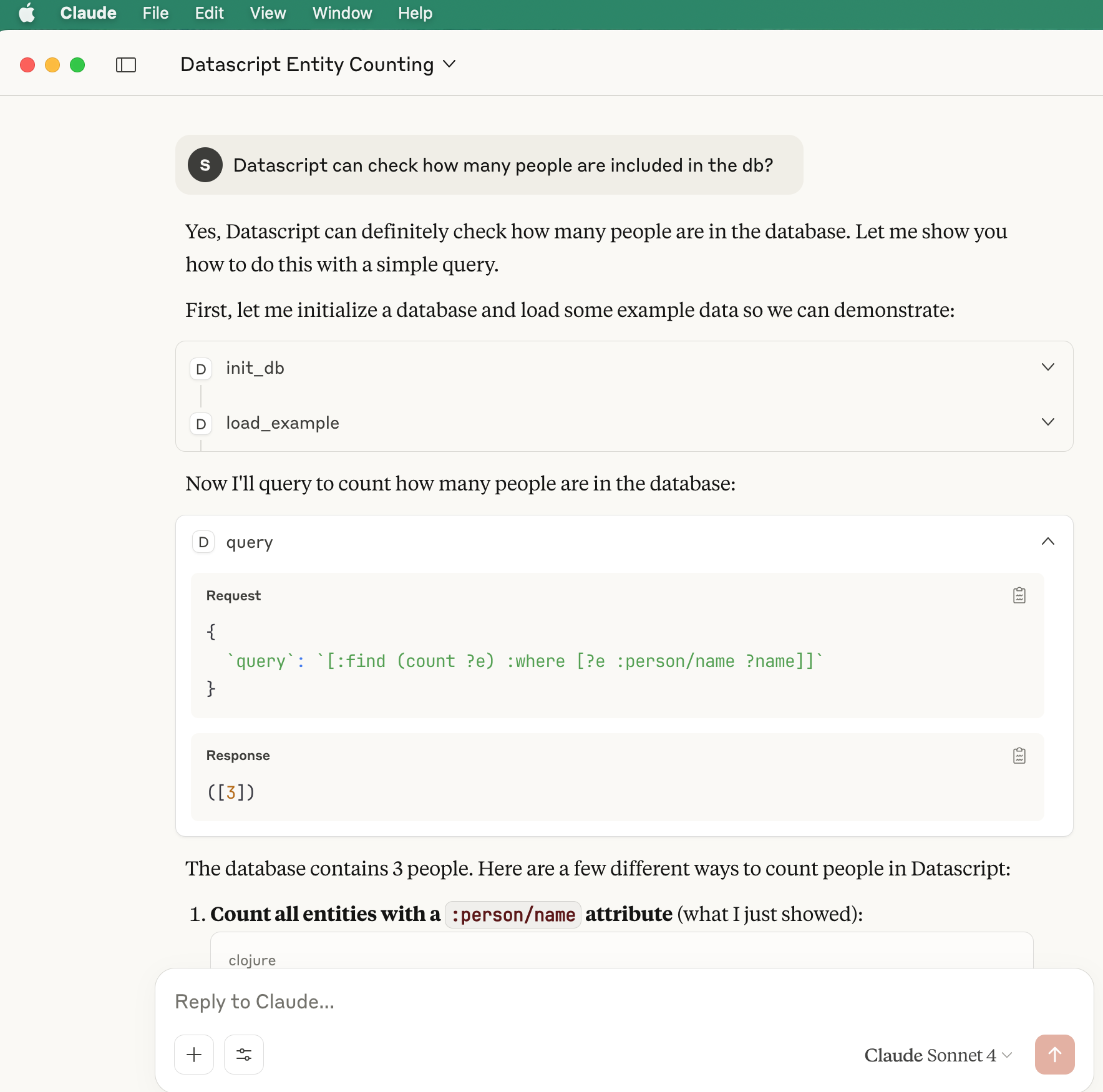
📊 Load examples and compute totals
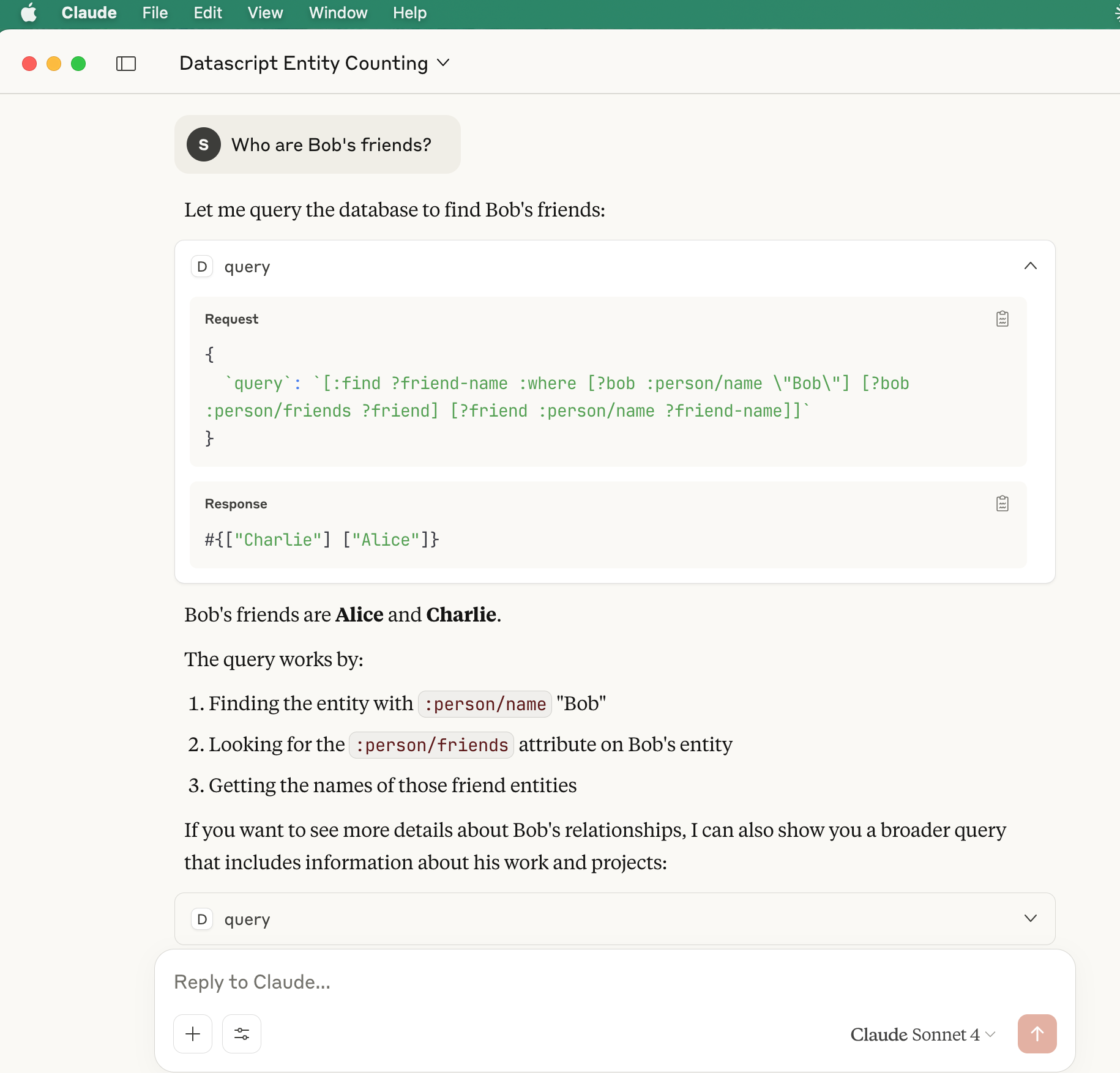
🧾 Query entity properties
⚙️ Getting Started
▶️ Run the MCP Server
Run with Clojure CLI:
clojure -X:mcp
Or from Emacs REPL:
(mcp-server)
✅ Check Server Health
Use the following command to verify that the server is up and responding to JSON-RPC:
echo '{"jsonrpc": "2.0", "id": 1, "method": "initialize", "params": {"protocolVersion": "2024-11-05", "capabilities": {}, "clientInfo": {"name": "test", "version": "1.0"}}}' \
| /usr/local/bin/clojure -M -m datascript-mcp.core
Expected response:
Datascript MCP Server running on STDIO transport.
{"jsonrpc":"2.0","method":"notifications/tools/list_changed"}
...
{"jsonrpc":"2.0","id":1,"result":{"protocolVersion":"2024-11-05","capabilities":{"logging":{},"tools":{"listChanged":true}},"serverInfo":{"name":"datascript-server","version":"0.1.0"}}}
🖥️ MCP Client Configuration (Claude Desktop)
Example client setup for launching the server from Claude Desktop:
{
  "datascript-mcp": {
    "command": "/bin/bash",
    "args": [
      "-c",
      "cd /Users/clojure/Desktop/datascript-mcp-server && /usr/local/bin/clojure -M -m datascript-mcp.core"
    ]
  }
}
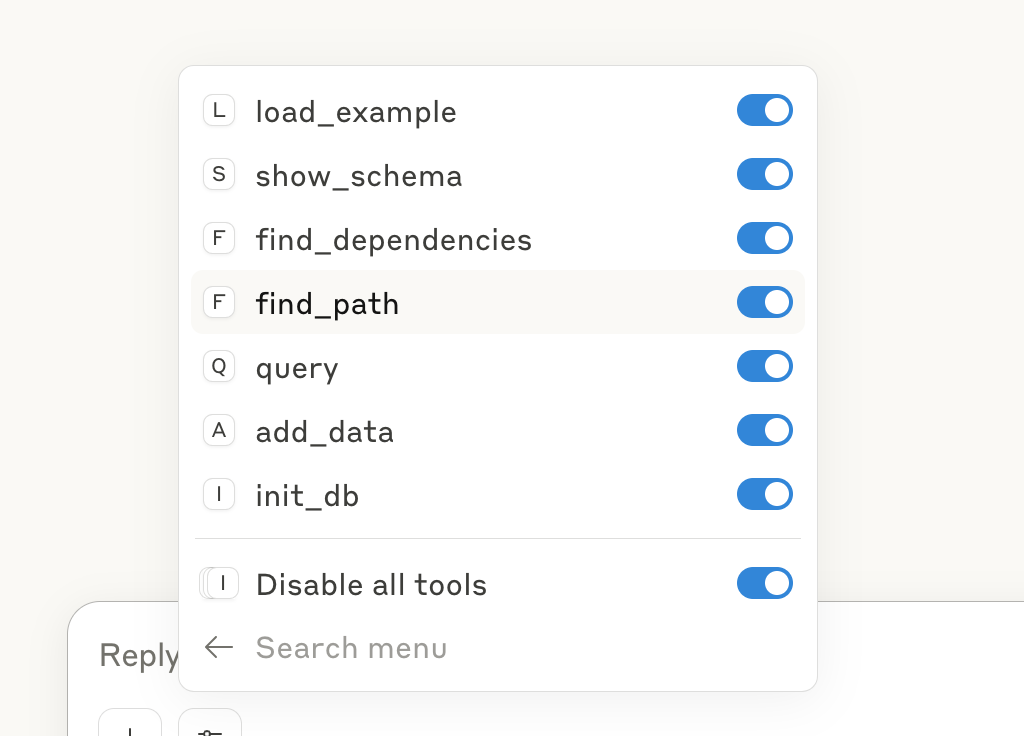
- Tools
🔮 Roadmap
- Import and query any DataScript dataset 👉
load-db, It's use datascript transit - Generate and insert AI-created data on the fly 👉
add_data - Connect to Datomic for hybrid querying 👉 Datomic MCP Server
- Visualize relationship graphs and entity networks 👉 Visualization MCP Server
- Support filesystem help 👉 filesystem-mcp-server,
clojure -X :mcp-filesystem - Support Datahike's MCP
Contributing
- Fork the repository
- Create a feature branch (
git checkout -b feature/amazing-feature) - Commit your changes (
git commit -m 'Add amazing feature') - Push to the branch (
git push origin feature/amazing-feature) - Open a Pull Request
License
This project is licensed under the MIT License - see the LICENSE file for details.
Built with Clojure. Powered by DataScript. Inspired by the future of intelligent querying. In the Source we trust.
快速设置
此服务器的安装指南
安装命令 (包未发布)
git clone https://github.com/xlisp/datascript-mcp-server
手动安装: 请查看 README 获取详细的设置说明和所需的其他依赖项。
Cursor 配置 (mcp.json)
{
"mcpServers": {
"xlisp-datascript-mcp-server": {
"command": "git",
"args": [
"clone",
"https://github.com/xlisp/datascript-mcp-server"
]
}
}
}