S
Sqllite MCP Server
作者 @xlisp
Sqllite MCP Server
创建于 8/13/2025
更新于 7 months ago
README
Repository documentation and setup instructions
🗄️ SQLite MCP Server
Query. Create. Analyze. Visualize.
A lightweight Python-based MCP server for interacting with SQLite databases.
Easily ask questions, create databases & tables, run queries, analyze data, and even visualize results directly through AI-powered workflows.
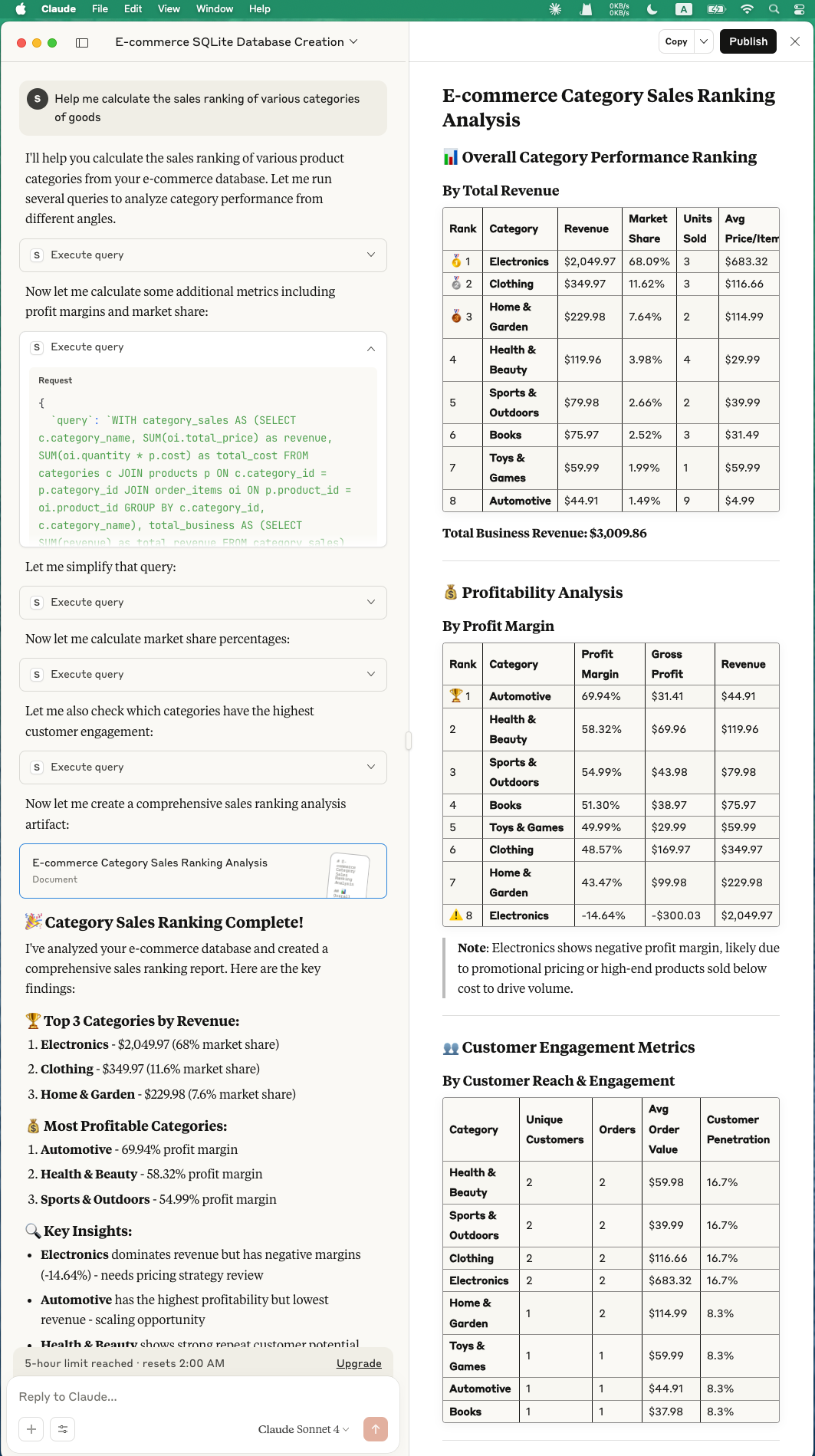
✨ Features
🔍 Natural Querying & Analysis
- Ask free-form questions about your database.
- Automatically translate natural language queries into SQL.
- Summarize and analyze datasets.
🛠️ Database & Schema Management
- Create and manage new SQLite databases.
- Define tables and schemas interactively.
- Insert, update, and delete data with simple prompts.
📊 Data Exploration
- Perform SQL queries and get results instantly.
- Generate aggregated reports and summaries.
- Explore relationships across tables.
📈 Visualization (with Visualization MCP Server)
- Send query results to the visualization MCP server.
- Create charts, plots, and dashboards directly from SQL results.
- Supports interactive analysis with Claude or other MCP clients.
🚀 Installation
Prerequisites
# Create and activate virtual environment
python3 -m venv .venv --upgrade-deps
source .venv/bin/activate

# Install MCP CLI and dependencies
pip install "mcp[cli]" httpx

# Optional: for generating mock data
pip install faker
⚡ Usage with Claude Desktop
Add the following to your claude_desktop_config.json:
config path example: /Users/xlisp/Library/Application\ Support/Claude/claude_desktop_config.json
  "sqlite-db": {
    "command": "/Users/xlisp/PyPro/sqllite-mcp-server/.venv/bin/python",
    "args": [
      "/Users/xlisp/PyPro/sqllite-mcp-server/main.py"
    ]
  },

"visualization": {
  "command": "/Users/yourname/Desktop/visualization-mcp-server/.venv/bin/python",
  "args": [
    "/Users/yourname/Desktop/visualization-mcp-server/visualization_mcp_server.py"
  ]
}
Then restart Claude Desktop, and you’ll be able to interact with SQLite directly:
- Ask questions like “What are the top 10 users by score?”
- Create tables with “Make a table for products with name, price, and category.”
- Analyze data with “Summarize average order values by month.”
- Visualize results with “Plot a bar chart of sales by category.”
🛠️ Development
sqlite_mcp_server.pyis the main entry point.- Extend commands to support custom SQL operations or integrations.
- Combine with visualization-mcp-server for richer workflows.
- Contributions are welcome — PRs and issues encouraged!
📜 License
MIT License.
快速设置
此服务器的安装指南
安装包 (如果需要)
uvx sqllite-mcp-server
Cursor 配置 (mcp.json)
{
"mcpServers": {
"xlisp-sqllite-mcp-server": {
"command": "uvx",
"args": [
"sqllite-mcp-server"
]
}
}
}